Who is this buying guide for?

Gamers without a spare plug socket for charging

If you want to practise directional audio without also having to charge your headset, a wired connection could be the answer. Check that your gaming device supports the connection, though. Megekko Academy explains that a wired headset itself doesn’t need charging.

Gamers who want freedom to move

If you don’t want to be tethered to a cable while practising, wireless could be a good fit if you can charge the headset at other times. The stated battery life and the conditions it applies to will help you plan when to charge it.

Gamers using multiple platforms

If you switch between PC and console, check which connection, microphone and audio processing features work with each device. Available features can vary by headset, software, game and platform, as Megekko Academy points out.

What should you look for when choosing?

Wired via 3.5 mm

Choose this if: you don’t want to charge a headset battery and your device or controller has a suitable 3.5 mm socket.

Bear in mind: the cable may restrict your movement. Also check that the microphone works through this connection.

Wired via USB

Choose this if: you have a suitable USB port free and want a wired connection without a headset battery.

Bear in mind: the cable uses up a port. According to Logitech, DTS Headphone:X 2.0 and EQ presets on the Logitech G432 are only available on Windows with G HUB.

Wireless with receiver

Choose this if: freedom of movement is your priority, your platform supports a suitable receiver and you can charge the headset between sessions.

Bear in mind: the headset needs a battery. Compare battery-life claims only alongside the conditions they’re based on.

What to consider What should you check? Who is this important for?
Practising without charging Check whether your device has a suitable 3.5 mm socket or a free USB port, and whether the cable can be positioned conveniently. If I don’t want to plan an extra charging session, I’m looking for a wired connection that fits my device. Around 29% of consumers prioritise using a headset without charging it.
Freedom of movement Check the connection type, whether there’s a suitable receiver port available and the conditions under which the manufacturer states the battery life. If I don’t want to be tethered to a cable while practising, I also need to be able to charge between sessions. Around 29% of consumers prioritise moving around without a cable.
Directional audio and platform Check the connection and audio processing requirements for each device. A ‘7.1’ label doesn’t guarantee useful positioning in your game. If I want to practise directional cues, I want to know which features are available on my platform. Around 24% of consumers prioritise platform and signal compatibility.
Comfort and team chat Look for adjustability, ear cushions, microphone muting and whether the microphone works through your chosen connection. If I play for longer sessions or talk to teammates, fit and microphone quality are key for me. Around 18% of consumers prioritise comfort and team communication.

Buying pitfalls

  • Assuming a surround sound claim guarantees better positioning

    Virtual surround sound and EQ can depend on the software, game and platform. For example, Logitech states that the G432’s DTS Headphone:X 2.0 and EQ features are only available on Windows with G HUB.

    For each headset and platform, check which features are available through the connection you plan to use.

  • Choosing wireless without planning when to charge

    A wireless headset needs a charged battery. The stated battery life applies under the manufacturer’s specified usage conditions.

    Think about when and where you can charge it, and compare battery life only alongside the relevant conditions.

  • Confusing an extended warranty package with your statutory rights

    The Dutch government states that the Netherlands has no fixed statutory warranty period and that the seller must provide a solution if a product is faulty.

    Read what the additional terms offer and keep them separate from your statutory rights.

Relevant brands to consider

SteelSeries

The Arctis Nova 1 offers a wired 3.5 mm connection, while the Arctis Nova 5 is wireless and comes with manufacturer presets, according to SteelSeries.

  • SteelSeries lists the Nova 1’s weight as 253 g and says it has adjustment points.
  • SteelSeries gives the Nova 5 a battery life of 60 hours.
  • The battery life is the manufacturer’s stated figure, and wireless use requires charging. The claim about hearing footsteps isn’t an independent performance measurement.

HyperX

According to HyperX, the wired Cloud III combines 3.5 mm with USB-A and USB-C.

  • HyperX lists memory foam, 53 mm drivers and a 10 mm microphone for this model.
  • These model specifications don’t prove that the headset delivers better directional audio in every game.

Logitech G

The wired G432 and wireless G733 offer different connection options for gaming.

  • The G432 offers a wired connection, while the G733 is wireless.
  • Logitech limits the G432’s stated DTS and EQ features to Windows with G HUB. The G733’s stated battery life of more than 29 hours applies at 50% volume with the lighting switched off.

JBL

The Quantum 200 is a wired 3.5 mm option with a flip-up microphone.

  • JBL lists memory foam and a directional microphone.
  • Check that the connection and fit suit your needs. Claims about giving you an advantage in games aren’t an independent performance measurement.

Wired gaming headsets on Joybuy

These Joybuy products are wired gaming headsets for anyone who doesn’t want to charge a headset battery while practising. Before buying, check that the connection and microphone suit your device and how you plan to use it.
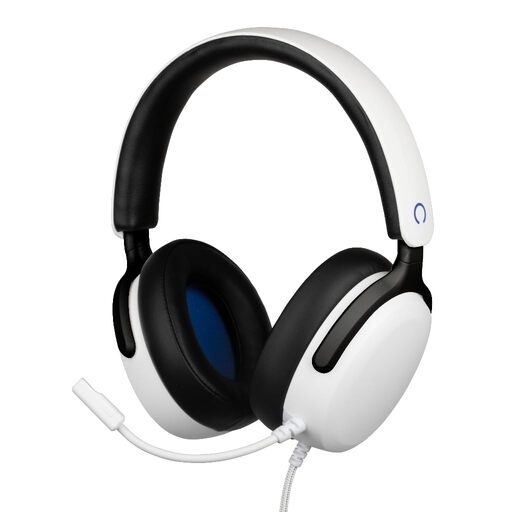
Konix Nexus wired over-ear gaming headset for PS5, white

Konix Nexus wired gaming headset for PS5, white

A wired option if you want to use a headset without charging its battery.

3.5 mm connection, 1.5 m cable, 40 mm drivers and flexible microphone.

Joybuy
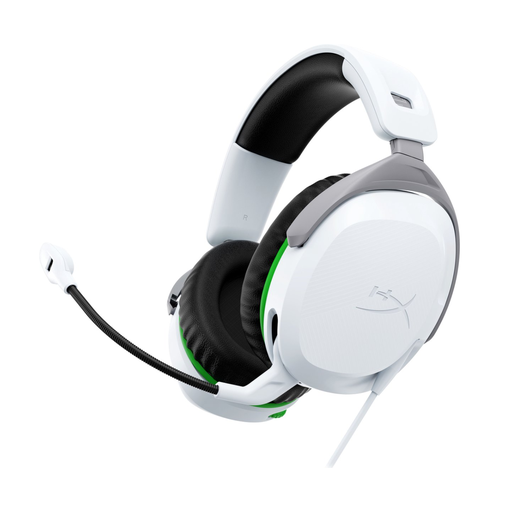
HyperX CloudX Stinger II wired gaming headset for Xbox, white

HyperX CloudX Stinger II, wired, white, Xbox

A wired headset for anyone who wants to avoid charging a headset and needs a swivel-to-mute microphone.

The product description lists a 3.5 mm connection and memory foam ear cups. The cable may restrict your movement.

Joybuy

HyperX Cloud Stinger II wired gaming headset for PS5 and PS4, white

HyperX Cloud Stinger II, wired, white, PS5/PS4

A wired option if you want a flip-to-mute microphone and don’t want to charge a headset battery.

The product description lists a 3.5 mm connection and memory foam ear cushions. The cable may restrict your movement.

Joybuy

Corsair HS55 Stereo wired gaming headset, white

Corsair HS55 Stereo, wired, white

A wired option for anyone who wants to avoid charging a headset and have a flip-to-mute microphone.

The product name lists 3.5 mm; the product description mentions stereo audio, memory foam ear cushions and a flip-up microphone.

Joybuy

Logitech G G432 wired 7.1 Surround Sound gaming headset

Logitech G G432 7.1 Surround Sound, wired

A wired headset to consider if you don’t want to charge a headset battery and your device has a compatible connection.

The product description lists 3.5 mm, a USB DAC and a flip-to-mute microphone. According to Logitech, DTS Headphone:X 2.0 and EQ presets are only available on Windows with G HUB.

Joybuy

Frequently asked questions

Do you need 7.1 surround sound to practise hearing footsteps?

No, a 7.1 label isn’t essential for practising directional audio. Stereo may also be suitable; positioning also depends on the game, software and platform. Check which features work on your device.

Does a wired gaming headset need to be plugged into a power socket separately?

No, according to Megekko Academy, a wired headset doesn’t need to be charged. You do need to connect it to a supported port on your gaming device, which will of course need its own power supply.

How can I check that the connection and microphone work on my platform?

Before buying, check which headset or USB ports your device has and which microphone and software features work with them. Once connected, test the audio output, microphone and mute function on the platform you play on.

What should I look for when choosing a wireless headset?

Check that your platform supports the connection and receiver, and that you can charge the headset between sessions. Compare stated battery life only against the manufacturer’s conditions. For example, Logitech lists more than 29 hours for the G733 at 50% volume with the lighting switched off.

How can I keep the listening volume at a sensible level during long sessions?

The World Health Organization advises keeping the volume on personal audio devices below 60% of the maximum and taking listening breaks. This is listening advice, not a Dutch legal volume limit for this purchase.
