
Story-focused detective gamer
You mostly play solo and want to follow dialogue and ambient sounds. Judge the audio for yourself in the game and on your device; according to PlayStation, 3D audio availability depends on the game’s support.


If you mostly play solo, start by choosing a headset that works with your device and feels comfortable. You don’t necessarily need a microphone or wireless connection. Going wireless gives you more freedom to move, but you’ll need to charge the headset and check that the connection works with your platform. On PS5, you can set up 3D audio for headphones, but whether it’s available in a game depends on that game’s support.
You mostly play solo and want to follow dialogue and ambient sounds. Judge the audio for yourself in the game and on your device; according to PlayStation, 3D audio availability depends on the game’s support.
You want a headset that stays comfortable during longer gaming sessions. Fit is personal, so pay attention to the ear cushions and headband, not just the audio specifications.
You switch between devices, such as a PC and console, and want to know which connection or wireless option works with each one. Check compatibility for each device and connection type.
Start with the device you play on and the connection you want to use. Then decide whether extra features, such as a microphone or 3D audio, matter for your detective game.
| What to consider | What should you check? | Who is this important for? |
|---|---|---|
| Dialogue and ambient sound | Check whether your game and platform support the audio feature you want. If possible, listen for speech and quieter sounds yourself. | If I want to follow dialogue and subtle sounds clearly, I want to judge the audio in my own game; around 28% of consumers prioritise sound details. |
| Comfort during long sessions | Check how the headset fits around your ears and how much pressure the headband applies. Check the returns policy before buying. | If I play for a long time, I want the ear cushions and headband to feel comfortable; around 22% of consumers put comfort first. |
| Connection to your device | Make a note of your console, PC or mobile device, then check the connection, any required receiver and the supported features. | If I play on more than one device, I want to know in advance which connection works with each one; around 22% of consumers prioritise platform compatibility. |
| Wireless or wired | Check the wireless mode, the receiver required and the stated battery life; wireless use means you’ll need to charge the headset. | If I want to move around without a cable, I’m happy to charge the headset; around 17% of consumers value freedom of movement most. |
| Microphone and voice chat | Decide whether you want to talk while gaming and check that the microphone and mute function work with your device. | If I also play with others, I want to be able to talk and mute easily; around 11% of consumers prioritise voice chat. |
PlayStation says that the feature’s availability depends on whether the game supports it. So, a headset with a 3D audio feature doesn’t guarantee that it’ll be available in your game.
Check your game and platform before making your choice. Also consider standard stereo sound, the connection and the fit.
A model may offer different connections or wireless modes, but the connection it supports can vary from one device to another.
Compare the full model name with your gaming device and check which connection you want to use with it.
If a product is faulty, the seller must provide a solution under guidance from the Rijksoverheid. An additional package is only worth considering if its terms give you extra rights.
Compare its cover and exclusions with your existing rights before choosing an additional package.
The wired Cloud III could be a good fit if you’re looking for multiple connection options and on-ear microphone controls.
The G435 is a wireless option if LIGHTSPEED works with your platform and Bluetooth suits your other devices.
The Arctis Nova 5 Wireless is worth considering if you want to switch between 2.4 GHz and Bluetooth or explore sound presets.
The PULSE 3D is a PS5-focused option with audio and chat controls.
This selection includes wired and wireless gaming headsets for a range of gaming devices. Check each model’s connection and which features work with your device.
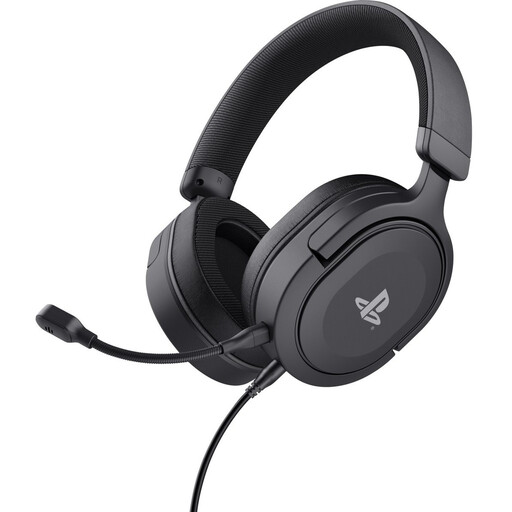 No image available
A wired option for PS5 and PS4 players who want to use a 3.5mm connection.
The product description lists 50 mm drivers, soft ear cushions, a padded headband and a weight of 253 g. It also mentions the detachable microphone and controls for volume and muting the microphone. The cable is 3.5 mm; there’s no wireless connection.
 No image available
A wireless option if you want to play without a cable and have a microphone that flips up to mute.
The product information lists 2.4 GHz, Bluetooth 5.2 and 50 mm drivers. It lists compatibility with Xbox, PlayStation, PC and Nintendo Switch; check which connection type works with your device. Wireless use means you’ll need to charge it.
 No image available
A wireless option if you want to compare the listed 2.4 GHz and Bluetooth modes and check support for your devices.
The product information lists 53 mm drivers, a detachable microphone with a mute indicator, and memory foam in the ear cushions and headband. Check the connection for each platform; wireless use means you’ll need to charge it.
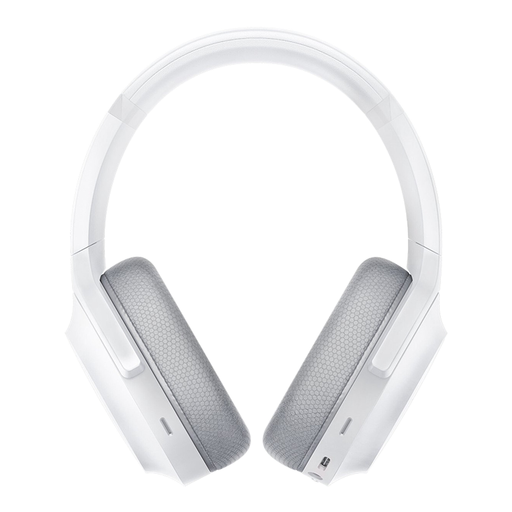 No image available
A wireless option if you want to switch between the listed 2.4 GHz and Bluetooth connections.
The product information lists SmartSwitch, built-in microphones, 50 mm drivers and USB-C charging. It lists compatibility with PC, PlayStation, Switch and Android; check which connection works with your device.
 No image available
A wired option if you want a connection that suits your PC, PS5 or Xbox Series X|S.
The product information lists 3.5 mm, USB-A and USB-C connections, 53 mm drivers, memory foam and a detachable microphone. The description mentions DTS Spatial Audio for PC; this feature hasn’t been confirmed for other platforms.
No, the available information doesn’t show that you specifically need a PULSE 3D. PlayStation describes 3D audio as a headphone setting on PS5; whether it’s available in a game depends on that game’s support.
According to PlayStation, go to Settings > Sound > 3D Audio (Headphones). There, you can create a personalised audio profile or choose a preset.
VeiligheidNL recommends headphones that fit well, so background noise is less likely to tempt you to turn up the volume. Check the fit and set the volume to a level you can listen to comfortably.
No, you don’t need an extra package to have statutory rights when buying as a consumer in the Netherlands. According to the Rijksoverheid, the seller must provide a solution if a product is faulty. Compare the terms of any extra cover with your existing rights to see whether it offers anything more.
For online consumer purchases in the Netherlands, ACM ConsuWijzer says you generally have a statutory cooling-off period of up to 14 days after delivery, with some exceptions. Check the seller’s returns information before buying and see whether an exception applies to your purchase.