
Players practising with audio cues
If you want to pick out footsteps and other in-game audio cues, check whether your chosen model offers useful sound profiles. A profile is no guarantee of better aim.


First, choose a headset that works with your PC or console. Then consider how it reproduces in-game audio cues, how comfortable it is to wear, and how easy it is to reach the volume and mute controls. A wired headset doesn’t need charging, but it limits your freedom to move around. Wireless gaming requires a suitable connection and charging. An audio profile doesn’t prove that you’ll aim more accurately.
If you want to pick out footsteps and other in-game audio cues, check whether your chosen model offers useful sound profiles. A profile is no guarantee of better aim.
If you play on multiple devices, check the connection, the exact model variant and which features work on each platform.
Fit and easy-to-reach controls can matter when you play for a long time. Team chat and wireless freedom to move around may also be important.
First, check the connection and platform compatibility. Then compare the sound settings, comfort and controls with what you need while playing.
| What to consider | What should you check? | Who should pay particular attention? |
|---|---|---|
| In-game audio cues | Compare the sound in your own game and check that the EQ or surround sound features you want work on your platform. | If I want to pick out footsteps and other audio cues, I’m looking for sound that works well for my game. Around 25% of consumers give the audibility of in-game cues top priority. |
| Comfort during long sessions | Consider the headband, ear cushions and fit; comfort is a personal matter. | When I play for long evenings, I want a headset that feels comfortable without needing constant adjustment. Around 20% of consumers put comfort at the top of their list. |
| Platform compatibility | Check your PC, console or controller, the connection and the full model variant. | I want to know before buying whether the headset and the features I want will work with my device. Around 25% of consumers say platform compatibility is their most important buying priority. |
| Team chat and controls | Check where the mute and volume controls are, and test the microphone on your own device. | If I play with teammates, I want to be able to mute quickly and check the microphone. This is the top priority for around 15% of consumers. |
| Wireless freedom | Check the connection type, model variant and stated battery life. | I want to play without a cable and will factor in charging and compatibility checks. Around 15% of consumers put wireless freedom to move around first. |
The software features of the Logitech G432 require Windows and G HUB. Razer says the BlackShark V2 X’s 7.1 feature is only available on Windows 11.
Check the features for the exact model, operating system and connection; don’t rely on the label on the packaging alone.
Xbox Support says the Xbox One doesn’t support Bluetooth headset connections. For wireless Xbox use, SteelSeries specifies the Nova 5X variant; check the exact model.
Before buying, check both the platform variant and the connection method.
According to the WHO, safe listening time drops sharply as the volume increases; at 90 dB, the WHO recommends a limit of four hours a week.
Adjust the game and chat balance or available EQ settings, and keep the volume and listening time within safe limits.
ACM ConsuWijzer distinguishes between commercial cover and the legal guarantee. You don’t need to buy an additional warranty to keep your legal rights.
Compare the terms of any extra cover with your existing legal rights before paying for it.
The Arctis Nova 5 Wireless is worth considering if you want to play wirelessly and try out game profiles.
The Cloud III Wired is a wired option if you’re looking for different connection options and controls on the earcup.
The G432 is a wired model to consider if you want a quick way to mute the microphone.
The BlackShark V2 X is a wired option if closed-back earcups and passive noise isolation suit your preferences.
The Stealth 600 Gen 3 is worth considering if you’re comparing wireless variants for Xbox, PlayStation or PC.
This selection includes wired and wireless gaming headsets for PC and console use. Check the connection and the compatible devices listed for each model.
 No image available
An option to compare if you want to play wirelessly on Xbox and mute the microphone quickly.
The product name lists Xbox Series X|S, Xbox One, PC, Switch 2 and mobile. The product information specifies a 2.4 GHz gaming connection and a flip-to-mute microphone.
 No image available
A wired option if your device has a compatible 3.5 mm connection and you want a quick way to mute the microphone.
The product name lists Nintendo Switch, Switch Lite, Switch OLED, PC and mobile. The product information specifies a volume wheel, a flip-to-mute microphone and mesh ear cushions.
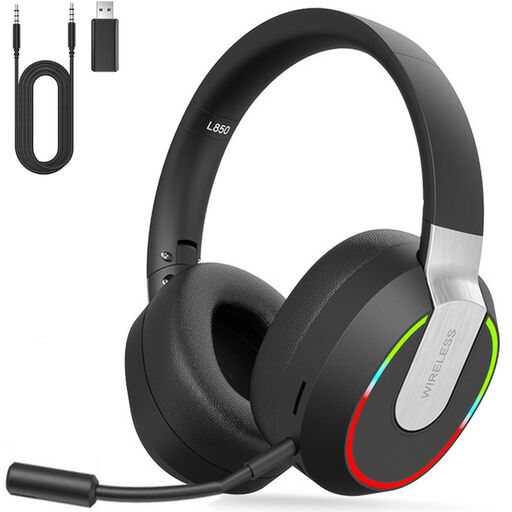 No image available
An option to compare if you want to choose between several listed devices and connection types.
The product name lists PC, PS4, PS5, Mac and Switch. The product information specifies 2.4 GHz via USB, Bluetooth, a wired mode and a detachable microphone.
 No image available
A model to compare if you play on PC or PS4 and the stated Windows audio feature is relevant to you.
The product information lists a weight of 285 g and 7.1 audio on Windows. Check that the feature works with your device.
 No image available
An option to compare if you want to play wirelessly and have mute and volume controls on the headset.
The product name lists PC, PS5, PS4, Switch and mobile. The product information specifies 2.4 GHz, Bluetooth, volume control and a mute button. The stated battery life is up to 200 hours via Bluetooth and up to 120 hours via 2.4 GHz.
A headset can give you access to in-game audio cues and adjustable sound profiles, but these features don’t prove that you’ll aim more accurately. Assess the sound during your own practice, at a safe listening volume.
No. Check the compatible connection and the exact headset variant. Xbox Support says the Xbox One doesn’t support Bluetooth headset connections; for wireless Xbox use, SteelSeries specifies the Nova 5X.
First, check the connection and set up the game audio, chat and microphone on your own device. Before you start playing, find the volume and mute controls and test the microphone. The WHO says that at 90 dB, safe listening time falls to four hours a week.
According to ACM ConsuWijzer, in the Netherlands you have a legal guarantee in addition to any manufacturer’s warranty. If a product doesn’t meet reasonable expectations during normal use, the seller must resolve the issue under the applicable terms; a stated manufacturer’s warranty period doesn’t automatically limit your legal rights.
ACM ConsuWijzer says online purchases generally come with a statutory cooling-off period of up to 14 days after delivery. Exceptions apply; check the relevant terms and handle the product carefully while you assess it.