Start with a headset whose microphone and connection work with your PC or console. Then choose between wired play, without having to manage a battery, and wireless play, without a cable. In a dark room, easy-to-reach mute and volume controls and a way to check your microphone status are useful, but a mute LED is only visible. Positional audio depends on the game, platform and settings you use.
Who is this choice relevant to?
Team coordinator
You practise call-outs and mainly need a usable microphone and easy-to-reach mute controls. HyperX describes the wired Cloud III as having on-earcup controls and a mute LED. Check that you can find the buttons by touch and see the LED.
Sound cue follower
You want to judge direction and other relevant sound cues without assuming that a surround feature works on every platform. PlayStation describes a PS5 setting that lets you compare sounds from different positions. Also check the platform requirements for any headset software.
Late-night long-session player
You play for longer sessions in a dark room, so you’ll want controls you can find, a comfortable fit and a sensible listening volume. The World Health Organization points out that sound level, listening time and how often you’re exposed to loud sound all matter.
What should you look for?
First, check that the connection and features are compatible with your gaming platform. Then compare the controls for team chat and sound cues, and consider fit and listening volume for longer sessions.
| What to consider |
What should you check? |
Who is this more important for? |
| Sound cues and direction |
Check which spatial audio features are available on your platform and compare settings in the same game. |
If I want to follow direction and important cues while playing support, I don’t want to assume that a surround sound label works the same way on every platform. Around 25% of consumers give sound cues and direction top priority. |
| Team chat and microphone mute |
Check the microphone connection, mute controls and any software requirements. Test your microphone in-game or in chat. |
If I make call-outs, I want my teammates to hear me clearly and to be able to mute my microphone quickly. Around 25% of consumers give team chat and quick microphone muting top priority. |
| Platform compatibility |
Check which ports are available, the full model name and which features work on your platform. |
If I want to use my headset with a specific PC or console, I want to know in advance whether the connection and features are compatible. Around 20% of consumers give platform compatibility top priority. |
| Controls in the dark |
Check where the mute and volume buttons are and whether you can tell them apart by touch. Also check how the mute status is indicated. |
If I’m playing without being able to see the earcup clearly, I want to adjust mute and volume without having to search for the buttons. Around 15% of consumers give controls in the dark top priority. |
| Comfort and listening volume |
Try the fit and ear cushions where possible. Start at a low volume and take breaks during longer sessions. |
If I’m playing for a long time, I want a comfortable fit and to avoid turning the volume up and up just to hear the details. Around 15% of consumers give comfort and listening fatigue top priority. |
Common buying mistakes
-
Assuming a surround sound label guarantees the same feature on every console
Logitech says that DTS Headphone:X 2.0 and EQ presets on the G432 require Windows and G HUB. These software requirements don’t automatically apply to other platforms.
Check the requirements for your connection and platform. Treat PS5 3D audio as a separate console setting.
-
Assuming every Arctis Nova 5 variant works with Xbox
SteelSeries specifies the Nova 5X for Xbox, so the name Nova 5 alone doesn’t tell you which variant you need.
Before buying, check the full model name and whether the included transmitter is compatible with your platform.
-
Confusing a mute LED with controls you can feel in the dark
HyperX describes the Cloud III as having on-earcup buttons and an LED that indicates mute status. A light isn’t helpful if you can’t see it.
Check separately whether you can find the controls by touch and how you’ll know during play that the microphone is muted.
-
Thinking paid extra cover is your only protection if something goes wrong
According to ACM ConsuWijzer, your statutory guarantee applies alongside a seller’s or manufacturer’s guarantee. An optional extra warranty service may come at an additional cost.
Check what your statutory guarantee and the seller’s terms cover before considering an extra service.
Brands to consider
HyperX
The wired Cloud III is worth considering if you want direct mute and volume controls and several connection options.
- HyperX lists a detachable microphone, on-earcup controls and a mute LED for the wired Cloud III.
- The LED is a visual indicator. Check for yourself whether you can find the buttons in the dark and tell when the microphone is muted.
SteelSeries
The Arctis Nova 5 is worth considering if you want to play wirelessly and switch between 2.4 GHz and Bluetooth.
- SteelSeries lists audio profiles and Quick Switch for the Nova 5.
- According to SteelSeries, only one connection can be active at a time. For Xbox, the manufacturer specifically names the Nova 5X.
Logitech G
The G432 and wired PRO X illustrate options with different connections and audio or microphone software that depends on your PC.
- Logitech G lists surround sound and EQ via G HUB on Windows for the G432. On the wired PRO X, Blue VO!CE and DTS Headphone:X 2.0 are available via G HUB on PC.
- These software features don’t automatically apply when you use the headset with a console.
JBL
The wired Quantum 200 is worth considering if you want a 3.5 mm connection and a flip-up microphone.
- JBL lists a directional flip-up microphone with automatic muting and memory foam ear cushions.
- See how the microphone and fit work for you in your gaming setup. Claims about an advantage in games aren’t an independent performance test.
Gaming headsets at Joybuy
This selection includes wired gaming headsets with a 3.5 mm connection and wireless models. Check each headset’s platform compatibility and any software requirements.
 No image available
Trust GXT 498W Forta, wired for PS5, white
A wired option for PS5 communication, with microphone mute controls on the earcup.
The product information lists a 3.5 mm connection, a detachable microphone and a weight of 253 g. The cable means you won’t have the freedom to move around wirelessly.
View at Joybuy
 No image available
JBL Quantum 300, wired, black
A wired option with a directional microphone that flips up.
The product information lists a 3.5 mm connection and memory foam ear cushions. According to the product information, QuantumSURROUND is only available on PC.
View at Joybuy
 No image available
Turtle Beach Stealth 500 for Xbox
A wireless option for Xbox with a flip-up microphone that, according to the product information, mutes when raised.
The product information lists a 2.4 GHz USB transmitter, Bluetooth and a rechargeable battery.
View at Joybuy
 No image available
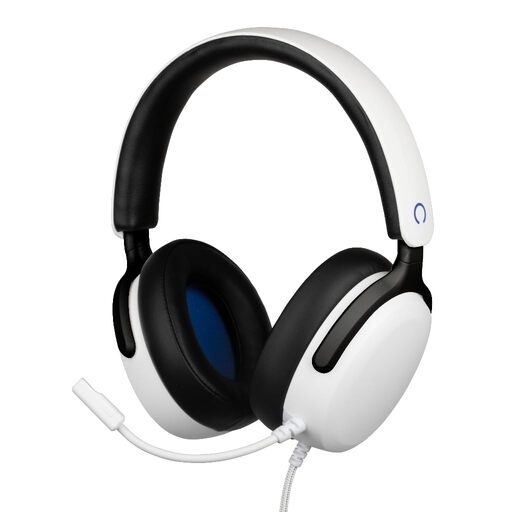
Konix Nexus, wired for PS5, white
A wired option for PS5 communication, with a flexible microphone and a volume wheel on the earcup.
The product information lists a 3.5 mm connection, a 1.5 m cable and 40 mm drivers.
View at Joybuy
 No image available
HyperX Cloud III S, black and red
A wireless option with a detachable microphone, mute button and mute LED.
The product information lists 2.4 GHz and Bluetooth. DTS Spatial Audio is specified for PC, and the headset has a rechargeable battery.
View at Joybuy
Frequently asked questions
Do you need a headset with its own 7.1 label for 3D audio on PS5?
No. PlayStation describes 3D audio as a PS5 setting for headphones, with a personal profile or presets. Also check that the headset works with your PS5 through the connection you’ve chosen. A PC software feature is something different.
Can the Arctis Nova 5 play game audio over 2.4 GHz and phone audio over Bluetooth at the same time?
No. According to SteelSeries, only one connection can be active at a time when using Quick Switch. The feature switches between 2.4 GHz and Bluetooth.
How should you set up a headset for a long practice session?
First, test the microphone, mute controls and volume in your game or chat. Start at a low listening volume and take breaks. The World Health Organization points out that a higher sound level reduces safe listening time.
What if a headset bought online in the Netherlands isn’t right for you or breaks too soon?
For online purchases, you’ll often have a 14-day cooling-off period. Check the terms that apply to your purchase. The seller is also responsible for the statutory guarantee if the product doesn’t meet what you could reasonably expect under normal use. An additional guarantee doesn’t replace this statutory right.


