
Story and sound sleuth
Mostly plays solo and wants to follow dialogue and subtle audio cues without turning the volume up unnecessarily.


Start with the platform you play on, then choose a headset that feels comfortable and lets you hear dialogue and subtle clues at a comfortable volume. With a wired headset, there’s no battery to charge, but you are tethered by a cable. Wireless gives you more freedom to move, but you’ll need the right connection and a charged battery. If you play with others, pay attention to the microphone too.
Mostly plays solo and wants to follow dialogue and subtle audio cues without turning the volume up unnecessarily.
Plays for long periods and prioritises fit and ear cushions over extra audio settings. How comfortable a headset feels varies from person to person.
Switches between PC and consoles, so checks the exact headset version and connection.
A good fit if: you play in one place and don’t want to charge a battery. According to HyperX, the Cloud III has 3.5 mm, USB-C and USB-A connections; check which one works with your device.
The trade-off: you remain connected to your device by a cable.
A good fit if: freedom to move matters and you have the right receiver or connection for your platform.
The trade-off: you’ll need to charge the battery and check that the exact version works with your console or PC.
| What to consider | What to look for | Who should pay extra attention? |
|---|---|---|
| Dialogue and game audio | Check that you can easily adjust the volume during quieter scenes; if possible, try the audio with a game you play. | I want to follow dialogue and subtle clues without constantly turning up the volume; around 36% of consumers prioritise game audio. |
| Comfort | Pay attention to the fit of the headband and ear cushions, and choose a material that feels comfortable to you. | I want the headset to stay comfortable during long gaming sessions; comfort is the top priority for around 29% of consumers. |
| Platform compatibility | Check the full model name, the connection and whether a USB receiver is required. | If I switch between console and PC, I want to be sure this exact version will connect; around 21% of consumers prioritise platform compatibility. |
| Connection and chat | Check that the headset works the way you want, wired or wirelessly, and find out how to mute the microphone. | I want to play without a cable or chat with others without having to search through settings; connection or chat is the top priority for around 14% of consumers. |
SteelSeries says that only the Arctis Nova 5X in the Nova 5 range is designed for Xbox.
Before you buy, check the full model name and the dongle’s switch position.
The Nova 5 range’s Quick-Switch feature switches between 2.4 GHz and Bluetooth; it doesn’t mean that audio from both sources plays at the same time.
If you want to hear two sources at once, check that the specifications explicitly mention simultaneous playback. PlayStation lists this feature for the PULSE Elite via PlayStation Link and Bluetooth.
ACM ConsuWijzer distinguishes between a warranty from the seller or manufacturer and your statutory rights against the seller.
Check what any additional cover includes, and keep its terms separate from your statutory rights.
The wired Cloud III is worth comparing if you’re looking for a choice of connections.
The PULSE Elite is a wireless option for players who mainly use a PS5.
The Arctis Nova 5 range includes wireless versions that let you switch between connections.
The wired BlackShark V2 X is worth comparing if you’re looking for an analogue 3.5 mm connection.
The PRO X 2 LIGHTSPEED is worth comparing if you want to weigh up wireless and wired connection options.
These Joybuy models include wired and wireless gaming headsets. Check the connection and compatibility with your platform for each version.
 No image available
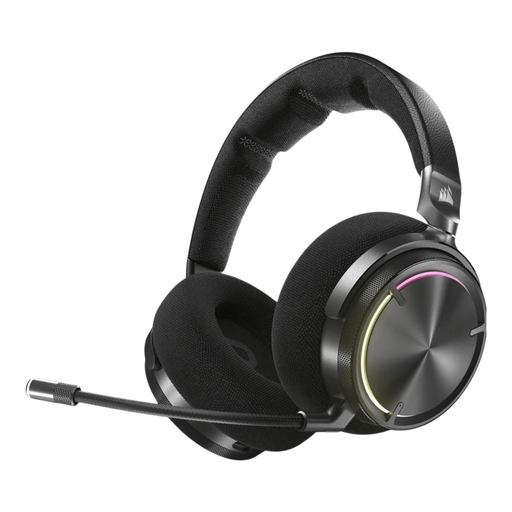
A wireless option for playing on PlayStation or PC if you want to tailor the audio to your preferences.
The description lists a wireless base connection, Bluetooth, customisable equaliser settings and two interchangeable batteries.
 No image available
A wireless option if you want to switch between a PC or console and a mobile device.
The description lists RF wireless, Bluetooth, audio calibration and active noise cancellation. The stated weight is 417 g; check that it feels comfortable for longer sessions.
 No image available
A wired option if you want to use a 3.5 mm connection and avoid charging a battery.
The description lists memory foam ear cushions and a microphone. Check that the connection is suitable for your device.
 No image available
A wireless option with a flip-to-mute microphone.
The description lists 2.4 GHz, Bluetooth and compatibility with Xbox, PlayStation, PC, Switch, Steam Deck and mobile devices. Check that this version is right for your devices.
 No image available
A wireless Xbox version for players who also want to play on PC or Switch.
The description lists a 2.4 GHz receiver for Xbox and PC, Bluetooth, and a flip-up microphone that mutes when raised.
Not necessarily: PlayStation offers a 3D audio setting for headphones on PS5, with a personalised profile or presets. Do check that the headset can connect to your PS5.
Follow the instructions for the exact model. For the Nova 5, SteelSeries recommends connecting the dongle directly, checking that the 5X is set to the correct dongle mode and re-pairing if needed.
Keep the volume low and take regular listening breaks. The World Health Organization lists volume, listening time and how often you’re exposed to loud sounds as factors in hearing risk; the practical guideline of keeping your device volume to a maximum of 60% is not a measurement of your headset’s sound level.
According to ACM ConsuWijzer, online purchases generally come with a 14-day cooling-off period from delivery, with some exceptions. Your statutory guarantee is separate from any manufacturer’s warranty; check the terms that apply to your purchase.