
Ranked player who uses team chat
You want to be able to speak quickly while playing and mute your microphone easily. Check where the controls are and how they work; HyperX, for example, lists a mute control on the Cloud III.


Choose a headset that works with your gaming platform and lets you hear your teammates clearly; then decide whether a cable would get in the way of your mouse. A wired headset means you won’t need to charge it, while a wireless one keeps your desk clear but requires a compatible receiver and time to recharge. Also check the fit and which audio features are available on your device, rather than relying on a surround-sound label alone.
You want to be able to speak quickly while playing and mute your microphone easily. Check where the controls are and how they work; HyperX, for example, lists a mute control on the Cloud III.
You want to avoid running a cable across your desk, or you may prefer a wired headset if you can route the cable neatly and don’t want to charge it. Megekko Academy describes not having to recharge as a practical advantage of wired use.
You’ll want to consider the fit, ear cushions and controls during longer matches. HyperX and JBL list memory foam ear cushions on specific models, but fit is a personal matter.
The percentages below relate to consumers looking for a gaming headset for ranked strategy games at a small desk. First decide which need matters most for the way you play, then check the connections and features of the exact model.
| What to consider | What should you check? | Who will this matter most to? |
|---|---|---|
| Clear team chat | Check the microphone position, mute control and chat support on your platform. | If I want to give quick instructions during ranked matches and mute the microphone easily, team chat comes first. Around 25% of consumers prioritise clear team communication. |
| Clear desk space | For wired use, consider how to route the cable. For wireless use, check the receiver and how you’ll charge the headset. | If a cable could cross my mouse space, keeping my desk clear matters more; wired is a good option if I can route the cable neatly and want to avoid charging. Around 20% of consumers prefer a clear workspace. |
| Comfort during long sessions | Check the adjustability, ear cushions and pressure around your ears; the material alone won’t tell you how it will fit. | If I play longer matches, I want the headset to stay comfortable, including when I’m wearing glasses. Around 20% of consumers prioritise wearing comfort. |
| Platform compatibility | Check the exact model variant, available ports, and microphone and software support. | If I play on a console or PC, I want to know that the connection and features I need will work with my device. For around 15% of consumers, compatibility is the top priority. |
| Clear in-game audio | Check which sound profiles are available on your device and how they work with your game. | If I want to pick out in-game cues clearly, I want to assess the settings on my own device rather than relying on a surround-sound label alone. Around 20% of consumers prioritise useful in-game audio. |
Audio features can depend on the software and platform. Logitech lists Windows and G HUB as requirements for DTS Headphone:X 2.0 and EQ on the G432; stereo isn’t automatically unsuitable for gaming.
Check which audio features are available for the exact model, device and game.
Different versions in a series may be designed for different gaming devices. SteelSeries specifically lists the Nova 5X for Xbox.
Before buying, compare the full model name with your device and the port available.
According to the Dutch Government, the Netherlands has no fixed statutory warranty period. A manufacturer’s warranty is separate from your right to a product that meets expected standards.
Check exactly what any additional warranty covers. If there’s a fault, contact the retailer.
The wired Cloud III is worth considering if you want several connection options and a mute control on the ear cup.
The Arctis Nova 5 is an option if you want to switch between a USB dongle for gaming and Bluetooth.
The G432 and G733 illustrate the different connection options available from the brand.
The wired Quantum 200 is an option if you’re looking for a flip-up microphone.
The wired BlackShark V2 X could suit you if you’re looking for an adjustable microphone boom and closed-back ear cups.
This selection includes wireless gaming headsets with a USB receiver and wired models. Check that each headset’s connection is compatible with your gaming device.
 No image available
A wireless option if you want to keep a headset cable off your desk and value microphone controls for team chat.
Wireless use means you’ll need to charge it. Check that this PlayStation version and its connection are compatible with your gaming device.
 No image available
A wireless model for anyone who wants to use a microphone with a mute control during team chat and keep cables off their desk.
Wireless use means you’ll need to charge it. Check that the wireless connection and included controls are compatible with your device.
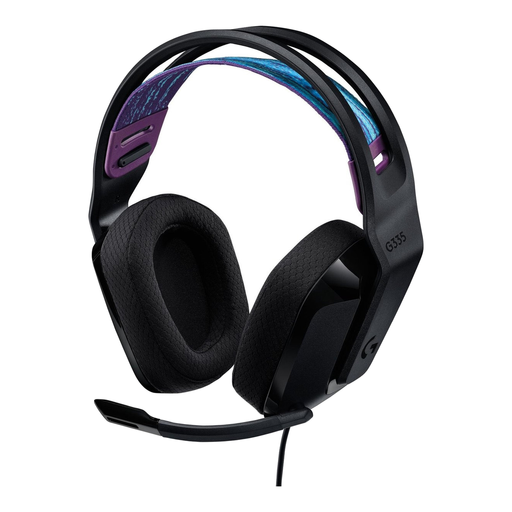 No image available
A wired option if you don’t want to recharge a headset and want to be able to mute your microphone during team chat.
The cable runs from the headset, so think about how you’ll route it around your desk.
 No image available
A wireless option for a clear workspace, with a detachable microphone for team chat.
Wireless use means you’ll need to charge it; consider the battery life you’ll need for your sessions.
 No image available
A wired option if you want to be able to mute your microphone during a match and would rather not recharge your headset.
This is a wired headset. Check that the listed connections are compatible with your gaming device, and bear in mind that the cable will be on your desk.
No, not just because of that label. Virtual surround sound depends on the software, game and platform; stereo isn’t automatically less suitable. Check which features are available on your device.
Check that the receiver fits into an available port on your device. According to SteelSeries, the Arctis Nova 5 switches between a 2.4 GHz dongle and Bluetooth; this doesn’t mean the two connections are mixed at the same time. For wireless Xbox use, SteelSeries specifically lists the Nova 5X.
Pay attention to keeping the volume at a manageable level and to how the headset feels while you’re wearing it. The WHO and ITU discuss volume controls and safe-listening warnings for gaming devices; also check that the controls on your chosen model are easy for you to reach.
For online purchases from a business, the Dutch Government says you generally have a 14-day cooling-off period. This is separate from your right to a product that meets expected standards: the Netherlands has no fixed statutory warranty period, and you should contact the retailer if there’s a fault. Check the terms for your purchase; the cooling-off period for a distance purchase and a complaint about a faulty product are two different things.