
Walkthrough creator with voice commentary
You want your explanations to remain clear and to be able to adjust the game audio separately later. OBS Project explains how to assign audio sources to their own recording tracks.


If you’re recording your voice and game audio during a walkthrough, first choose a headset whose microphone and connection work with your recording device, then make a test recording. OBS lets you record audio sources on separate tracks. A wired headset means you don’t have to manage a headset battery, while a wireless one gives you more freedom to move around. With either option, check the microphone, fit and recorded sound.
You want your explanations to remain clear and to be able to adjust the game audio separately later. OBS Project explains how to assign audio sources to their own recording tracks.
You switch between a PC and a console, or use a second audio source. That’s why the connection and microphone function on the device you’re using are key considerations.
You wear your headset for longer periods and want to consider fit, cable space and, if relevant, battery management. Assess the comfort for your own needs.
Start with the microphone and connection to your recording device, then consider comfort and how much freedom to move around you need.
| What to consider | What to look for when buying | Who should prioritise this? |
|---|---|---|
| Clear voice commentary | Check the microphone and listen to a short test recording of your voice alongside the game audio. A filter may help with light background noise; OBS Project warns that strong noise reduction can also distort your voice. | When I record explanations, I want my voice to be clear without background noise taking over. Around 33% of consumers put clear voice commentary first. |
| Connection and recording settings | Check that the microphone works with each connection and that your device uses the cable or adapter required. OBS Project recommends setting up audio sources and tracks carefully; adding the same source twice can cause an echo. | When I switch between devices, I want to know in advance whether both the microphone and game audio will work in my recording software. Around 27% of consumers prioritise compatibility with their device and recording software. |
| Comfort during long sessions | Consider the fit and ear cushions, and assess the headset for yourself, even if the manufacturer highlights its comfort. A quick try-on will give you an idea of how it feels. | For a long recording session, I want a headset that feels comfortable on my head and works with my glasses, if I wear them. Around 20% of consumers give comfort the highest priority. |
| Freedom to move and connection | With a wired headset, you don’t have to manage its battery; with a wireless one, check how it charges and which connection is active. Hearing two sources at once doesn’t prove that the recording captures them separately. | If I want to move around while recording, a cable can get in the way; I weigh that against managing a wireless connection. Around 20% of consumers choose freedom to move as their main consideration. |
A headset can play audio from multiple sources, but your recording software only captures what you set up as a source and recording track.
Make a short test recording before a long session and check that the saved tracks contain the audio you want.
The right connection for audio doesn’t automatically guarantee that the microphone will work through it. For the RØDE NTH-100M, for example, RØDE specifies that you need to use the supplied TRRS cable to use the microphone.
Check the microphone input and the cable or adapter required for your device, then test the input before recording.
According to the Dutch government, you have the right to a product that is fit for purpose. An additional warranty doesn’t replace those statutory rights.
Read the terms and check whether the extra cover adds anything to your existing rights.
The wired Cloud III is one option to compare if you have a fixed recording setup or use different devices.
The Arctis Nova 7 Wireless Gen 2 is worth considering if you want to listen to game audio wirelessly at the same time as audio from a Bluetooth device.
The wired NTH-100M is worth looking into if you’re after a headset designed for voice use.
The PULSE Elite is an option to consider for recordings around the PS5, with adjustable sidetone.
The PRO X 2 LIGHTSPEED is a wireless gaming headset to compare if you want to explore different connections and ear cushion options.
This selection features wired gaming headsets with microphones for a fixed recording setup. Check that each model’s connection and microphone work with your recording device.
 No image available
An option for a fixed recording setup if you want to use a boom microphone and game audio through a wired headset.
3.5 mm connection and supplied USB audio adapter. The product description lists a directional boom microphone and memory foam ear cushions.
 No image available
Worth considering if you want to record commentary through a headset microphone and are looking for a wired connection.
3.5 mm connection and detachable cardioid boom microphone. The product description lists breathable ear cushions and adjustable audio through JBL software.
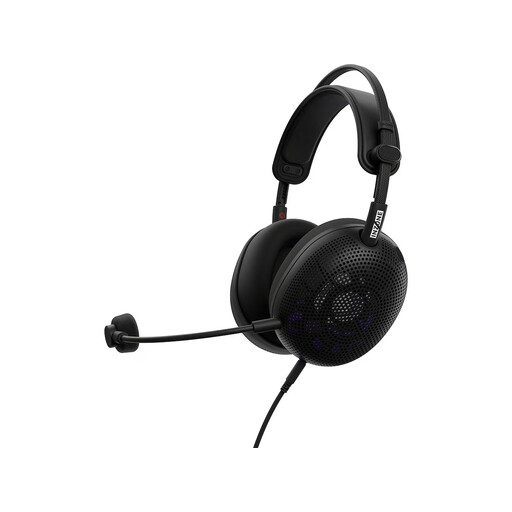 No image available
A wired option to consider if you want to explore a boom microphone and more than one connection option.
The description lists 3.5 mm and a supplied USB-C audio box. The microphone is described as unidirectional and cardioid; the stated weight is 199 g without the microphone.
 No image available
Worth considering if you’re looking for a wired headset with a boom microphone for commentary during a walkthrough.
3.5 mm connection and detachable cardioid boom microphone. The product description lists use with PCs, consoles and mobile devices via 3.5 mm.
 No image available
An option for a fixed recording setup if you want to choose between different wired connections.
The product description lists 3.5 mm, USB-A and USB-C connections, plus a detachable voice microphone. The headband and ear cushions contain memory foam.
In OBS, assign each audio source to its own recording track. Also add sources to the playback track if you want the file to play audio in a regular video player.
OBS warns that an echo can occur when the same audio device is selected both globally and directly as a source in a scene. Check both settings before recording again.
No. According to OBS, noise reduction can help reduce light background noise, but it generally doesn’t work well with a lot of ambient noise. A strong setting can also distort your voice.
For many distance purchases made by a consumer from a business, a 14-day cancellation period applies; check the relevant terms and exceptions. According to the Dutch government, you’re also entitled to a product that is fit for purpose, and there is no fixed statutory warranty period in the Netherlands. If there’s a fault, contact the seller.
That depends on what you record and how you share it. The Dutch Data Protection Authority says the exception for personal or household use doesn’t apply when identifiable people are shown to a wider audience. Consider identifiable co-players and their personal data separately before publishing; your choice of headset won’t address this.