What should you look for?
First, check that the headset works with your recording device. Then decide whether cable space, microphone control or comfort matters most to you.
| What to consider |
What should you check? |
Who is this important for? |
| Clear commentary |
Check the microphone position and mute control. Make a test recording and, if needed, set your voice and game audio to separate tracks. |
If you comment live during a walkthrough, you’ll want to be able to hear your voice clearly when you listen back. Around 33% of consumers say voice recording is their top priority. |
| Desk space |
Check where the cable or USB receiver will go and whether you can still reach the required port. |
If cables get in the way of your mouse or keyboard, a connection without a headset cable is a real advantage. Around 27% of consumers prioritise a clear desk. |
| Comfort during long sessions |
Look at adjustability and ear cushion materials. If possible, try the headset on and see how it feels after a while. |
For long recordings, don’t rely solely on a stated weight or comfort claim: fit matters too. Around 20% of consumers prioritise comfort over extended wear. |
| Connection and platform |
Check the ports, microphone operation and any software requirements for your recording device. Then test the audio balance in a recording. |
If your main concern is whether the microphone or a particular feature will work with your device, check support for your exact platform. Around 20% of consumers prioritise compatibility. |
Headsets at Joybuy for a small desk
These product picks focus on wireless gaming headsets with a USB receiver or base station, so there’s no headset cable running across your desk.
 Image unavailable
SteelSeries Arctis Nova Pro Wireless-Playstation Black
A good fit for a small desk if you want a wireless connection and control over the balance between game and chat audio.
The product description lists a USB base station, a retractable microphone with mute function and two interchangeable batteries. You’ll need a compatible USB port.
View at Joybuy
 Image unavailable
HyperX Cloud III S Wireless
Ideal if you want a wireless connection without a headset cable and value a detachable microphone with a mute indicator.
The product information lists 2.4GHz and Bluetooth, USB-A and USB-C connections, and USB-C charging. Wireless use means you’ll need to manage the battery.
View at Joybuy
 Image unavailable
Trust GXT 491 Fayzo Wireless
Ideal if you want wireless connectivity and a detachable microphone with mute control.
The product information lists 2.4GHz via a USB receiver, Bluetooth and a battery. The stated maximum battery life is 22 hours, so remember to allow for charging.
View at Joybuy
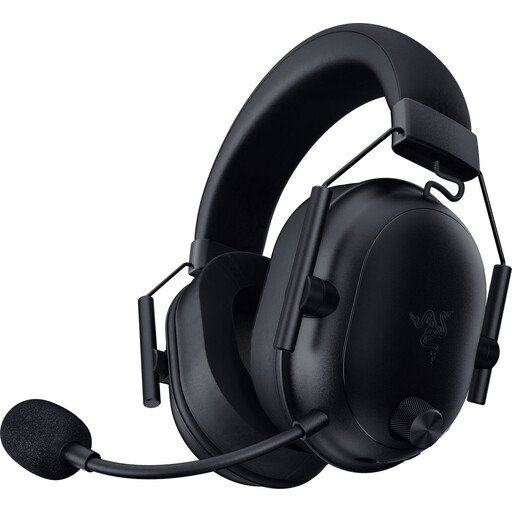 Image unavailable
Razer BlackShark V2 Wireless
Ideal if you want to keep a headset cable off your desk and use a mute button on the earcup.
The product information lists 2.4GHz and Bluetooth, a USB-C dongle and USB-C charging. Wireless use means you’ll need to charge it.
View at Joybuy
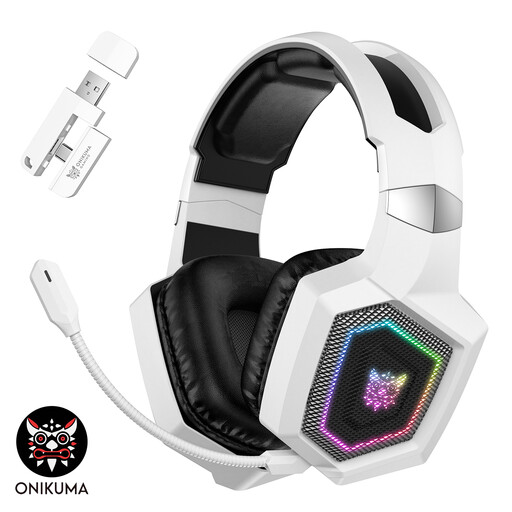 Image unavailable
ONIKUMA GT806 White
Ideal if you want a choice of connection modes and a detachable microphone.
The product information lists 2.4GHz via a USB transmitter, Bluetooth and a wired Type-C mode. According to this information, Bluetooth doesn’t work directly with PS5, PS4 or PC; the 2.4GHz mode is recommended instead. Wireless use means you’ll need to manage the battery.
View at Joybuy
Frequently asked questions
How can I stop my voice from getting lost under the game audio?
Start with a short test recording and listen back. In OBS, you can assign audio sources to separate recording tracks if you plan to edit afterwards. If you want the video to sound right in a standard player without editing, also set a playback track with the audio sources you want.
Do I need an extra cable for a PC with separate headphone and microphone ports?
It depends on the headset and PC. SteelSeries lists a dual 3,5mm splitter for the Nova headsets with 3,5mm connections when used with PCs that have separate ports. Check the cable and included accessories for the exact version.
If I buy a headset online, do I have to rely on the manufacturer’s warranty alone?
No. According to the Dutch government, you’re entitled to a product that works as it should, and the seller is your point of contact if it doesn’t. For distance purchases, you’ll often also have a 14-day cooling-off period. Check the terms and any exceptions that may apply to your order.
Can I publish a recorded walkthrough without checking anything else?
Not automatically. The Dutch government distinguishes between private use and making copyright-protected material available to the public. Before publishing, check the permissions or terms for the game and any music you’ve used. If other people are recognisable in the footage, privacy rules may also apply, according to the Dutch Data Protection Authority.


