
Fan of voice-acted stories
You follow dialogue and music and want to choose a sound profile that suits them. Not every visual novel is fully voice-acted; itch.io has a separate category for games with voice acting.


Choose a headset that works with your gaming device and feels comfortable during longer sessions; RTINGS.com highlights comfort during long sessions as something to consider. Check whether your visual novel includes spoken dialogue. If it does, prioritise a sound profile you enjoy rather than features designed for competitive shooters. A headset won’t fix reflections on your screen: if glare is bothering you, adjust the screen position or lighting, as advised by the Arboportaal.
You follow dialogue and music and want to choose a sound profile that suits them. Not every visual novel is fully voice-acted; itch.io has a separate category for games with voice acting.
You wear a headset for extended periods, so fit, ear cushions and volume controls matter. A stated weight alone doesn’t tell you whether a model will feel comfortable; RTINGS.com highlights comfort during long sessions as something to consider.
You might switch between a PC and a console, for example. Check the connection, any dongle and the exact model variant; SteelSeries, for instance, lists separate Nova 5 variants for different devices.
Start by checking the connection and fit for your device and gaming sessions. Then decide whether noise isolation or extra features would make a difference for the way you play.
| What to consider | What should you check? | Who is this important for? |
|---|---|---|
| Dialogue and music | Check whether your game has speech and assess how it sounds on the device you play on. | I want to enjoy spoken scenes and music; around 30% of consumers say this is their top priority. |
| Comfort | Check the adjustability and how the ear cushions fit, including if you wear glasses. | For long reading sessions, I mainly want a fit that stays comfortable for me; around 40% of consumers prioritise comfort. |
| Connection | Check your device’s connections and the full model name; support can vary between versions. | If I play on a specific device, the connection needs to work with it; around 20% of consumers start by checking device compatibility. |
| Noise in the room | Decide whether background noise bothers you; reflections on your screen call for an adjustment to the screen position or lighting. | If noise in the room distracts me, I look at how well the earcups seal; around 10% of consumers prioritise blocking out room noise. |
A headset won’t change the reflections on your screen. For working with screens, the Arboportaal recommends, among other things, positioning your line of sight parallel to the window.
First work out whether the problem is background noise or reflections. If it’s reflections, adjust the screen position or lighting.
SteelSeries specifically lists the Nova 5X for Xbox; the Nova 5 and 5P don’t automatically offer the same support.
Before buying, check the full model name and the manufacturer’s compatibility information for your device.
According to the Dutch government, a paid extended warranty must offer more than the rights you already have. If a product develops a fault, the retailer is your point of contact for a solution.
Check what extra cover is included and compare it with your existing rights before deciding.
The wired Cloud Alpha is worth considering if your device has a suitable 3.5mm connection.
The Arctis Nova 5 family is worth considering if you want to switch wirelessly between supported devices.
The G435 is a wireless option to compare if its stated weight is a factor in your choice.
The wired BlackShark V2 X is worth considering if closed-back earcups and passive noise isolation matter to you.
The Stealth 600 Gen 3 is a wireless range worth comparing if you want to switch between a gaming device and a Bluetooth device.
This selection includes wired and wireless gaming headsets for a range of gaming devices. Check each model’s connection and compatibility to make sure it suits the way you play.
 No image available
Consider this model if you’re looking for a wireless headset for the listed PlayStation, PC, Switch or Mac devices, and a connection via the base station suits the way you play.
The product description lists active noise cancellation, a hear-through mode and two interchangeable batteries. The base station is required for the wireless connection described; charging or changing a battery is part of using the headset.
 No image available
Consider this wired model if you’re looking for a headset for PS5 or PS4 with a 3.5mm connection.
The product description lists a 1.2 m cable, volume and microphone mute controls, swivelling earcups and a detachable microphone. Its stated weight is 253 g.
 No image available
The product description says it can be used as a gaming headset with PC and PS4; check that it suits your gaming device.
The description lists 40 mm drivers, a weight of 285 g and 7.1 surround sound on Windows.
 No image available
Consider this model if you want to play wirelessly via 2.4 GHz and also use Bluetooth; check which connection works with your device.
The product description lists a stated battery life of up to 120 hours via 2.4 GHz and up to 200 hours via Bluetooth. The microphone is detachable.
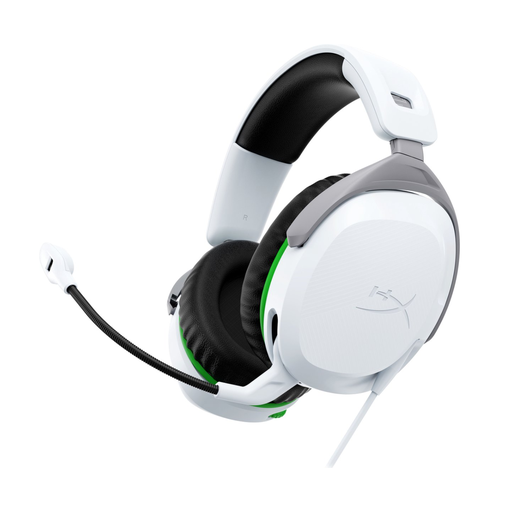 No image available
Consider this wired model if you play on Xbox Series X|S or Xbox One and need a 3.5mm connection.
The product description lists a 1.2 m cable, on-headset controls, swivelling earcups and a weight of 275 g. You can flip the microphone up to mute it.
No, a headset won’t change reflections on your screen. Adjust the screen position or lighting; for working with screens, the Arboportaal recommends, among other things, having your line of sight parallel to the window. This is workplace guidance, not a headset requirement.
Not just to listen to dialogue. Choose a microphone if you also want to speak, and check which features your game and platform use; according to Razer, the BlackShark V2 X’s 7.1 feature is only available on Windows 11.
Follow the instructions for your exact model variant. For the Nova 5, SteelSeries recommends, among other things, connecting the USB-C dongle directly, checking the connection mode and, if necessary, pairing the headset and dongle again. For Xbox, SteelSeries lists the Nova 5X.
The World Health Organization recommends keeping the volume low, taking regular breaks and using a well-fitting headset in noisy surroundings rather than continually turning up the volume. The higher the sound level, the shorter the listening time for which exposure remains limited; there is no guaranteed safe setting for every specific model.
For a qualifying distance purchase from a business, you generally have a 14-day cooling-off period, with some exceptions. You’re also entitled to a product that meets the required standard, and you can contact the retailer for a solution if it develops a fault. The Dutch government states that the Netherlands does not have a fixed statutory two-year warranty period for every product.