What should you look for?
RTINGS explains that a wireless dongle can offer lower latency than traditional Bluetooth, so check which connection you’ll actually use during practice.
| What to consider |
What should you check? |
Who is this important for? |
| Timing and connection |
Check that the connection works with your device and, where available, compare latency for the exact model and mode you want to use. |
I want to hear sound cues during practice through a compatible connection, and I pay attention to the latency of the mode I’ve chosen. Around 33% of consumers prioritise timing and connection. |
| Comfort and listening volume |
Consider the fit and ear cushions; keep an eye on the volume during longer listening sessions, too. |
For longer sessions, I want a fit that stays comfortable for me and a listening volume I can control mindfully. Around 27% of consumers prioritise comfort and responsible listening. |
| Microphone and controls |
Check that both audio and the microphone work with your device through the connection you’ve chosen, and find out how to mute the microphone. |
If I make calls or use game chat from the same workstation, I want to know how to control the microphone and whether it works with my device. Around 20% of consumers prioritise calls and microphone controls. |
| Wireless freedom of movement |
Check the exact variant, receiver and device support; also consider whether you want to switch between sources or use them at the same time. |
I want to move around without a cable and know in advance which connections I can actually use. Around 20% of consumers prioritise wireless freedom of movement. |
Joybuy products
This selection includes wired headsets and wireless models for timing practice and calls in a home office.
 No image available
Turtle Beach Recon 70, Green Camo
A wired option if your device has a compatible connection.
3.5mm connection; flip-to-mute microphone control.
View at Joybuy
 No image available
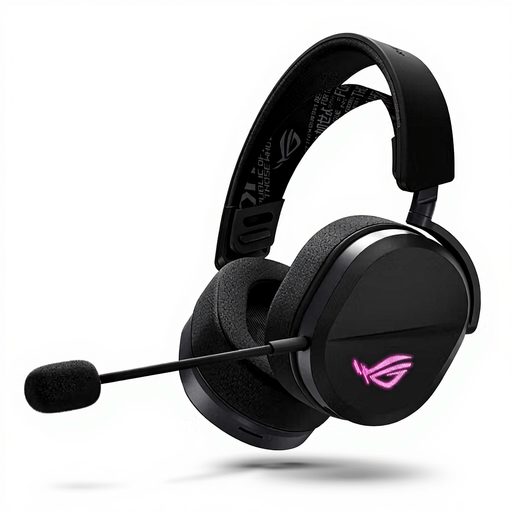
ASUS ROG Pelta, black
An option for comparing wired and wireless use; check which connection suits your device and practice mode.
The product name lists USB Type-C and Bluetooth.
View at Joybuy
 No image available
HyperX Cloud III S Wireless
A wireless option to compare if you want freedom of movement during practice.
HyperX lists 2.4GHz and Bluetooth; the manufacturer quotes up to 120 hours in 2.4GHz mode. The headset has a detachable 10mm microphone.
View at Joybuy
 No image available
Razer BlackShark V2 X 7.1, wired
A wired option if you’re looking for a compatible connection and microphone.
Check that your device supports the connection on this version.
View at Joybuy
 No image available
HyperX Cloud III, black
A wired option if your device has one of the supported connections.
HyperX lists 3.5mm, USB-C and USB-A connections for the wired Cloud III.
View at Joybuy
Frequently asked questions
Can a headset demonstrably improve my reaction times during training?
Not on the basis of the product specifications listed here. Compare the audio latency of the connection you want to use, but don’t treat it as proof of a measured improvement in your human reaction time.
How do I connect a headset if I also want to speak?
Check that your device supports both audio output and microphone input through the connection you’ve chosen. According to HyperX, the wired Cloud III offers 3.5mm, USB-C and USB-A connections. Once connected, select the correct input and output, then make a test recording.
Can the Arctis Nova 5 play game audio and phone audio at the same time?
According to SteelSeries, it can’t: Quick Switch lets you switch between 2.4GHz and Bluetooth, but only one of these connections can be active at a time.
What should I consider when listening for long periods?
The World Health Organization points out that both sound level and listening duration matter. Keep an eye on both and choose a volume that suits your listening situation.
What rights do I have in the Netherlands if I buy online or receive a faulty item?
ACM ConsuWijzer says that online purchases generally come with a 14-day cooling-off period after delivery, although exceptions apply. You’re also covered by the statutory guarantee if a product used normally doesn’t do what you could reasonably expect; a manufacturer’s guarantee doesn’t replace this right.


