
Teams that communicate frequently
For players who give frequent, brief instructions during practice and want to consider microphone placement, mute controls and clear team chat.


Choose a headset with mute controls you can easily find in the dark and a microphone you can position comfortably. A wired headset means you won't need to charge a battery; a wireless model gives you more freedom to move, but you'll need to consider the connection and battery management. When buying, also check the CE marking on the actual product you receive.
For players who give frequent, brief instructions during practice and want to consider microphone placement, mute controls and clear team chat.
For anyone who wants to mute their microphone or adjust the volume in a dark room without repeatedly opening a menu or looking at their headset.
For anyone who places a high priority on fit, freedom of movement and compatibility with their platform.
| What to consider | What to look for | Who is this important for? |
|---|---|---|
| Clear team chat | Check the microphone placement and test voice chat on your own platform. Also check how to adjust chat and game volume if needed. | If I often give brief instructions during practice, I want to know that my voice will be picked up clearly. Around 29% of consumers prioritise clear team chat. |
| Mute and volume controls in the dark | Check whether you can find the mute and volume controls by touch, and how to tell if the microphone is muted. | If I want to keep my attention on the game, I need to operate mute and volume without having to search for the controls. Around 29% of consumers give these controls top priority. |
| Compatibility with your platform | Check the port and the connection included. For wireless models, also check that the connection mode is compatible with your device. | If I want to use the headset with my own system, the connection needs to match the available port or wireless mode. Around 24% of consumers choose primarily based on compatibility. |
| Comfort during longer sessions | Consider adjustability and fit. The stated weight or comfort description won't tell you how the headset will feel on your head. | If I practise for longer, I want the headset to remain comfortable. Around 18% of consumers place the greatest importance on comfort during longer sessions. |
How you control game and chat audio can depend on the device, audio settings and supported features. SteelSeries describes different steps for settings in Sonar and controls on a headset or GameDAC.
Check which chat mix feature is specified for your exact model and platform; don't assume that a volume control means chat mix is available.
SteelSeries specifically names the Arctis Nova 5X for Xbox; compatibility doesn't apply equally to every model in the Nova 5 series.
Check the full model name and the receiver included for your console.
A manufacturer's commercial warranty doesn't automatically remove your statutory rights if a product is faulty. According to ACM ConsuWijzer, you can ask the seller for an appropriate solution if a product breaks too soon during normal use.
Keep your proof of purchase and contact the seller if there's a fault.
The wired Cloud III could suit practice at a fixed setup, with controls on the earcup.
The wired G335 is an option if you're looking for a flip-to-mute microphone and an adjustable fit.
The wireless Arctis Nova 5X is worth considering if you switch between supported systems or wireless modes.
The wired BlackShark V2 X is worth considering if microphone positioning and closed earcups are important to you.
These headsets are included to help you choose a model for team communication in a dark room; check that the controls and connection on each model suit your system.
 Image unavailable
An option for anyone who wants to play wirelessly during practice and have mute and volume controls on the headset.
The product information lists a flip-to-mute microphone, game and chat controls, a USB receiver and Bluetooth. Wireless use requires charging; check that the receiver or Bluetooth mode is compatible with your device.
 Image unavailable
A wired option for anyone who wants to mute the microphone by flipping it up.
The product information lists a 3.5 mm connection and volume controls on the earcup. A Y-splitter is mentioned for PCs with separate headphone and microphone ports; check whether you need one for your connection.
 Image unavailable
A wired option for anyone who wants a flip-to-mute microphone and easy access to volume controls.
The product information lists an in-line volume control and connection via USB-DAC or 3.5 mm. Logitech G HUB is required for the described 7.1 feature; check that the connection and software are compatible with your device.
 Image unavailable
A wired option for anyone who wants to control mute and volume on the earcup during team practice.
HyperX lists a mute button and mute indicator for the Cloud III, along with 3.5 mm, USB-A and USB-C connections. Check which connection is compatible with your device.
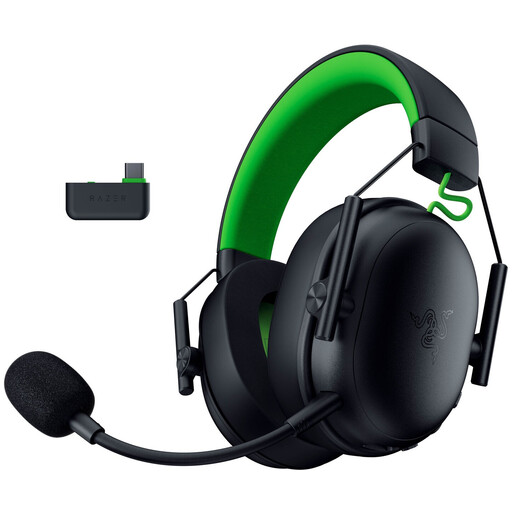 Image unavailable
An option for anyone who wants to play wirelessly and have mute and volume controls on the headset.
The product information lists 2.4 GHz, Bluetooth and a wired USB mode, as well as a detachable cardioid microphone. 2.4 GHz audio and Bluetooth audio aren't supported at the same time; check which mode suits your needs.
Test both audio sources during a practice conversation. SteelSeries describes separate steps for software controls in Sonar and supported controls on a headset or GameDAC; how they work depends on the audio endpoints you've set up. Don't assume that every volume control offers physical chat mix.
Keep the volume down and take breaks. The World Health Organization gives up to 40 hours per week at an average of 80 dB as an example; this isn't a guaranteed safe volume or listening-time recommendation for a specific headset.
According to ACM ConsuWijzer, online purchases generally come with a statutory cooling-off period of up to 14 days after delivery, with some exceptions. If a product breaks too soon during normal use, you can ask the seller for an appropriate solution; the legal guarantee doesn't simply have a fixed two-year expiry date.
The Dutch Authority for Digital Infrastructure states that electrical, electronic and radio equipment sold in Europe must meet the applicable requirements and carry the correct CE marking. Check the marking on the actual product you receive; a product title or brand name doesn't prove compliance.