
Team caller in a shared room
You want to call out positions quickly and clearly while someone is nearby. Pay attention to microphone placement and muting, and check how your voice comes through in a recording.


Start with a headset that lets you position and mute the microphone easily, and has comfortable ear cups. Make a short recording to hear how your voice and the room noise come through. Then choose a wired connection or wireless model that suits your PC or console. Microphone noise cancellation won’t automatically stop your housemate hearing you, and extra audio features don’t work on every platform.
You want to call out positions quickly and clearly while someone is nearby. Pay attention to microphone placement and muting, and check how your voice comes through in a recording.
You’re looking for comfortable ear cushions that can help block out noise without having to keep turning the game up. Fit and comfort vary from person to person.
You use more than one gaming device and want to know whether the connection, wireless setup and any software features work on each one.
Best for: playing in one place without having to manage a battery.
Check: which cable, adapter and microphone input your device uses; software features may be platform-specific.
Best for: prioritising freedom of movement and being able to connect a compatible receiver to your gaming platform.
Check: the exact model variant and remember to factor in charging. SteelSeries specifically lists the Nova 5X for Xbox.
Best for: reducing the noise you hear and being able to position the microphone during team calls.
Check: fit, microphone pickup and how much your housemate can hear your voice are separate considerations. Test them in your own room.
| What to consider | What should you check? | Who is this important for? |
|---|---|---|
| Clear team calls | Check whether the microphone can be positioned and how to mute it. Once connected, make a recording with the usual room noise in the background. | If you want to give short instructions without having to repeat yourself, the microphone is your first priority. Around 29% of consumers prioritise clear, easy-to-manage team calls. |
| Fit and noise isolation | Check the material and adjustability of the ear cushions. Assess the fit without turning the volume up to drown out room noise. | If you play alongside someone for long sessions, you’ll want to keep your headset on without constantly turning the sound up. Around 23% of consumers give comfort and noise isolation top priority. |
| Picking out in-game sounds | Check which platforms support any EQ or surround sound features. Assess voice chat and game audio without extra effects, too. | If you want to pick out your teammates’ positions from the game audio, check whether the extra settings are available on your device. Around 18% of consumers prioritise picking out in-game cues. |
| Connection and platform | Make a note of the ports available on your PC or console, and check the full model name and the chat feature you need. | If you switch between console and PC, you’ll want to avoid buying a headset that connects but doesn’t offer a feature you need. Around 18% of consumers consider platform compatibility decisive. |
| Features and total cost | Compare the connection and features you’ll actually use, and check which platform supports any additional software features. | If you don’t want to pay for extras you won’t use, start with the microphone and connection you need. Around 12% of consumers prioritise good value overall. |
A positionable microphone or closed-back ear cups don’t mean your housemate won’t hear your voice. Noise isolation for your ears and the microphone’s ability to pick up background noise are separate features.
Test the microphone recording and your speaking volume separately, and check the mute control.
Logitech states that DTS Headphone:X 2.0 and EQ presets for the G432 are only available on Windows with G HUB. A retailer listing for PS5 doesn’t prove that these software features work on that platform.
Check the manufacturer’s feature requirements and assess the standard audio separately on your console.
SteelSeries distinguishes between the Nova 5, 5P and 5X, and specifically lists the 5X for Xbox.
Match the full model name to the platform you want to chat on.
The Cloud III Wired is a wired option for anyone looking for a boom microphone, a mute control and multiple connection options.
The Arctis Nova 5 series is a wireless option for anyone who wants to set different audio profiles for each game.
The wired G432 is worth comparing if you mainly play on Windows and can use the accompanying software.
The Quantum 200 is a wired option with a flip-up microphone and a 3.5mm connection.
The BlackShark V2 X is a wired model with closed-back ear cups and a positionable microphone.
This selection includes wired and wireless gaming headsets with microphone controls or features for connecting and communicating with your team.
 No image available
A wired option to compare if you want to position and mute the microphone during team calls.
3.5mm connection and USB audio adapter included. The description lists a directional boom microphone with voice focus, flip-up mute and memory foam ear cushions.
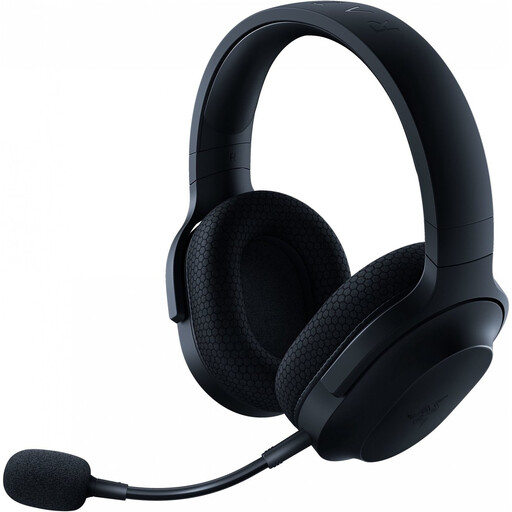 No image available
A wireless option if you’re looking for a positionable microphone and a mute control.
The description lists a USB-C dongle connection, Bluetooth, a detachable cardioid microphone and memory foam ear cushions.
 No image available
A wireless option if you want the mute button close to hand during team calls.
The description lists 2.4GHz and Bluetooth connections, USB-A and USB-C connectors, a detachable 10mm boom microphone, and memory foam in the headband and ear cushions.
 No image available
A wired option to compare if you want a directional microphone and closed-back ear cups.
The description lists a 3.5mm connection, cardioid microphone, mute button, passive noise isolation and a weight of 240 grams.
 No image available
A wired option if you’re looking for a microphone with a mute control and multiple connection options.
The description lists 3.5mm, USB-A and USB-C connectors, a noise-cancelling microphone with a mesh filter, a mute button with an LED indicator, and memory foam in the headband and ear cushions.
Select the headset as both the input and output device on your gaming device, position the boom microphone near your mouth and make a short test recording with the usual room noise in the background. Check the mute button, too. HyperX lists an LED mute indicator for the Cloud III, but the controls vary by headset.
Sidetone lets you hear your own microphone audio and can help you judge how loudly you’re speaking. SteelSeries explains how to adjust this setting in GG for models including the Nova 5 Wireless. A comfortable setting doesn’t guarantee that your housemate will hear you less.
No, don’t keep turning the volume up to drown out background noise. The World Health Organization links hearing risks to both volume and duration, and gives 80 dB for up to 40 hours per week as an example of safe listening. A percentage on the volume bar isn’t a reliable dB measurement.
According to the Dutch government, many distance purchases come with a 14-day cooling-off period; check whether this applies to your purchase. You’re also entitled to a product that works properly under the statutory guarantee. If there’s a problem, the seller must provide a solution; an extended warranty package doesn’t replace this right.