Choose a headset that works with your PC or console and lets you pick out quiet in-game sounds; a surround-sound label alone doesn’t prove it will do a better job. A wired headset means no battery to manage, but you’ll need space for the cable. Wireless keeps the audio cable off your desk, but requires a compatible receiver and charging. Check the fit too, and if you play with others, make sure the microphone works.
Who is this buying guide for?
Players who want to immerse themselves in the sound
If you mainly play solo, you’ll want to hear quiet cues and ambient sounds. Compare the sound on your own platform; a 7.1 or 3D label doesn’t guarantee a better experience in itself. Megekko Academy and RTINGS highlight sound reproduction and the placement of in-game cues as things to consider when choosing.
Players short on desk space
If your desk is already crowded, a cable can get in the way. A wireless model does away with the audio cable between your headset and gaming system, but you’ll need space for a receiver and charging cable. The connections on your PC, console or controller determine what will work best.
Players who game for longer or play with others
For longer sessions, consider the fit and ear-cushion material; a stated weight doesn’t automatically tell you how comfortable a headset will be. If you play with others, also check that the microphone and mute function work through the connection you use.
What should you look for?
First, check that the connection and audio mode work with your platform. Then weigh up what’s more practical for your desk: a cable you can tuck away, or a wireless receiver you can plug in and charge.
| What to consider |
What should you check? |
Who is this important for? |
| Audibility and positioning |
Check which audio modes your game and platform support. If possible, compare stereo and spatial audio in a familiar section of the game. |
If I want to pick out quiet sounds and cues, I compare the sound on my own platform. Around 36% of consumers put game audio audibility first. |
| Cables and desk space |
Consider where your PC, console or controller is positioned, and whether a cable route or receiver will fit without getting in the way. |
If my desk is already crowded, I want to know whether a cable will run through my playing space or a receiver will use up a free port. Around 29% of consumers prioritise desk layout. |
| Comfort |
Consider the fit, adjustability and cushion material. If possible, try the headset on with your usual glasses. |
For a longer session, I want a fit that feels comfortable to me; weight alone doesn’t tell me that. Around 21% of consumers put comfort first. |
| Connection and voice chat |
Check that the connection, microphone and mute controls you’ve chosen work with your device. |
If I play with others, I want my microphone to work with my platform and be easy to mute. Around 14% of consumers give compatibility or voice chat top priority. |
Common buying mistakes
-
Assuming a surround-sound label guarantees better positioning
Spatial audio features vary by game, software and platform. Stereo isn’t automatically less suitable for gaming.
Check which audio modes your platform supports and, if possible, compare them in the same section of a game.
-
Buying wireless without checking the receiver and platform
A wireless headset may offer different connection modes; Bluetooth support doesn’t mean the dongle mode will work on every platform.
Check the exact variant, the receiver it needs, the available port and the connection mode you want to use.
-
Forgetting about cable routing with a wired headset
The cable needs to reach your connection point and fit around your playing space. JBL states that the Quantum 100M2 has a 1.2 m cable.
Measure the route to your PC, console or controller before ordering.
Brands to compare
HyperX
The wired Cloud III is worth considering if you want a choice of connections and a detachable microphone.
- HyperX lists 3.5 mm, USB-C and USB-A connections for the Cloud III.
- Wired use requires space to route the cable. Comfort varies from person to person.
SteelSeries
The Arctis Nova 5 Wireless is worth considering if you want to play wirelessly using a compatible USB-C dongle.
- SteelSeries lists switchable 2.4GHz and Bluetooth connections.
- Check which connection, port and platform suit your variant; Bluetooth and dongle use are different modes.
JBL
The wired Quantum 100M2 has a 3.5mm connection and a detachable microphone.
- JBL lists fabric ear cushions, a 1.2 m cable and a weight of 220 g for this model.
- Check that the cable suits your setup and that the microphone works with your device.
Logitech G
The G435 is a wireless option if you have a compatible device for the LIGHTSPEED receiver.
- Logitech lists a weight of 165 g, LIGHTSPEED on PC and PS4/PS5, and a claimed battery life of 18 hours.
- The weight and claimed battery life don’t guarantee how comfortable the headset will be for you or how long it will last with your usage.
Razer
The wired BlackShark V2 X may suit you if you want a bendable microphone and closed-back ear cups.
- Razer lists a weight of 240 g and passive isolation for this model.
- According to Razer, the stated 7.1 feature is only available on Windows 11; don’t assume it will work on a console too.
Wireless headsets for a small desk
These Joybuy products are wireless gaming headsets for anyone who wants to avoid having an audio cable between the headset and gaming system. Check that each model’s dongle or Bluetooth connection works with your platform.
 No image available
Turtle Beach Stealth 500 Xbox
A wireless option if you can plug in a USB dongle and don’t want an audio cable running to your gaming system.
2.4GHz audio via USB dongle; Bluetooth is a separate connection mode. Flip the microphone up to mute it. The title lists Xbox Series X|S, Xbox One, PC, Switch 2 and mobile.
View at Joybuy
 No image available
Razer Barracuda X, white
A wireless headset with a detachable microphone if you want to keep the audio cable off your desk.
2.4GHz connection via USB-C dongle; Bluetooth is a different connection mode. The headset charges via USB-C. The product information lists PC, PlayStation and Switch.
View at Joybuy
 No image available
HyperX Cloud III S Wireless
A wireless option with a detachable microphone if you have a compatible connection and USB port.
The product information lists 2.4GHz and Bluetooth, a detachable boom microphone and USB-C charging. Listed platforms include PC, PS5, PS4, Switch and mobile.
View at Joybuy
 No image available
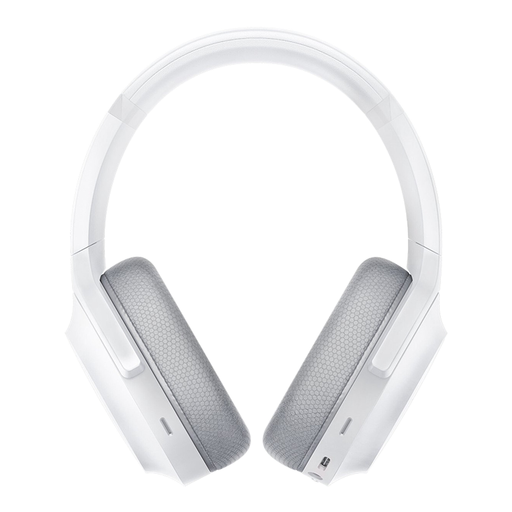
Razer Barracuda, Mercury White
A wireless option if you can use a USB-C dongle or want to use Bluetooth as a separate mode.
The product information lists 2.4GHz via USB-C dongle and Bluetooth, built-in microphones and USB-C charging. Listed platforms include PC, PlayStation, Switch and Android.
View at Joybuy
 No image available
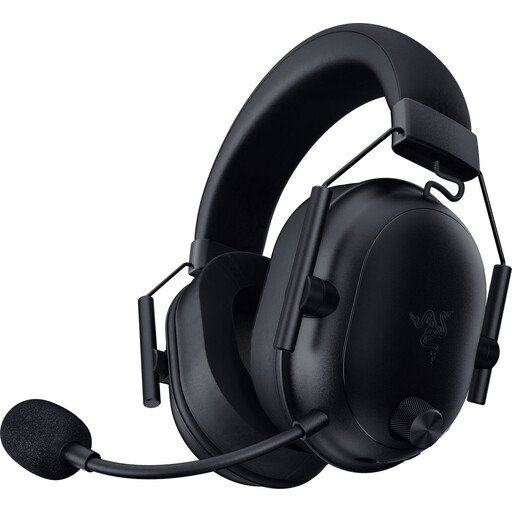
Razer BlackShark V2 Wireless
A wireless headset if you want to keep an audio cable off your desk and your device’s connection is compatible with the model.
The product information lists Bluetooth and 2.4GHz via USB-C dongle, a microphone with a mute button and USB-C charging.
View at Joybuy
Frequently asked questions
Do I absolutely need a 7.1 headset for survival horror?
No. Stereo isn’t automatically less suitable; how useful spatial audio is also depends on the game and platform. On PS5, you can create a 3D audio profile in the sound settings and compare it with stereo.
What should I check before I start playing?
Check that the correct audio output is selected and that the microphone and mute function work through the connection you’ve chosen. On PS5, the headphone setting for 3D audio is under Settings and Sound; you can compare 3D audio with stereo.
How can I avoid listening too loudly during tense scenes?
Keep the volume moderate and take breaks. The World Health Organization gives listening at an average of 80 dB for up to 40 hours a week as an example; at a higher volume, that time decreases. This is listening advice, not a legal noise limit or a measurement of any of these headsets.
What are my rights if the headset doesn’t work properly or I change my mind after buying online?
If a product is faulty, you can ask the seller to provide a product that meets your rights as a consumer; according to the Dutch Government, there is no fixed statutory guarantee period that applies to all products in the Netherlands. For online purchases from a business, you usually have 14 days to change your mind, subject to legal exceptions. Check the terms of your order; the cooling-off period for distance purchases is separate from your rights if a product is faulty.


