
Solo horror gamer
Wants to follow dialogue and ambient sounds without constantly turning up the volume. PlayStation Support explains how to create personal audio profiles for PS5, while the WHO highlights the importance of volume and listening time.


Start with your gaming platform and connection. Choose wired if you want to play without recharging, or wireless if freedom of movement matters more. If you go wireless, check the exact console version and connection method. For longer sessions, a comfortable fit matters too. Manufacturer specifications alone don’t prove that a headset will position sounds better in your game.
Wants to follow dialogue and ambient sounds without constantly turning up the volume. PlayStation Support explains how to create personal audio profiles for PS5, while the WHO highlights the importance of volume and listening time.
Plays on more than one device and checks which connections work for each headset version. HyperX, SteelSeries and Audeze describe platform-specific connections or versions.
Places extra value on fit, ear cushions and fewer interruptions to recharge. The WHO recommends considering volume and listening time; a stated battery life doesn’t tell you how long a headset will last with your usage.
Start by choosing a connection that suits your console or device. Then consider sound settings, fit and any chat features you need for the way you play.
Choose this if: you want to play without relying on a battery and your device has the right connection. HyperX lists 3.5 mm, USB-C and USB-A connections for the Cloud III.
Bear in mind: the cable limits your freedom of movement, and the right connection varies by device.
Choose this if: freedom of movement matters and the specific dongle or connection mode works with your platform. SteelSeries lists a USB-C dongle for the Arctis Nova 7P Wireless, compatible with PlayStation and PC, among other devices.
Bear in mind: you’ll need to choose the right platform version and recharge the headset.
Choose this if: you want to connect wirelessly to an Xbox Series X|S or Xbox One. Microsoft documents this connection for the Xbox Wireless Headset.
Bear in mind: don’t assume compatibility based on Bluetooth alone or a similar product name; check the full version details.
| What to consider | What should you check? | Who is this important for? |
|---|---|---|
| Sound and clarity | Compare stereo sound and the spatial audio settings available in your own game. Pay attention to dialogue and sudden loud sounds too. | If I want to follow ambient sounds without continually turning up the volume, sound is my first priority. Around 40% of consumers focus mainly on sound when making this choice. |
| Connection and platform | Check the full model name, console version, included receiver and supported connection or wireless mode. | If you play on several devices, it’s worth finding out in advance which connection works with each one. Around 30% of consumers give platform connectivity top priority. |
| Comfort and battery life | Look out for pressure and heat. If possible, try the headset on with your glasses, and check the stated battery life if you’re choosing a wireless model. | For long sessions, I want a comfortable fit and a battery that won’t interrupt my game. Around 20% of consumers put comfort first. |
| Microphone and chat | Check whether there’s a microphone, how muting works and whether chat is supported on your platform. | If I often play with others, I focus on microphone controls and chat clarity. Around 10% of consumers start with voice chat. |
A headset range may include versions for different consoles. Audeze states that the PlayStation version of Maxwell doesn’t work wirelessly or via USB with Xbox; a 3.5 mm connection doesn’t automatically mean the wireless mode will work too.
Before buying, check the full model name, console version and connection mode you need.
On PS5, you can set up audio profiles, but the result also depends on your preferences and how the setting sounds in your game.
Compare the available settings in your own game and keep the volume at a sensible level.
The Dutch government states that the Netherlands has no fixed legal guarantee period. Your legal rights aren’t simply replaced by an additional guarantee.
Check what any additional guarantee covers, and contact the seller if there’s a fault.
HyperX positions the wired Cloud III as an option for players who switch between devices.
According to SteelSeries, the Arctis Nova 7P Wireless uses a dongle and works with PlayStation and PC, among other devices.
Microsoft documents the Xbox Wireless Headset as an option for connecting directly to Xbox consoles wirelessly.
According to the manufacturer, Turtle Beach offers wireless Stealth 600 Gen 3 versions for different platforms.
According to Logitech, the G435 LIGHTSPEED is a lightweight wireless option to consider for PC or PlayStation.
This selection includes wired and wireless gaming headsets for Xbox, PlayStation and PC, among other platforms. Check which connection works with your device for each model.
 No image available
Worth considering if you want to play wirelessly on Xbox. Check the specific connection and compatibility for your device.
The product name lists Xbox Series X|S, Xbox One, PS5, PS4, PC, Switch 2, Steam Deck and mobile. Check which connection method works with each platform.
 No image available
Worth comparing if you want to play wirelessly on PC or PS5. Check which connections and features are available on your platform.
The product name lists up to 120 hours via 2.4 GHz and up to 200 hours via Bluetooth. These are stated battery lives, not measures of your gaming sessions.
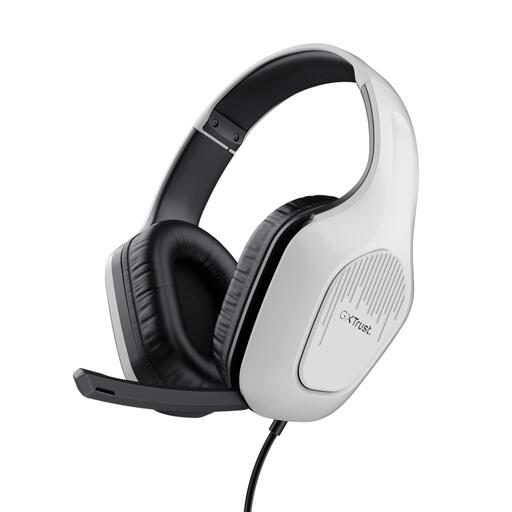 No image available
A wired option if you’d rather not recharge a headset battery. Check that the 3.5 mm connection suits your console or PC setup.
The product information describes stereo sound. Virtual 7.1, listed for other models, isn’t a specified feature here.
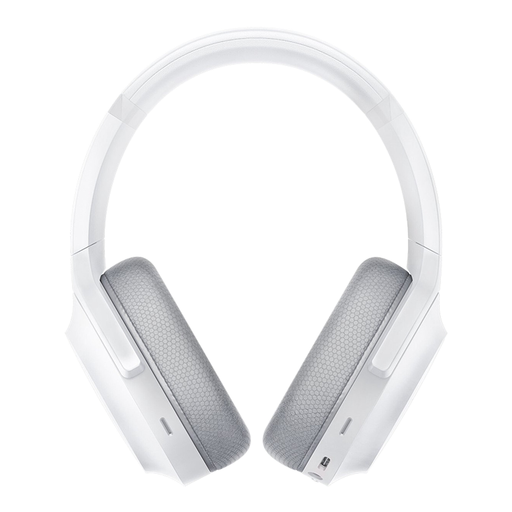 No image available
Worth considering if you want to game wirelessly on PC, PlayStation or Switch. Check which connection mode suits your device.
The product name also lists Bluetooth and Android. Check which features and connections are available for the way you plan to use it.
 No image available
A wired option to compare if you play on one of the listed platforms. Check the connection your device needs.
According to the product information, the 7.1 feature requires software and an activation code, and is linked to Windows.
PlayStation Support explains how to set up 3D audio for headphones using a personal profile or preset. Also check how your headset connects to the PS5, and compare the settings in your own game.
According to Xbox Support, switch on the headset and console, hold the headset button for four seconds, then use the pairing button on the console. These steps apply to the Xbox Wireless Headset and don’t necessarily apply to other brands.
The WHO recommends keeping the volume down and taking regular breaks. At an average sound level of 80 dB, the WHO advises a maximum of 40 hours a week. This isn’t a measurement of your headset or your gaming volume.
According to the Dutch government, online purchases from a business often come with a 14-day cooling-off period, although exceptions may apply. Products must also be of satisfactory quality, but the Netherlands has no fixed legal guarantee period of two years. Contact the seller if there’s a fault.
The Dutch Authority for Digital Infrastructure states that radio equipment must meet the applicable requirements, and that the manufacturer or importer is responsible for providing a visible CE mark and a declaration of conformity. Check the documentation for the model you’ve chosen; a product listing alone doesn’t confirm that an individual item complies.