
Sofa gamer with one console
Wants to know whether a cable running to the controller is practical from the sofa, or whether a wireless connection is a better fit for their console.


Start with a headset whose wired or wireless connection works with your console or PC. Then choose between a cable that’s practical from where you sit and a suitable wireless connection. Check spatial audio separately: a surround-sound label doesn’t prove that a feature works on your platform or in your game.
Wants to know whether a cable running to the controller is practical from the sofa, or whether a wireless connection is a better fit for their console.
Wants to pick out ambient sounds and directional cues in survival horror, without assuming that a surround-sound label automatically means better audio.
Uses more than one platform and wants to check which connection or wireless mode is needed for each device.
When choosing a headset for survival horror on a big screen, the main considerations are platform connectivity, the sound you want, freedom of movement and comfort. The percentages indicate how consumers in this scenario might divide up their main buying concerns.
| Concern | What to check before you buy | Who might care most? |
|---|---|---|
| Platform connectivity | Check the exact console or PC, headset variant, connection or receiver, and the chat features you want. | If I play from the sofa, I want to know whether the cable or wireless connection works with my console; around 33% of consumers put platform connectivity first. |
| Sound experience | Check which spatial-audio features your platform and game support, and compare settings at a comfortable volume. | If subtle sounds and direction matter to me in a horror game, I want to know what the game actually supports; around 27% of consumers choose sound experience as their top priority. |
| Freedom of movement | Work out where a cable or receiver will connect and whether that setup suits your seating position. For wireless models, also check how they charge. | If I don’t want a cable running from where I sit to my headset, freedom of movement matters most to me; around 20% of consumers prioritise this. |
| Fit and volume | Look at the ear cushions, headband and accessible volume controls. The WHO points out that both sound level and listening time contribute to the risk of hearing damage. | For longer gaming sessions, I want a comfortable fit and control over the volume; around 20% of consumers put wearing comfort first. |
Bluetooth for phone audio doesn’t automatically mean it can carry game audio from a console. PlayStation describes PlayStation Link with a USB adapter for the PULSE Elite on PS5; the Xbox Wireless Headset is designed for supported Xbox consoles.
Check the connection and any included receiver for your exact headset and console, rather than relying on a Bluetooth logo alone.
HyperX describes the spatial-audio benefit of the wired Cloud III specifically for PC. On PS5, the available 3D audio settings and in-game sound depend on the platform and the game’s support.
Check what your platform and game support. Where possible, compare stereo with the spatial-audio setting and choose a comfortable volume.
According to the Dutch government, statutory guarantees apply even if you haven’t bought a separate cover plan. An additional guarantee is mainly worth considering if it gives you extra rights.
Read the terms of any optional warranty or insurance plan and compare what it adds before taking it out.
The wired Cloud III is an option if you want several connection options without having to manage a wireless battery.
The PULSE Elite offers a wireless option for PS5 players.
The Xbox Wireless Headset is designed for wireless use with a supported Xbox console.
The Arctis Nova 7X Wireless Gen 2 is an option if you want to switch between the listed platforms using the same headset.
The Astro A50 X is designed for a setup where you switch between PS5, Xbox and PC.
This selection includes wired headsets for a fixed controller setup and wireless models for PS5, PC and more. Check that each model’s listed connection and platform support work with your equipment.
 Image unavailable
A wired option for playing on PS5 or PS4 via a compatible controller connection.
The description lists a detachable 3.5mm cable, on-earcup volume controls and PS5 3D audio. It’s a stereo headset; true surround sound isn’t included.
 Image unavailable
A wired option for playing via a controller with a 3.5mm connection.
The product description lists connections to PS5, Xbox Series X|S and PC, among others. The flip-up microphone mutes when raised.
 Image unavailable
A wireless option if you play on one of the listed platforms and don’t want a cable running to your headset.
The product information lists a USB dongle connection and support for PS5, PS4, Switch and PC. The stated battery life is up to 120 hours via 2.4 GHz and up to 200 hours via Bluetooth; the listed connections and battery life apply to this version.
 Image unavailable
A wired option if your device and gaming setup use a 3.5mm connection.
The product description lists PS4, PC, Xbox One and Switch, among others. The stated 7.1 surround sound requires software and an activation code.
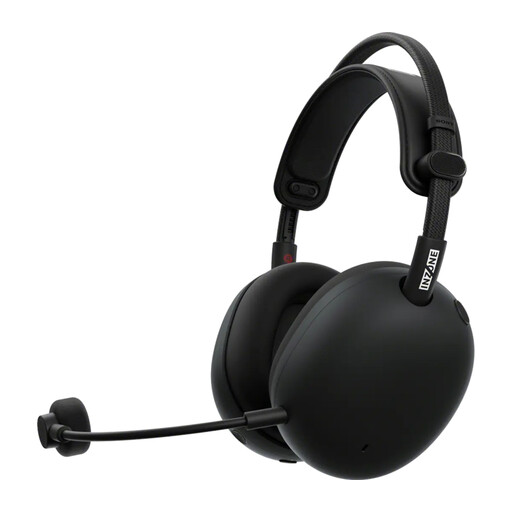 Image unavailable
A wireless option for gaming on PC or PS5 via the listed USB-C dongle.
The product description lists Bluetooth for phone audio, active noise cancellation, EQ settings and a weight of around 260 g. Bluetooth audio from a phone isn’t the same as the described game connection via the dongle.
Don’t assume you can: PlayStation says Bluetooth audio isn’t compatible in its guidance on the relevant PS5 connection error. Check the supported PS5 connection for your exact headset; the PULSE Elite uses PlayStation Link with a USB adapter.
No, not just because it has that label. PlayStation offers PS5 3D audio settings for headphones, including a personalised profile and presets. How the audio sounds in a game also depends on whether that game supports it.
Nintendo recommends updating the system software, reconnecting the audio device and checking for obstacles or sources of interference between the system and the device, among other steps. This doesn’t guarantee that every Bluetooth headset will work without noticeable lag.
According to the Dutch government, when you buy from a business online, you generally have 14 days to change your mind; check which exceptions apply. You’re also entitled to a product that meets statutory requirements. The Dutch government says there’s no fixed statutory guarantee period of two years in the Netherlands.
Keep the volume at a sensible level and take listening breaks. The World Health Organization points out that the risk depends on both the sound level and how long you listen.