
Player guiding a beginner
You give quick pointers while playing and want to be able to mute your microphone quickly if someone comes into your room.


Start with a headset whose microphone is easy to position and mute. Then check that your device’s connection supports both game audio and the microphone. Next, compare the fit and how well the headset blocks out sound: manufacturer specifications won’t tell you how clear or comfortable a headset will be in your room.
You give quick pointers while playing and want to be able to mute your microphone quickly if someone comes into your room.
You might use a laptop and a console, for example, and want to check in advance that both game audio and the microphone work on each.
You play with other people nearby, so you pay attention to fit, how well the headset blocks out sound and keeping the volume at a manageable level.
Start with the microphone controls and the connection to your device. Then compare fit and noise isolation, and check the required marking for the exact version.
| What to consider | What should you check? | Who should prioritise this? |
|---|---|---|
| Microphone and mute controls | Check the microphone’s position and where the mute control is. See if you can make a test recording with your device. | If I’m giving a beginner pointers, I want my voice to come across clearly and be able to mute quickly. Around 33% of consumers prioritise clear instructions and microphone controls. |
| Connection for both functions | Check your device’s ports and what’s in the box; if it has separate audio and microphone ports, you may need a splitter. | If I switch between devices, I want to know before playing whether both the audio and microphone work. Around 27% of consumers prioritise a connection that suits their device. |
| Fit and room noise | Compare the adjustability and ear cushions, and try the fit for yourself. Closed-back earcups and microphone performance are separate considerations. | If I play in a shared room, I want a comfortable headset that stops background noise from distracting me unnecessarily. Around 20% of consumers prioritise fit and a peaceful listening experience. |
| Essential features | Compare the exact version and included parts with your setup; consider extra features separately. | If my main aim is to play with others, I want the microphone, connection and fit to be right without choosing features I don’t need. Around 13% of consumers give the most weight to essential features. |
| Version marking | Check the CE marking and applicable requirements for the exact version. Wireless equipment must also meet radio equipment rules, as explained by the Dutch Authority for Digital Infrastructure. | When I choose a headset, I want to know that the exact version meets the applicable product requirements. Around 7% of consumers prioritise this check. |
A headset may play game audio while the microphone doesn’t work if your PC has separate audio and microphone ports and you don’t have the required splitter.
Check your device’s ports and what’s in the box for the exact version. SteelSeries lists a splitter with the PC version of the Arctis Nova 1, but not with the console versions.
If your device has separate ports, you may need to get a suitable splitter.
A microphone feature doesn’t automatically tell you how much sound you’ll hear from your room. Closed-back earcups and microphone performance meet different needs.
Compare the microphone and earcups separately. Where possible, try the fit and listening experience with your own setup.
According to ACM ConsuWijzer, a manufacturer’s or seller’s warranty is in addition to your statutory rights to a product that is fit for purpose.
Read exactly what any additional warranty covers, and keep it separate from your statutory rights.
The wired Cloud III is one option to compare if you want to talk and play on several devices.
The wired G335 is worth considering if you want simple controls and an adjustable fit.
The wired Arctis Nova 1 is worth considering if you carefully compare the PC and console versions.
The wired BlackShark V2 X is one option to compare if you want to hear less room noise while listening.
This selection includes wired options for a fixed setup and a wireless version for anyone switching between devices. Check the connection, supported devices and included parts for each headset.
 No image available
The flip-up microphone with mute function is useful if you want to mute quickly while guiding someone.
The title specifies PC use and a 3.5 mm connection; compatibility with other devices isn’t mentioned.
 No image available
The detachable microphone and listed wireless connections are useful if you switch between devices.
The product name lists 2.4 GHz and Bluetooth, with compatibility for PC, PS5, PS4, Switch and mobile devices.
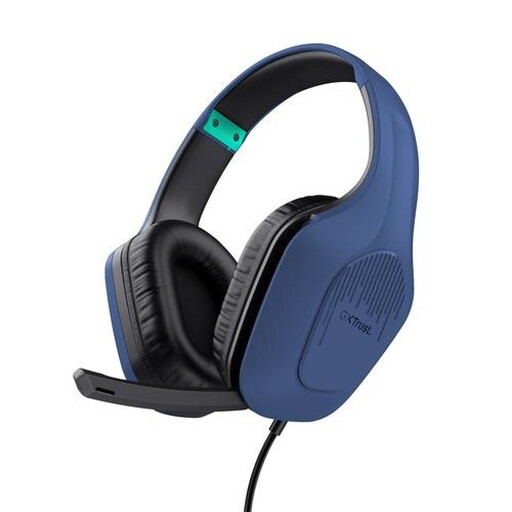 No image available
A wired version may suit a fixed setup; check that your device supports the connection.
The product name lists a 50 mm driver with a 3.5 mm connection and an over-ear design.
 No image available
Closed-back earcups may be useful if room noise distracts you; Razer describes them as providing passive noise isolation.
The product name describes a wired headset for multiple platforms. Check that the 3.5 mm connection works with your device.
 No image available
The mute function with indicator is useful if you want to see at a glance whether your microphone is off while guiding someone.
HP lists 3.5 mm, USB-A and USB-C connections for the wired Cloud III. Check which connection and features suit your device.
Check whether your device has a combined headset port or separate audio and microphone ports. If the ports are separate, you may need a suitable splitter; SteelSeries lists one with the PC version of the Arctis Nova 1, but not with the console versions. Also check which microphone input is selected in the settings.
The World Health Organization advises keeping the volume low and taking regular breaks. Both the sound level and how long you listen matter. A good fit can help you avoid compensating for room noise by turning the volume up; this is listening advice, not a legal volume limit for headsets.
Logitech states that the G335’s headband is washable. Follow the care instructions for your exact headset; this feature doesn’t automatically apply to the ear cushions or other models.
According to ACM ConsuWijzer, with an online purchase you generally have up to 14 days after delivery to change your mind, subject to legal exceptions. Your statutory guarantee is separate from a manufacturer’s warranty: if a product used normally doesn’t meet what you could reasonably expect, the seller must resolve the issue under the applicable terms.
The Dutch Authority for Digital Infrastructure states that electrical, electronic and radio equipment sold in Europe must meet the applicable European directives and carry a CE marking. Wireless headsets must also meet the applicable requirements for radio equipment; check the marking and information for the exact version.