
Streamers who want to sound clear
You record spoken game commentary and want to check your microphone, placement and audio levels in OBS before going live. OBS Project explains how to adjust voice and game audio separately.


For commentary from a fixed PC setup, a wired headset can be handy if you don’t want to manage a battery. A wireless model is a better fit if freedom of movement or extra audio sources matter to you. Check the connections and software requirements, then make a test recording with your usual game audio: specifications alone can’t predict how your voice will sound in your room.
You record spoken game commentary and want to check your microphone, placement and audio levels in OBS before going live. OBS Project explains how to adjust voice and game audio separately.
You combine game, chat or mobile audio and want connections and audio features that suit your setup. For the Arctis Nova 7 Wireless Gen 2, SteelSeries describes simultaneous game audio via a USB-C dongle and mobile audio via Bluetooth.
You wear your headset for extended periods and weigh up fit, ear cushions, freedom of movement and charging. VeiligheidNL notes that well-fitting ear cushions can help reduce ambient noise.
A good fit if: you usually stream at the same desk and don’t want to charge a battery.
The trade-off: you’ll need a compatible connection and will be tethered by a cable.
A good fit if: you want to move around while streaming, or use a specific model to combine game and mobile audio.
The trade-off: check the dongle, device compatibility and battery life for each connection mode on the model you’re considering.
Start by checking the connection and the audio you want to use at the same time, then listen back to a test recording. OBS Project recommends keeping your voice clearly audible above the game audio in the mix.
| What to consider | What to check before buying | Who should prioritise this? |
|---|---|---|
| Clear commentary | Check the microphone position, mute controls and any software requirements. Make a test recording in your own room and listen to it using your streaming software. | When I record commentary, I want to hear before streaming whether my voice stays clear alongside the game audio. Around 36% of consumers say clarity is their main concern. |
| Connections and audio sources | Check that your PC or console supports the connection and any dongle. Also check what software you need and how your voice and game audio come through in OBS. | When I use multiple sources, I want my headset and streaming setup to handle them together. Around 29% of consumers prioritise suitable connections and audio sources. |
| Comfort | Check how adjustable the headset is and what the ear cushions are made from. Decide for yourself whether it stays comfortable during a session of your usual length. | When I stream for long stretches, I want my headset to feel comfortable on my head. Around 21% of consumers name comfort as their main concern. |
| Freedom of movement and charging | For wireless models, check battery life in each mode, the charging method and whether the required dongle is included. | When I want to be able to leave my desk during a stream, I weigh freedom of movement against the need to charge. Around 14% of consumers say this is their main concern. |
Your recording also depends on the sound in your room, your settings and the balance between your voice and the game audio. Strong noise suppression can distort your voice.
Check any software requirements and make a test recording in your own room before using the headset. OBS Project warns that noise suppression generally doesn’t work well when there’s a lot of background noise.
Features vary by version. SteelSeries describes simultaneous game and mobile audio for the Arctis Nova 7 Wireless Gen 2, while HyperX lists different maximum battery life figures for each mode on the Cloud III S Wireless.
Check the full model name, how it connects to your devices and the battery life in the mode you plan to use.
In the Netherlands, there’s no fixed statutory warranty period: you’re entitled to a product that works as it should. An additional warranty is separate and doesn’t replace this right.
Check what extra cover a warranty product provides and contact the seller if something goes wrong.
The PRO X Wired is worth considering for a fixed PC streaming setup where you want to adjust microphone filters.
The Arctis Nova 7 Wireless Gen 2 is worth considering if you want to use game audio via a dongle and mobile audio via Bluetooth at the same time.
The Cloud III S Wireless is an option to compare if wireless use and the stated battery life for each mode matter to you.
The BlackShark V2 Pro range is worth considering if you want to compare wireless versions with a voice-focused microphone.
The HS80 MAX is an example of a model with a 2.4GHz connection and Bluetooth.
This selection includes wired models for a fixed setup and wireless models with different connection options. Compare the connection, microphone controls and any software requirements with your own streaming device.
 No image available
A wireless option to compare if long sessions and on-headset controls matter to you.
Detachable boom microphone with mute indicator. HyperX lists up to 120 hours via 2.4 GHz and 200 hours via Bluetooth; these are maximums for each mode, not measured battery life while streaming.
 No image available
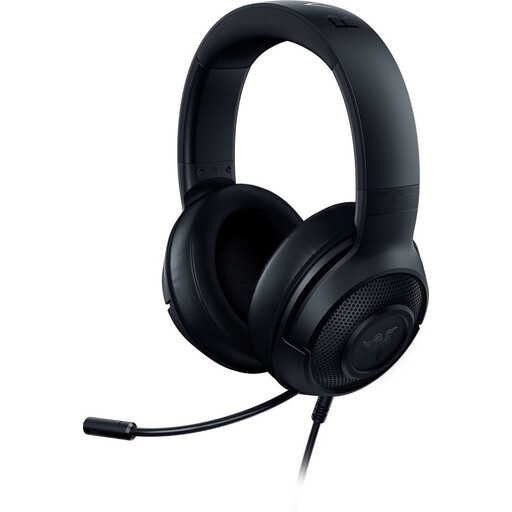
A wired option to compare for a PC setup with a 3.5mm connection.
The product information lists a flexible cardioid microphone, microphone mute, adjustable headband and a weight of 230 g. According to the description, the stated 7.1 surround feature is only available on Windows 10 64-bit.
 No image available
A wired model to compare if you want to record commentary via a 3.5mm connection.
The product information lists a cardioid microphone, mute and volume controls, and a weight of 240 g. For the stated 7.1 surround feature, the information describes software activation using an included code.
 No image available
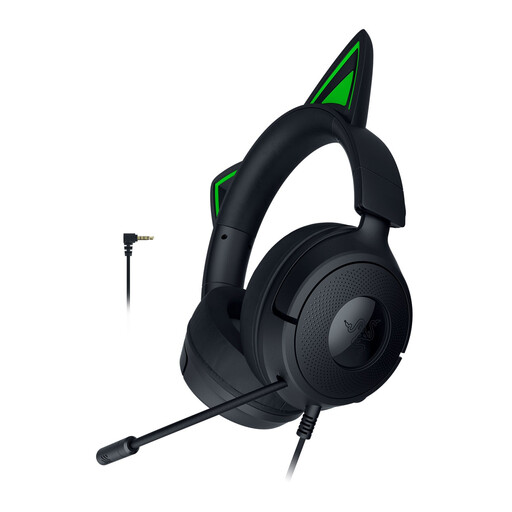
A wired headset to compare for game commentary from a PC.
The product information lists a cardioid microphone, a USB connection for PC, an adjustable headband and memory foam ear cushions.
 No image available
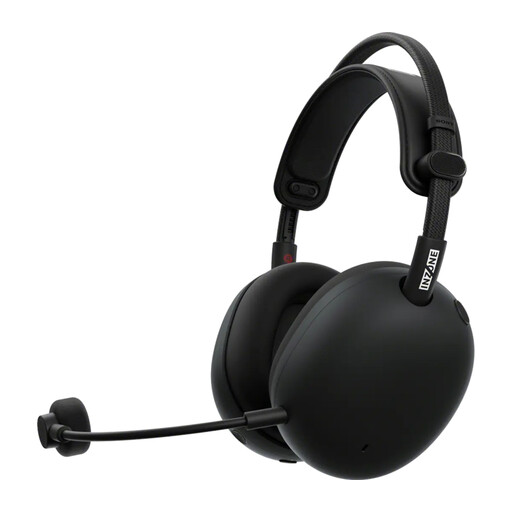
A wireless model to compare if you want to use game and mobile audio in your setup.
The product information lists a 2.4GHz dongle for gaming, Bluetooth for mobile audio and calls, and a detachable microphone. The stated battery life is up to 30 hours.
Make a test recording with both your microphone and game audio. Check which sources are active in OBS, listen to the recording and adjust the levels; the OBS mixer shows separate meters and warns you about clipping.
Not completely. According to OBS Project, noise suppression can reduce light background noise, such as a PC fan, but generally doesn’t work well against a lot of noise. Strong filtering can distort your voice.
For an online consumer purchase, you usually have up to 14 days after delivery to change your mind, with some exceptions. ACM ConsuWijzer explains how the cooling-off period works. In the Netherlands, there’s no fixed statutory warranty period: you’re entitled to a product that works as it should, and you can contact the seller if something goes wrong. An additional warranty doesn’t replace this right.
The Rijksinspectie Digitale Infrastructuur states that retailers may only sell equipment that meets the applicable requirements, including the required CE marking on the device. Check that your specific headset has this marking.
Keep the volume at a sensible level and pay attention to how long and how often you listen. According to VeiligheidNL, well-fitting ear cushions can help reduce ambient noise, so you may not need to turn the volume up as high; this doesn’t automatically make loud or prolonged listening safe.