
Solo player who follows the story
You want to hear dialogue clearly and need a headset with a suitable connection. Chat features or virtual surround sound don’t automatically need to be a priority.


If you mostly play solo, start by looking for clear dialogue, a comfortable fit and a connection that suits your device. A microphone or virtual surround sound doesn’t need to be a deciding factor. A closed-back headset may be worth considering if room noise distracts you, while a wireless headset is best suited to situations where freedom of movement matters more than charging and checking device compatibility. Manufacturers such as SteelSeries, Razer and Logitech describe features for individual models; this doesn’t amount to a comparative ranking of sound quality.
You want to hear dialogue clearly and need a headset with a suitable connection. Chat features or virtual surround sound don’t automatically need to be a priority.
For longer gaming sessions, fit and how the headset handles background noise may be important. Check whether you can still hear important sounds around you with the level of noise isolation you’ve chosen.
You might switch between a laptop and console, or want to play without a cable. Check that the headset’s connection or wireless connectivity works with each of your devices.
| What to consider | What should you check? | Who is this important for? |
|---|---|---|
| Dialogue and story audio | Look for clear voices, and check whether any spatial audio mode works with your game and platform. | If I mostly play solo, I want to follow the dialogue and story audio clearly without having to think about chat features I don’t need. Around 33% of consumers prioritise dialogue. |
| Fit and room noise | Check how adjustable the headset is and how well the ear cups block out noise. Also make sure you can still hear essential sounds around you. | During a longer session in a shared room, I want to listen comfortably without being distracted by background noise all the time. Around 27% of consumers give fit and a quiet listening experience top priority. |
| Connection | Compare your device’s ports with the headset plug, and check which cables or adapters are included with that version. | If I want to connect my headset to a particular device, I want to know in advance whether both audio and the microphone will work with it. Around 20% of consumers prioritise connectivity and the parts they need. |
| Microphone for playing together | Check whether the microphone is detachable, retractable or can be muted, and whether the connection you’ve chosen supports microphone use. | When I regularly play with others, I want to be able to talk and mute the microphone easily. If I play solo, this feature may matter less. Around 13% of consumers prioritise voice chat. |
| Wireless freedom | Check the connection for each device and consider whether charging fits the way you use your headset. | If I want to leave my desk while playing, a wireless connection can be handy, as long as it works with my devices. Around 7% of consumers make freedom of movement their top priority. |
Virtual surround sound depends on the headset, software, game and platform. Razer states that the BlackShark V2 X’s 7.1 mode is only available on Windows 11.
Check that your device supports it, and prioritise clear dialogue and a comfortable fit for narrative games.
A combined headset plug and separate audio and microphone ports can’t always be connected without a suitable splitter. SteelSeries says that the PC version of the Arctis Nova 1 includes a Y-splitter, but the console versions don’t.
Compare your device’s ports with the connection and cables supplied with the exact version you want to buy.
The wired Arctis Nova 1 is worth considering if low weight, adjustability and a retractable microphone are important to you.
The wired Cloud III is an option if you’re looking for a single headset with 3.5mm, USB-C and USB-A connections, according to HyperX.
The wireless G435 is designed for those who want to use Logitech’s LIGHTSPEED or Bluetooth connection.
The wired BlackShark V2 X could be a good fit if you’re considering a closed-back headset with a microphone.
The GXT 498 Forta is worth considering if you’re looking for a wired headset that Trust says is officially licensed for PS5.
These Joybuy picks are gaming headsets that may suit narrative games. Check which connections and features work with your device for each model.
 No image available
An option if you want to play on PS5 or PS4 using a wired connection and remove the microphone when playing solo.
The product name lists a wired headset, official PS5 licence, 50mm drivers and an over-ear design.
 No image available
A wired option for devices with a 3.5mm connection; flip the microphone up to mute it.
The product name lists Nintendo Switch, Switch Lite, Switch OLED, PC and mobile as compatible devices.
 No image available
A model to compare if you’re looking for a gaming headset. Before buying, check which connection and features suit your device.
 No image available
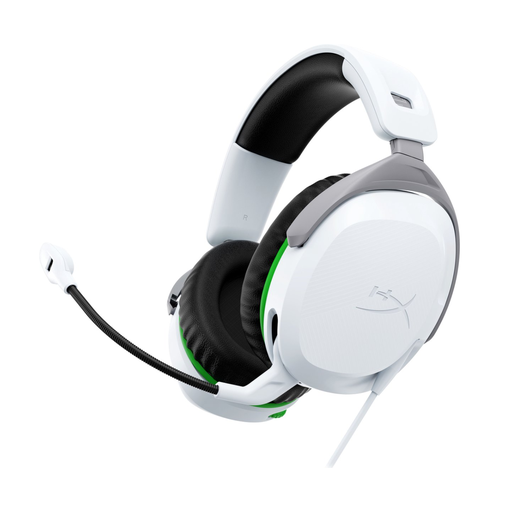
A wired headset to consider if you play on Xbox. Check the connection and microphone controls on the version you’ve chosen.
The product name lists Xbox Series X|S and Xbox One.
 No image available
A wired headset to consider if you play on PS5 or PS4. Check that the connection and microphone controls suit the way you use it.
The product name lists PS5 and PS4.
Not necessarily: stereo can work well for games, while virtual surround sound depends on the headset, software, game and platform. First, check that you can follow the dialogue clearly. Razer states that the BlackShark V2 X’s 7.1 mode is only available on Windows 11.
A headset with a combined 4-pole plug may need a Y-splitter if your PC has separate audio and microphone ports. SteelSeries Support says that the PC version of the Arctis Nova 1 includes a splitter, but the console versions don’t. Also check which audio input you’re using.
The World Health Organization recommends keeping the volume low and taking regular listening breaks. As an example, it advises an average maximum of 80 dB for 40 hours a week; the volume setting on your device isn’t the same as a measured dB level.
According to the Dutch government, online purchases from a business often come with a 14-day cooling-off period, with some exceptions. Check the relevant returns policy in advance, including how you’re allowed to try the headset.
For radio equipment covered by the relevant European requirements, the required CE marking is important. The Dutch Authority for Digital Infrastructure explains the rules for equipment; this general guidance doesn’t confirm that an individual product on sale meets every requirement.