Who is this choice for?

Host who uses online voice chat

You chat with other players while gaming and want to be able to mute the microphone quickly when talking to guests in the room. HyperX describes the Cloud III as having a mute button with an indicator; JBL says the Quantum 200 has a flip-up microphone with a mute function.

Player with a crowded desk

You want to keep cables off your desk and are weighing up the freedom of wireless against having a receiver to plug in and a headset to charge. First, check that the connection method works with the gaming device you use.

Player with multiple devices

For example, you switch between a PC and a console. Connections and features can vary by model or version; SteelSeries, for instance, says that only the 5X in the Nova 5 series is designed for Xbox.

What should you look for when buying?

Wired headset

A good fit if: you have a compatible connection and would rather not have to charge a battery.

Bear in mind: the cable needs to run alongside or across your small desk. Also check which connection your device has.

Wireless headset

A good fit if: a cable gets in the way at your desk and your device supports the required wireless connection.

Bear in mind: you’ll need to charge it and make space for a receiver, if required. Check the exact console version; SteelSeries says only the 5X in the Nova 5 series is compatible with Xbox.

What to consider What should you check? Who is this important for?
Voice chat and muting Check where the mute control is and how you can tell when the microphone is muted. As a host, I want to chat online and mute the microphone quickly when talking to guests. Around 33% of consumers prioritise clear communication and muting.
Connection to your device Compare the connection and full model version with the ports and console you use. If I switch between a PC and a console, I want to know in advance whether the same headset will work with my devices. Around 27% of consumers prioritise a compatible device connection.
Desk space Consider where a cable will run or where you can plug in a wireless receiver. With limited desk space, I want to avoid a cable restricting where I can sit. Around 20% of consumers focus mainly on desk layout.
Fit Use weight and adjustability as points of comparison, but assess the fit separately. If I wear the headset for a long time, I want it to feel comfortable; the stated weight doesn’t tell you everything about the fit. Around 20% of consumers prioritise wearing comfort.

Common pitfalls

  • Assuming a console listing means every surround feature works

    A Dutch MediaMarkt listing includes the Logitech G432 with PS5, but Logitech says DTS Headphone:X 2.0 and EQ presets are only available on Windows with G HUB.

    Check features for each platform, and don’t buy the G432 for PS5 solely because DTS is listed as a feature.

  • Choosing the wrong wireless console version

    SteelSeries says only the Nova 5X in the Nova 5 series is compatible with Xbox.

    Before buying, compare the full model number with the console you want to play on.

  • Expecting wireless use to need no extra effort

    A wireless headset may need charging and space or a port for a receiver. Logitech also says the G733’s battery life can vary depending on usage conditions.

    Check which connection you need and charge the headset before you start gaming.

  • Confusing an extended warranty with your statutory rights

    The Dutch government explains that the Netherlands has no fixed statutory warranty period: a product must meet expectations for the length of time you can reasonably expect it to. The retailer is your point of contact if a product is faulty.

    Before choosing a paid extended warranty, check exactly what additional rights it offers.

Brands to compare

HyperX

The wired Cloud III is worth comparing if you’re looking for different connection options and on-headset controls.

  • HyperX lists 3,5 mm, USB-A and USB-C connections for the Cloud III, as well as a mute indicator.
  • Check which connection is compatible with your gaming device; these features alone don’t tell you anything about microphone quality or fit.

SteelSeries

The wireless Nova 5 and wired Nova 1 are different options, each with its own connection and compatibility requirements.

  • SteelSeries lists wireless models in the Nova 5 series, and the Nova 1 offers a wired option.
  • SteelSeries says only the 5X in the Nova 5 series is compatible with Xbox; don’t assume every model has the same features.

Logitech G

The G435 is a wireless option, while the G432 offers a wired connection.

  • Logitech lists LIGHTSPEED and Bluetooth for the G435.
  • Logitech says the G432’s DTS Headphone:X 2.0 and EQ presets are only available on Windows with G HUB.

JBL

The wired Quantum 200 is an option if you’re looking for a 3,5mm connection and don’t want to charge a battery.

  • JBL lists a flip-up microphone with a mute function.
  • Check that the 3,5mm connection is compatible with your device.

Razer

The BlackShark V2 X is a wired analogue option to compare if you’re looking for a 3,5mm connection.

  • For the EU version shown, Razer lists a weight of 240 g and a cardioid microphone.
  • These manufacturer details don’t tell you how the model sounds in a room with other people.

Joybuy products

This selection includes wired and wireless gaming headsets for voice chat and use at a small desk. Check that the connection and console version listed for each model are compatible with your setup.
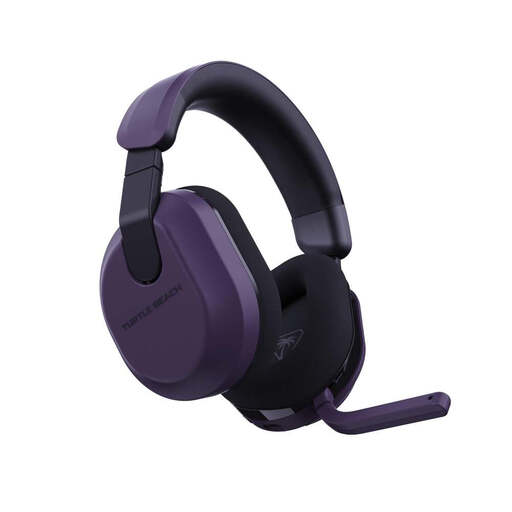
Turtle Beach Stealth 600 Gen 3 Xbox, purple

Turtle Beach Stealth 600 Gen 3 Xbox, purple

A wireless option for online voice chat; the product title lists a flip-to-mute microphone.

Bear in mind that you’ll need to charge it and use a USB receiver for the 2,4GHz connection.

Joybuy
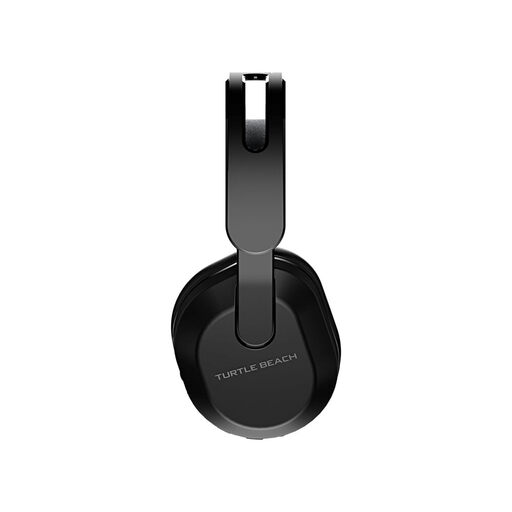
Turtle Beach Stealth 500 Xbox, black

Turtle Beach Stealth 500 Xbox, black

A wireless option for a desk where you’d rather not run a headset cable; the product title lists a flip-to-mute microphone.

Bear in mind that you’ll need to charge it and use a USB receiver for the 2,4GHz connection.

Joybuy
Turtle Beach Airlite Fit, wired, 3,5 mm, blue and red

Turtle Beach Airlite Fit, wired, 3,5 mm, blue and red

A wired option if your device has a compatible 3,5mm connection; the product title lists a flip-to-mute microphone.

The cable needs to be able to run alongside your desk.

Joybuy
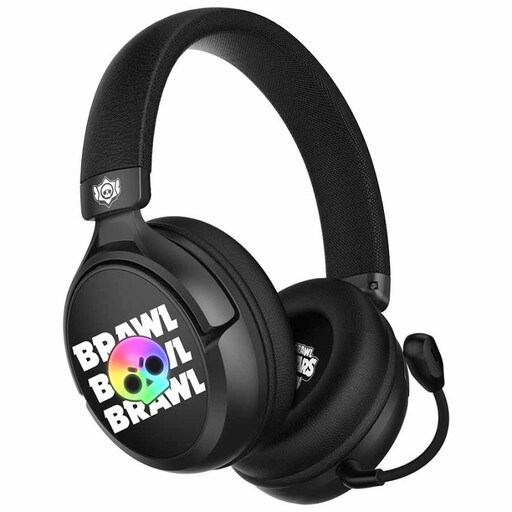
Subsonic SS Brawl Stars wired gaming headset, black

Subsonic SS Brawl Stars wired gaming headset, black

A wired option to compare if you’re looking for a gaming headset for a setup with cables.

Bear in mind where the cable will run along the desk and check that the connection is compatible with your device.

Joybuy
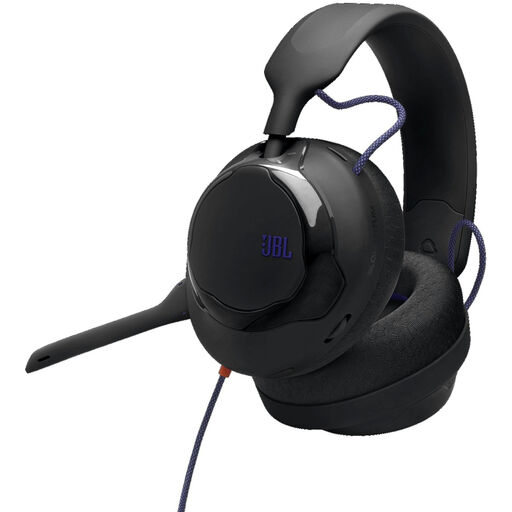
JBL Quantum 120 wired multiplatform gaming headset, black

JBL Quantum 120 wired multiplatform gaming headset, black

A wired multiplatform option to compare if you use online voice chat.

Check that the connection is compatible with your device; the cable needs to be able to run alongside your desk.

Joybuy

Frequently asked questions

Can everyone at the table hear the game through my headset?

No, a headset is designed for the person wearing it. Decide in advance whether you only need game audio and online voice chat for yourself, or whether guests in the room should be able to hear the game too. The latter requires a separate audio solution.

What should I check before connecting the headset?

Compare the ports on your gaming device with the connection on the exact headset version. HyperX lists 3,5 mm, USB-A and USB-C for the wired Cloud III; SteelSeries says only the 5X in the Nova 5 series is compatible with Xbox. Then test both the audio and microphone on the device you’re going to use.

How do I get a wireless headset ready for the next gaming night?

Charge the headset and keep any receiver somewhere you can find it. If you have a wired headset, put the cable away so it doesn’t pull across the desk. Logitech lists more than 29 hours of battery life for the G733, although usage conditions can affect this.

Do online purchases in the Netherlands always come with exactly two years of statutory warranty?

No. The Dutch government says there’s no fixed statutory warranty period in the Netherlands. You’re entitled to a product that works properly for as long as you can reasonably expect it to; if the product is faulty, the retailer is your point of contact. You don’t need to pay for an extended warranty to have this statutory right.

Can I return a headset ordered online within 14 days?

According to the Dutch government, when you buy from a business at a distance, you’ll often have a 14-day cooling-off period, although there are exceptions. Check which rules apply to your purchase before you order.
