
Players with limited mouse space
If you want to avoid a headset cable getting in the way of your mouse, consider a wireless gaming dongle. Check that you have a suitable port available.


Start by choosing a connection that works with your gaming device, then decide between a cable and a wireless gaming dongle based on the space available on your desk. For reaction training, check that the connection, fit and settings suit the way you use the headset. A headset feature alone is no proof that it will improve your reaction time. For team training, you’ll also want to make sure the microphone works with your device.
If you want to avoid a headset cable getting in the way of your mouse, consider a wireless gaming dongle. Check that you have a suitable port available.
If you always train on the same device and don’t want to recharge a battery, a wired connection could be a good option, as long as the cable stays clear of your movement area.
If you combine longer sessions with team communication, look for a comfortable headset with a microphone that works with your chosen device.
First check the connection and which mode is active. Then weigh up cable space, charging, comfort and team chat in relation to your own setup.
| What to consider | What should you check? | Who should prioritise this? |
|---|---|---|
| Audio and connection | Check which audio connections your device supports and which mode is active while you’re gaming. | If I train using audio cues, I want to know that my chosen connection and settings work with my device. Around 33% of consumers prioritise audio and connection. |
| Desk space | Consider where a cable could run and whether you have a suitable port free for a dongle. | When I have limited space for my mouse, I want to keep cables off my work surface without overlooking the need for a port for a dongle. Around 27% of consumers give desk space top priority. |
| Comfort | Consider the fit, adjustability and ear cushions. Weight alone doesn’t determine how comfortable a headset is. | If I’m doing longer training sessions, I want a fit that stays comfortable. Around 20% of consumers make comfort their top consideration. |
| Team chat and compatibility | Check that the microphone, mute control and connection work with your PC or console. | When I train with a team, I want to be able to communicate and connect the headset to my device. Around 20% of consumers prioritise communication and compatibility. |
Razer states that the BlackShark V2 X’s 7.1 feature is only available on Windows 11. The feature alone says nothing about whether your reaction time will improve.
Check whether the feature is available on your platform, and test the settings you plan to use during training.
The SteelSeries Arctis Nova 5 uses a USB-C dongle for the gaming connection described and has a rechargeable battery.
Check in advance that your device has a suitable free port, and consider where you’ll charge the headset.
According to the Rijksoverheid, the Netherlands has no fixed statutory warranty period. If a product is faulty, the retailer must provide an appropriate solution.
Check any additional warranty terms separately and keep your purchase details.
The wired Cloud III could suit a dedicated training setup where you want to use a choice of supported connections.
The Arctis Nova 5 Wireless is an option if you want to use a gaming dongle and also need Bluetooth.
The wired BlackShark V2 X could be worth considering if you’re looking for a headset with a microphone.
According to Logitech, the G435 combines LIGHTSPEED for supported gaming devices with Bluetooth for other uses.
This selection features wireless gaming headsets with a gaming dongle, for anyone who wants to keep an audio cable out of the way of their mouse. Check the connection, microphone and charging or platform requirements for each model.
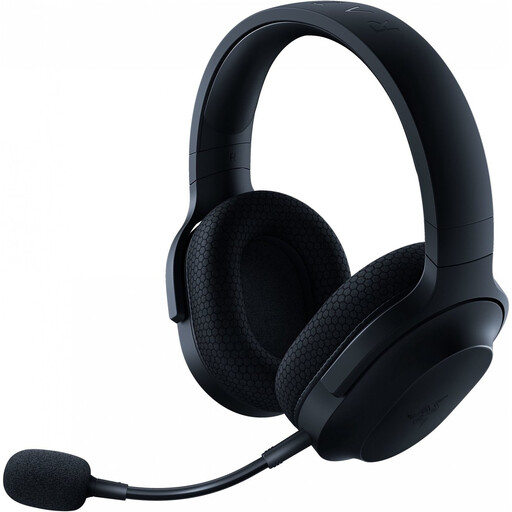 No image available
Could be a good fit if you’re looking for a wireless gaming connection and a detachable microphone.
The product description lists 2.4 GHz via a USB-C dongle, Bluetooth and a detachable cardioid microphone. The wireless connection requires a suitable port, and the headset needs charging.
 No image available
Could suit you if you want to train without a cable and also have the option of using Bluetooth.
The product name lists a detachable 10 mm boom microphone and compatibility with PC, PS5, PS4, Switch and mobile devices. The stated battery life is up to 200 hours via Bluetooth and up to 120 hours via 2.4 GHz. The wireless modes use a rechargeable battery.
 No image available
Could be a good fit if you’re looking for a wireless gaming dongle and a detachable microphone for team training.
The product description lists 2.4 GHz, Bluetooth, an adjustable headband and a stated battery life of up to 22 hours. The dongle requires a suitable port, and the headset needs charging.
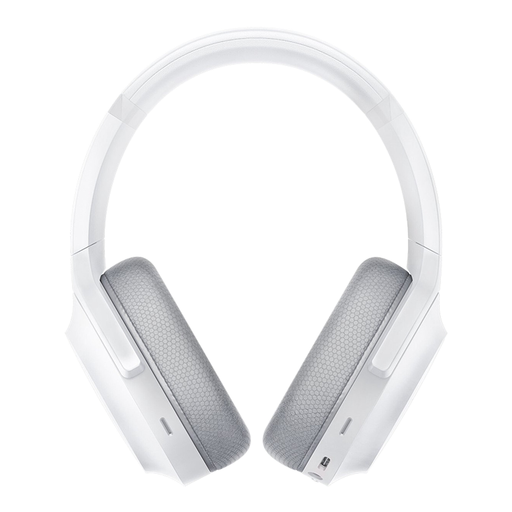 No image available
Could suit you if you want to combine a wireless gaming connection with Bluetooth for other uses.
The product description lists 2.4 GHz via a dongle, Bluetooth and built-in microphones. The wireless gaming connection requires a USB-C dongle, and the headset needs charging.
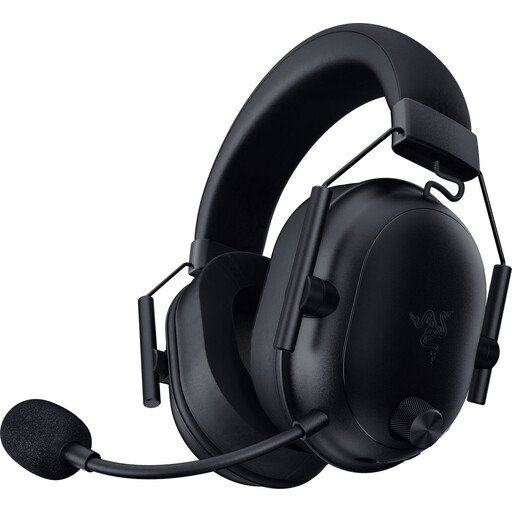 No image available
Could suit you if you want a wireless gaming connection and a microphone without running an audio cable across your desk.
The product description lists a USB-C dongle, Bluetooth, a microphone and a weight of 280 g. The wireless connection uses a rechargeable battery and requires a suitable port.
Not just because of the connection type. The SteelSeries Arctis Nova 5 has separate 2.4 GHz and Bluetooth modes, so check which one you’re using. Without comparable measurements for your device and settings, there’s no definitive figure for the difference in reaction time.
Choose a connection supported by your device and keep any cable clear of your mouse area. Once connected, check that the audio, microphone and mute function work. A wireless dongle needs a suitable port.
VeiligheidNL recommends using headphones that fit well, to reduce distractions from background noise. Don’t turn up the volume just to hear quiet training cues.
According to ACM ConsuWijzer, online purchases generally come with a statutory cancellation period of up to 14 days after delivery, although there are exceptions. The Rijksoverheid also explains your right to a product that meets legal standards: the Netherlands has no fixed statutory warranty period, and the retailer is your point of contact if a product is faulty.