What should you consider when choosing?
For a small desk, look beyond the headset itself. Think about where the cable or receiver will go, and how you’ll control the microphone while in a lobby.
| What to consider |
What to look for when buying |
Who is this important for? |
| Cable and clear desk space |
Check the cable route or space for the USB receiver, the supported connection and whether you’ll need to charge the headset while using it. |
If my desk has limited space, I want to keep the cable away from my controls. Around 29% of consumers rank clear desk space as their top buying priority. |
| Microphone and quick mute |
Check whether a microphone is included, where the mute control is and whether you can see or feel when the microphone is muted. |
When I join a lobby, I want to be able to speak and mute without searching for the controls. Around 29% of consumers put easy-to-use voice controls at the top of their list. |
| Connection to your platform |
For each device, check the exact model variant, the available port and the connection method specified by the manufacturer. |
If I want to use my headset with a PC and a console, I want to know which connection works with each device. Platform compatibility is the top priority for around 24% of consumers. |
| Fit for longer sessions |
Compare the stated weight, adjustability and ear cushion materials. These features alone won’t tell you how a headset will fit your head. |
If I’m gaming for a long time, I want a fit and weight that feel comfortable to me. Around 18% of consumers give comfort the highest priority. |
Joybuy products for this setup
This selection includes wireless headsets for anyone who wants to avoid a cable, and wired models for those who can route the cable out of the way and would rather not charge their headset.
 Image unavailable
HyperX Cloud III S Wireless Gaming Headset
Worth considering if you’d rather not have a headset cable on your small desk.
The product name lists up to 200 hours via Bluetooth and up to 120 hours via 2.4 GHz, a detachable 10 mm boom microphone and memory foam ear cushions. The stated battery life is a maximum.
View at Joybuy
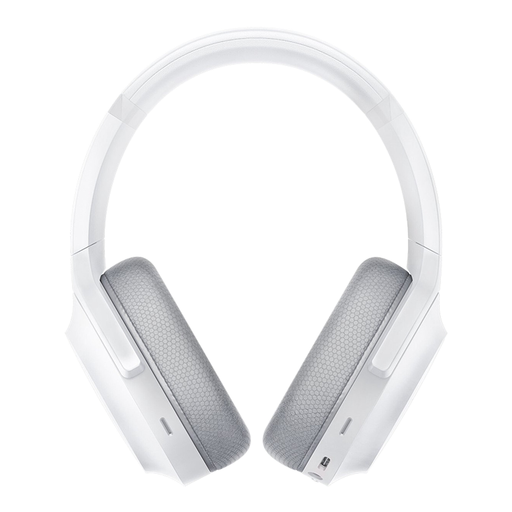 Image unavailable
Razer Barracuda Wireless Gaming Headset, Mercury White
A wireless option to compare if you don’t want a headset cable on your desk.
The product name lists Bluetooth and PC, PlayStation, Switch and Android. Check which connection is intended for your device.
View at Joybuy
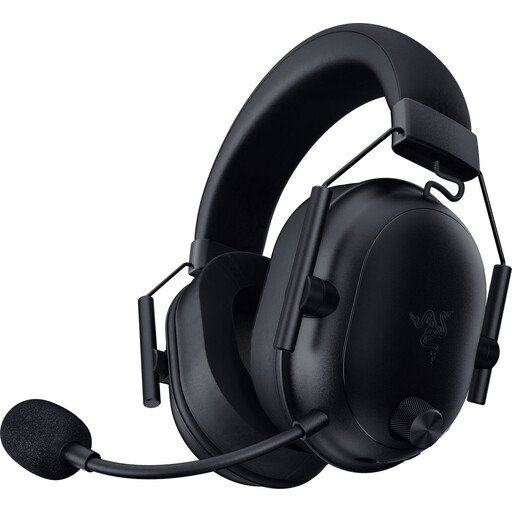 Image unavailable
Razer BlackShark V2 Wireless Gaming Headset
A good fit for a cable-free setup if the listed connection works with your device.
The product name lists Bluetooth and 2.4 GHz. Wireless use means you’ll need to charge it, so check how you can charge the headset in your setup.
View at Joybuy
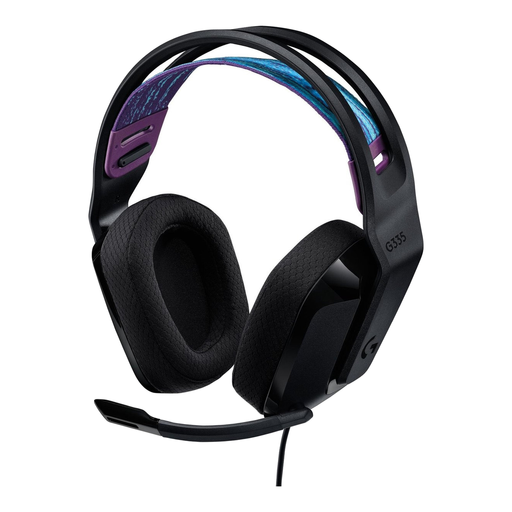 Image unavailable
Logitech G G335 Gaming Headset
A wired option to consider if you can route the cable out of the way and want to mute the microphone quickly during a conversation.
Flip the microphone up to mute it. Bear in mind that a wired setup leaves a cable on your desk.
View at Joybuy
 Image unavailable
HyperX Cloud III Gaming Headset
Worth considering if you want a wired connection and the option to mute the microphone directly on the headset.
HyperX lists 3.5 mm, USB-C and USB-A connections for the wired Cloud III. The headset has a mute button with an LED, according to HyperX; check which connection works with your device.
View at Joybuy
Frequently asked questions
Does every wireless gaming headset connect directly to my PS5?
No. Check both the headset and how it connects. PlayStation explains that the wireless headsets it lists connect via a USB adapter, and directs users to the manufacturer’s instructions for third-party headsets.
How do I get my headset ready for a multiplayer lobby?
Use a connection supported by your device and check that the microphone isn’t muted before you start talking. On the Cloud III, the mute control is on the earcup, according to HyperX, and an LED shows the mute status.
Do I need to plan charging breaks for a wireless headset?
Yes, wireless use means you’ll need to charge it. Logitech states that the G435 offers up to 18 hours of use after a full charge. Treat this as a stated maximum, not a guarantee of how long it will last in your situation.
What are my rights in the Netherlands when buying online or if a product is faulty?
For applicable online distance sales, the Dutch government says you’ll often have a 14-day cooling-off period. You also have statutory rights if a product is faulty. The Netherlands has no fixed statutory warranty period, and you should contact the seller.
Is it a good idea to listen at a high volume for a long time while gaming?
No, keep the volume at a sensible level. The World Health Organization warns that video games can expose you to unsafe listening volumes. Use the volume controls to keep an eye on the sound level.


