What should you look for when buying?
First, choose between wireless and wired based on your desk and gaming device. Then compare fit, voice quality and sound for the long sessions you have in mind.
| What to consider |
What to look for |
Who is this important for? |
| Cables and available ports |
Check the available ports, space for a dongle if needed, and whether a cable will cross your mouse area. |
If I have limited desk space, I don’t want a cable running alongside my mouse, and I need somewhere for a dongle to fit. Around 31% of consumers prioritise desk space. |
| Dialogue and RPG audio |
Look for clear voices and check whether EQ or spatial audio works on your platform. |
When dialogue and game effects both matter, I want sound that’s enjoyable to listen to without relying solely on a surround sound claim. Around 25% of consumers prioritise the listening experience. |
| Comfort during long sessions |
Compare the weight, ear cushions and adjustability; assess the fit in line with the applicable returns policy. |
For hours of gaming, I want a fit that doesn’t pinch; the stated weight doesn’t tell me how the headset will feel on my head. Around 25% of consumers also prioritise lasting comfort. |
| Voice chat and compatibility |
Check the microphone, mute controls, connection and platform support for the exact version on offer. |
If I play with others, I want to be able to mute my microphone quickly and chat on my own device. Around 19% of consumers prioritise voice chat or platform use. |
Joybuy products
These Joybuy products are designed for wireless gaming, helping you keep a headset cable off your desk. Check that each model’s connection suits your gaming device and that you have space for a receiver if needed.
 No image available
Razer Barracuda X Wireless Headset White
Suited to a setup where you don’t want a headset cable across your desk; check beforehand that the wireless connection works with your device.
The product name describes a white wireless headset. Bear in mind that you’ll need to recharge it and allow space for a dongle if required.
Joybuy
 No image available
HyperX Cloud III S Wireless Gaming Headset
A wireless option if you don’t want a headset cable across your desk; check that the connection is suitable for your gaming device.
The product name describes the Cloud III S as a wireless gaming headset. Wireless use means you’ll need to recharge it.
Joybuy
 No image available
Trust GXT 491 Fayzo Wireless
Suited to a gaming setup where you’d rather not have a headset cable across your desk; check the connection and support for your device.
The product name describes a wireless gaming headset. Bear in mind that you’ll need to recharge it and allow space for a receiver if required.
Joybuy
 No image available
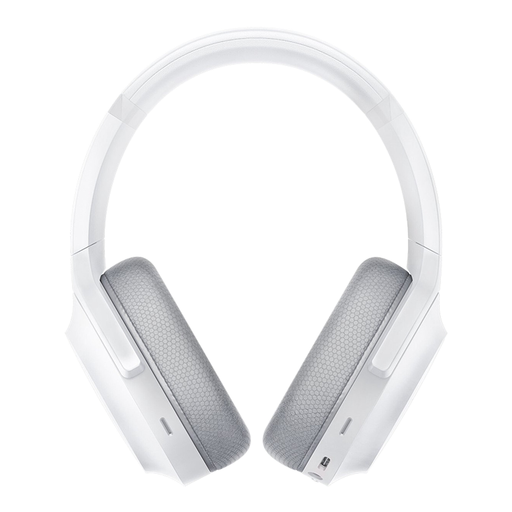
Razer Barracuda Wireless Gaming Headset Bluetooth, Mercury White
A wireless option for a desk where a headset cable could get in the way; check beforehand which connections your device supports.
The product name describes a wireless gaming headset with Bluetooth in Mercury White. Bear in mind that you’ll need to recharge it.
Joybuy
 No image available
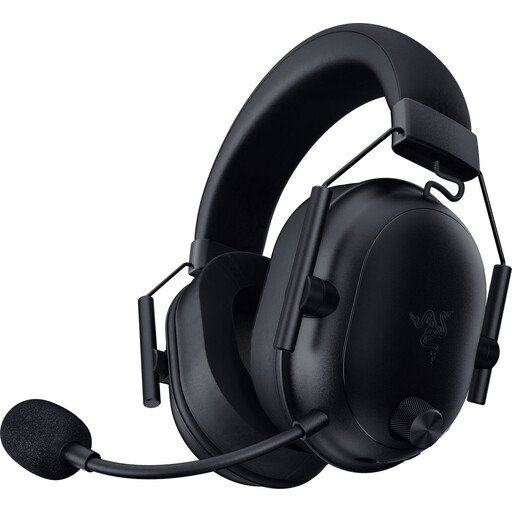
Razer BlackShark V2 Wireless Gaming Headset
Suited to anyone who wants to game wirelessly without a headset cable across their work surface; check the model variant and connection for your platform.
The product name describes a wireless gaming headset. Bear in mind that you’ll need to recharge it and allow space for a dongle if required.
Joybuy
Frequently asked questions
Should I choose surround sound for a sci-fi RPG?
Not necessarily. First, listen to see whether the dialogue and effects sound good to you, and check that the feature you want works on your platform. Razer lists the BlackShark V2 X’s 7.1 feature for Windows 11 only; RTINGS.com also notes limitations in the passive soundstage of the wired HyperX Cloud III.
How can I make a headset work well on a small desk?
For wired use, plan a cable route that avoids your mouse area. For wireless use, check before buying that you have a suitable port and space for the dongle, that the headset works with your device and that you have somewhere to recharge it.
How can I avoid listening too loudly during long RPG sessions?
Keep the volume down and take regular breaks. The WHO recommends 80 dB for up to 40 hours a week as a guideline for sound exposure, not as a guaranteed safe volume for every headset setting.
What can I do if my headset develops a fault after I buy it?
According to ACM ConsuWijzer, you have statutory rights in addition to any manufacturer’s warranty. If a product used normally doesn’t meet the expectations you were entitled to have, the retailer must resolve the issue free of charge under the applicable conditions; this doesn’t mean there is a set warranty period for every headset.
Can I try a headset bought online and return it?
ACM ConsuWijzer states that online purchases generally come with a statutory cooling-off period of up to 14 days after delivery, subject to conditions and exceptions for trying the product. Don’t assume that an opened package or any hygiene seal can always be returned without checking the product-specific terms.


