What should you look for when buying?
First, check the connection to your gaming device and chat app. Then consider which controls and equipment will fit on your desk.
| What to consider |
What should you check? |
Who is this most important for? |
| Team chat and mute |
Check where the microphone is and how to mute it; make sure the controls work with your device. |
If I want to respond quickly or mute myself during co-op, an easy-to-reach mute control is important. Around 31% of consumers prioritise team chat and muting. |
| Desk space |
Check where the cable will run, which port the dongle uses and whether there’s room for a charging station. |
At a small desk, I want to stop cables or peripherals taking up space for my mouse. Around 25% of consumers give having a clear desk their top priority. |
| Compatibility with your platform |
Check the exact console or PC, the available connections, and whether both the microphone and game audio work over that connection. |
If I switch between devices, I want to be sure my specific gaming device and chat work together. Bluetooth alone isn’t enough to confirm an Xbox connection. Around 25% of consumers choose compatibility as their top priority. |
| Comfort |
Look at adjustability, weight and ear cushions, and assess the fit while wearing the headset. |
For longer chats, I want a headset that stays comfortable. The stated weight won’t tell me how well it will fit me personally. Around 19% of consumers prioritise long-term comfort. |
Joybuy headsets for co-op chat
This selection mainly features wired headsets with microphone controls, as well as a wireless Xbox model. For each model, check that the listed connection suits your gaming device and that the cable or receiver will fit on your desk.
 No image available
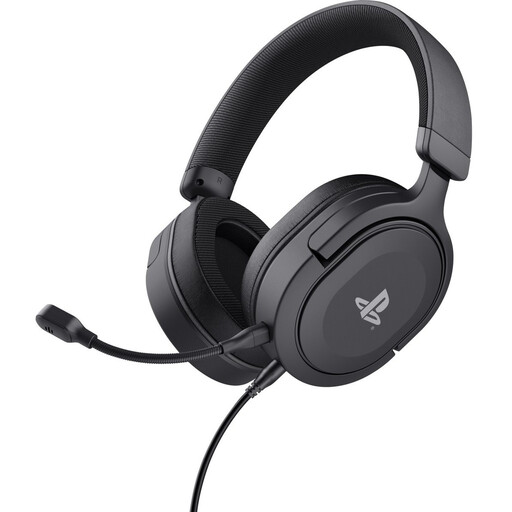
Trust GXT 498 Forta – wired gaming headset for PS5
A good fit for wired gaming and co-op chat if the 3.5 mm connection and cable routing suit your device and desk.
Product information lists PS5 and PS4 compatibility, a detachable 3.5 mm cable, a detachable microphone, and mute and volume controls on the earcup.
Joybuy
 No image available
JBL Quantum 300 – wired over-ear gaming headset
An option for co-op chat if you want a wired headset with a microphone that flips up to mute.
Product information lists a 3.5 mm connection and a USB audio adaptor. You’ll need to make room for both the cable and the adaptor when arranging your desk.
Joybuy
 No image available
Turtle Beach Stealth 500 – wireless Xbox headset
A good fit for wireless co-op chat on Xbox if the USB receiver and rechargeable headset suit your set-up.
Product information lists a 2.4 GHz connection via USB receiver, Bluetooth, a QuickSwitch button and a flip-to-mute microphone. The receiver uses a port.
Joybuy
 No image available
Turtle Beach Airlite Fit – wired, Blue/Red
A wired option for chat if your device supports a 3.5 mm connection and you want a microphone that flips up to mute.
Product information lists Nintendo Switch, PC and mobile devices. The cable needs space and a suitable route around your desk.
Joybuy
 No image available
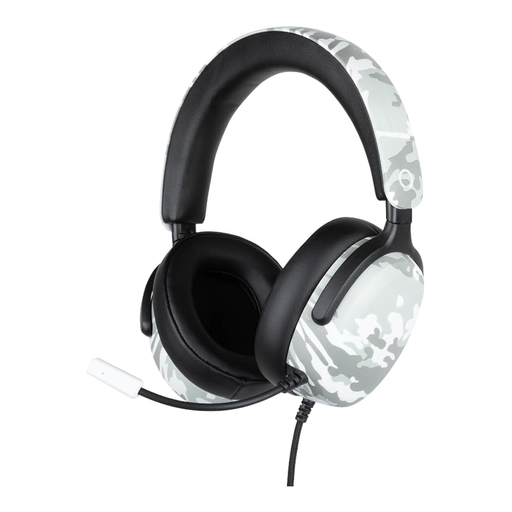
Konix Nexus – wired, camouflage pattern
A good fit for wired voice chat if your device has a 3.5 mm connection and the 1.5 m cable reaches your set-up.
Product information lists a flexible built-in microphone and a volume wheel on the earcup. You’ll need a suitable route for the cable over or around your desk.
Joybuy
Frequently asked questions
Can I connect a Bluetooth gaming headset directly to my Xbox?
Don’t assume you can. Xbox Support states that the Xbox One doesn’t have Bluetooth functionality for this type of headset connection. Check the connection method for your exact console and headset. The Xbox Wireless Headset pairs directly with supported Xbox consoles using its own connection.
How can I stop teammates hearing my keyboard?
Test the microphone in your chat app and adjust its position according to the manufacturer’s instructions. Some manufacturers list microphone noise cancellation, but a product specification won’t tell you how much keyboard noise it will filter out in your room.
What should I set up after connecting the headset?
Select the headset as the audio output and the microphone you want to use as the input on your gaming device and in your chat app. Then test the mute control and, if your device offers it, the game/chat balance.
How can I use a headset safely during long sessions?
Keep the volume moderate and take regular listening breaks. The World Health Organization explains that both sound level and length of exposure matter. The volume setting or a product specification alone won’t tell you your total exposure.
What are my rights when buying online or if a product is faulty?
Many online purchases in the Netherlands come with a 14-day cooling-off period, subject to applicable conditions and exceptions. If a product is faulty, you also have statutory rights, and the seller is your point of contact. The Dutch government states that there is no fixed statutory warranty period of two years.


