
Shooter player who relies on directional audio
You want to pinpoint footsteps and other in-game sounds. First, check your game's and platform's audio settings. For example, PlayStation describes a personalised 3D audio profile for PS5 headphones.


Start with a headset that connects to the device you play on. Then check whether you can pinpoint directional audio in your game and whether the headset feels comfortable while you practise. A wired 3.5mm headset never needs charging, while a compatible wireless model gives you more freedom to move but relies on having the right receiver and a charged battery. A headset can help you pick up audio cues, but it is not a proven way to improve your aim on its own.
You want to pinpoint footsteps and other in-game sounds. First, check your game's and platform's audio settings. For example, PlayStation describes a personalised 3D audio profile for PS5 headphones.
Perhaps you play from the sofa and need a connection that works with your console. With a wired headset, consider the distance to the connection; with a wireless one, the exact model variant and receiver matter.
During longer sessions, you care about more than just sound: fit, microphone muting and clear communication matter too. The material or weight listed in the specifications doesn't automatically tell you how the headset will feel on your head.
A good fit if: you sit close to the screen and have a compatible controller or audio output.
Bear in mind: the cable may restrict your movement. Also check that the microphone and any software features work through the connection you choose.
A good fit if: you sit further from the screen and the exact model, with the right receiver, supports your console or PC.
Bear in mind: you'll need to charge the headset and use the compatible receiver. Bluetooth doesn't automatically mean the headset will work wirelessly with every console.
A good fit if: you already have a headset that works with your platform and want to compare the audio settings first.
Bear in mind: how you perceive direction varies by listener and game. An audio feature doesn't prove that a new model will improve your performance.
| What to consider | What should you check? | Who is this important for? |
|---|---|---|
| Directional audio | Compare stereo with the spatial audio available in your game at a comfortable listening volume. A surround sound label doesn't guarantee that you will hear direction more clearly. | If I want to pinpoint audio cues in a shooter, I compare the settings in the game I play. Around 25% of consumers put directional audio first. |
| Platform connection | Check your PC or console, the exact headset variant and whether the microphone works through that connection. | If you play on a specific console or PC, you need a working connection before other features come into play. Around 25% of consumers prioritise compatibility. |
| Freedom to move | Consider the distance from your controller or device and check which type of wireless connection and receiver the model uses. | If I play from the sofa, I don't want to run a cable to my controller. Around 20% of consumers prioritise playing without a cable. |
| Comfort during long sessions | Check the fit and adjustability; keep the volume moderate and take listening breaks. | When I practise for longer, I want the headset to stay comfortable—not just look comfortable on paper. Around 20% of consumers put comfort first when choosing. |
| Team chat | Check microphone compatibility, its positioning and how to mute it. | If I chat with teammates, I want to be able to mute the microphone on my platform. Around 10% of consumers prioritise team chat. |
Razer says the BlackShark V2 X's virtual 7.1 feature is for Windows 11 only. On PS5, you can use the console's own headphone audio settings; that doesn't make the Razer feature available on the console.
Check which features are supported on each platform and connection. Compare the settings in your own game rather than relying on a label alone.
Wireless connectivity and compatibility depend on the exact headset variant and receiver. SteelSeries specifically names the 5X in the Nova 5 series for Xbox.
Before buying, check the full model name, the receiver included and whether it's supported by your console.
Choosing the wrong variant or losing the receiver could mean you'll need to buy a compatible replacement receiver.
The World Health Organization gives 80 dB for up to 40 hours a week as an example of safe listening for adults. At higher sound levels, the recommended listening time is shorter.
Start at a moderate volume, adjust the in-game audio settings if needed and take listening breaks. The WHO guidance mentioned here is listening advice, not a Dutch statutory product limit that applies to every buyer.
The wired BlackShark V2 X is worth considering if you want to compare a 3.5mm connection, a microphone and a listed weight of 240 g.
According to HyperX, the wired Cloud III offers 3.5mm, USB-A and USB-C connections for use with devices that support the relevant connection.
The wireless Arctis Nova 5X is an option if Xbox support and switching between a receiver and Bluetooth are important to you.
The Stealth 600 Gen 3 is a wireless option if you're looking for a compatible console variant and controls for game and phone audio.
This selection includes wired headsets with a 3.5mm connection and wireless models for specific platform connections. For each model, check that the variant and connection suit your PC or console.
 No image available
A wireless option for PlayStation users who want a swappable battery and microphone muting for longer sessions.
The product description lists a wireless USB base station, swappable batteries and controls for game and chat audio. The supplied base station is needed for the wireless connection described.
 No image available
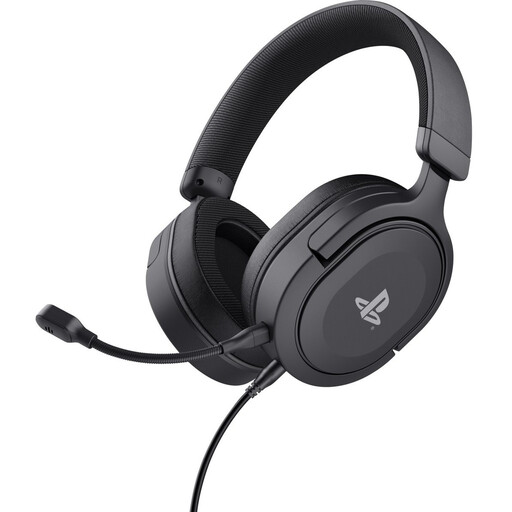
A wired option to compare if you play on PS4 or PS5 and want to use a 3.5mm connection.
The product description lists a 3.5mm connection, a detachable microphone, and volume and microphone mute controls. The cable is 1.2 metres long, so consider the distance to your controller or audio connection.
 No image available
A wireless option if you're looking for an Xbox variant and want to mute the microphone quickly during team chat.
The product description lists 2.4 GHz, Bluetooth and a flip-to-mute microphone. The USB receiver is needed for the 2.4 GHz connection, and the headset has a rechargeable battery. Check support for your platform.
 No image available
A wired option to compare if your device has a 3.5mm connection and you don't want to charge a battery.
Listed features include a weight of 240 g and a microphone with a mute function. According to Razer, this model's 7.1 feature is only available on Windows 11.
 No image available
A wired option if you use one of the listed platforms and want to choose a compatible connection.
HyperX lists 3.5mm, USB-A and USB-C connections, along with a detachable microphone with a mute indicator. According to HyperX, the DTS licence can only be used on PC, not Xbox.
No, a 7.1 label isn't required for the PS5's 3D audio setting for headphones. You can set up a personalised profile and compare the sound options in your game to find what you prefer. Razer says the BlackShark V2 X's 7.1 feature is for Windows 11 only.
Connect the headset to the device running the game, following the instructions for your headset and console. The size of the screen doesn't determine the connection. For example, PlayStation explains how to pair its wireless headsets with a USB adapter on PS5.
Keep the volume moderate and take listening breaks. The World Health Organization gives 80 dB for up to 40 hours a week as an example of safe listening for adults; at higher sound levels, that time is shorter. This is listening advice, not a Dutch statutory product limit that applies to every buyer.
In the Netherlands, a standard online purchase from a business usually comes with a 14-day cooling-off period, subject to applicable terms and exceptions. This is separate from your rights if a product is faulty or not as described. The Dutch government says there is no fixed statutory guarantee period; if there's a fault, contact the seller.