
Gamer sharing a room
You want to hear your quest clearly without constantly turning up the volume. VeiligheidNL notes that a good seal can help block out background noise, but that doesn’t mean your housemate won’t hear anything.


For open-world quests in a shared bedroom, a well-fitting headset with an easy-to-reach mute function is a sensible place to start. According to VeiligheidNL, a good seal can help block out background noise without you needing to turn up the volume. For longer sessions, consider comfort and, with wireless models, charging; also check that the exact connection works with your gaming platform. A headset won’t necessarily stop your housemate from hearing what you’re playing.
You want to hear your quest clearly without constantly turning up the volume. VeiligheidNL notes that a good seal can help block out background noise, but that doesn’t mean your housemate won’t hear anything.
You play for long stretches, so you’ll want to consider the fit, ear cushions, available cable length and how often a wireless headset needs charging.
You chat to other players while gaming and want to be able to mute the microphone quickly. The right connection also depends on your PC or console.
Start with the fit and sound in your shared room. Then check that the connection, microphone and any battery suit your gaming setup and platform.
| What to consider | What should you check? | Who will find this important? |
|---|---|---|
| Sound in a shared room | Check how the ear cups fit around your ears and try a moderate volume. Don’t turn the volume up to compensate for a poor fit. | If I share a room, I want to follow quest audio clearly without constantly turning up the volume. Around 31% of consumers say blocking out sound in a shared room is their main reason for buying. |
| Comfort during long quests | Consider the pressure from the headband and ear cushions. For wireless use, also check the stated battery life and how often the headset needs charging. | During long gaming sessions, I want the headband and ear cushions to feel comfortable. Around 25% of consumers prioritise comfort during long quests. |
| Voice chat and muting | Look for an easy-to-reach mute button and check that the microphone works with your platform. | If I chat to other players while gaming, I want to be easy to understand and able to mute the microphone quickly. Around 25% of consumers prioritise voice chat without unnecessary disruption. |
| Connection to your platform | Note your device and the ports available. For the exact model variant, check that game audio, the microphone and any software features you want are supported. | I want to make sure the headset works with my own gaming device before I buy. Around 19% of consumers give a suitable platform connection top priority. |
Microphone processing focuses on the speech being recorded. Your own voice, the fit and the volume are separate things to consider when sharing a room with someone else.
Check the mute function and fit separately, and try the headset at a moderate volume in your own room.
A Bluetooth connection doesn’t automatically work directly with a console. Even within the SteelSeries Arctis Nova 5 family, Xbox support varies by model variant.
Compare the full model name with the manufacturer’s compatibility information and your platform’s requirements.
For the Logitech G432, DTS Headphone:X 2.0 and EQ require Windows and Logitech G HUB.
Choose based on the features that work with your device, and check the software requirements.
The wired G432 and wireless G435 offer different connection options for PC and console gamers.
The Quantum 350 Wireless and Quantum 360 Wireless are wireless options to consider if you’re looking for a receiver and a detachable chat microphone.
The Arctis Nova 5 family includes wireless models; check the exact variant when buying.
The wired Cloud III and wireless Cloud III S Wireless offer different connection options for long gaming sessions.
The Xbox Wireless Headset is worth considering if you want to connect wirelessly and directly to a supported Xbox console.
These Joybuy product picks include wired headsets with a 3.5mm connection and wireless Turtle Beach models with a USB receiver. Check the exact variant, connection and platform support for each headset.
 No image available
A wired option if you play on one of the listed Nintendo Switch models and want to mute quickly during voice chat.
3.5mm connection; compatibility information lists Nintendo Switch, Switch Lite and Switch OLED. Flip the microphone up to mute it.
 No image available
A wired option if your device has a suitable 3.5mm connection and you want a microphone that flips up to mute.
The stated cable length is 1.2 m. The product name lists PC, PS5, Switch 2 and Xbox Series X|S; check that the connection suits your setup.
 No image available
A wireless option if you play on a supported Xbox and want to adjust game and chat audio separately.
The Xbox connection uses a USB receiver. The description also lists Bluetooth for PC, Nintendo Switch and mobile devices. Flip the microphone up to mute it.
 No image available
A wireless option if you play on one of the listed console platforms and want to flip the microphone up to mute it during voice chat.
The console connection uses the USB receiver; Bluetooth is listed for mobile devices. The product description mentions glasses-friendly ear cushions, but personal fit still matters.
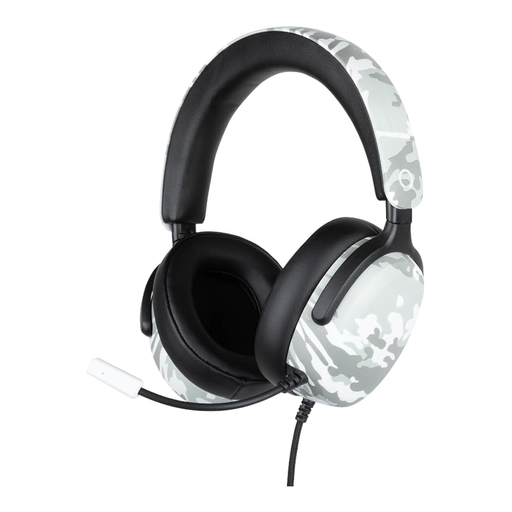 No image available
A wired option for a gaming device with a compatible 3.5mm connection; bear in mind how far you’ll be sitting from the socket.
The cable is 1.5 m long. The product name lists 40 mm drivers and a microphone; the product description lists PS5, Switch 2 and Xbox Series X|S.
Don’t assume you can. PlayStation says a Bluetooth audio device may not be compatible with PS5. Xbox Support says an Xbox One console won’t connect directly to a Bluetooth headset; using a compatible headset via the controller’s 3.5mm socket is another option.
Adjust the ear cups to fit properly and keep the volume moderate. According to VeiligheidNL, a good seal can stop you needing to turn up the volume to block out background noise. For children, VeiligheidNL also recommends setting a volume limit on a phone or tablet; before using this setting, check that it’s available on the device in question.
For online purchases, ACM ConsuWijzer says you usually have a statutory 14-day cooling-off period from delivery, subject to legal exceptions. You’re also covered by the legal guarantee: if a product breaks sooner than you could reasonably expect under normal use, the seller must put things right free of charge, according to ACM.
Ondernemersplein lists the Radio Equipment Directive (RED) as relevant to electrical devices with Bluetooth or a radio frequency module. The directive sets out a framework for placing radio equipment on the market.
No, not on 23 October 2026. PlayStation lists 29 October 2026 as the date pre-orders open in the Netherlands, with a planned launch date of 19 November 2026. This refers to the newly announced headset, not existing Pulse models.