
Gamers sharing a room
You want to hear your game without disturbing your roommate unnecessarily. Bear in mind that isolation for you is not the same as low sound leakage to the outside. Razer describes passive isolation for the wearer.


First, choose a headset with a connection and microphone that work with your PC or console. Then assess separately how clearly your teammates can hear you, how much room noise you can hear and how much sound leaks out to your roommate: microphone noise cancellation does not prove that a headset leaks little sound. A wired headset means no battery to manage, while a wireless one gives you more freedom to move but needs charging and a compatible receiver.
You want to hear your game without disturbing your roommate unnecessarily. Bear in mind that isolation for you is not the same as low sound leakage to the outside. Razer describes passive isolation for the wearer.
If you chat during matches while someone else is in the room, microphone positioning, muting and clarity are important considerations. HyperX, Razer and PlayStation describe different microphone features for their models.
You want to know in advance whether the connection or wireless receiver will work with your gaming platform. HyperX lists several connection options for the Cloud III; SteelSeries specifically names the Nova 5X for Xbox.
First, check the connection and support for your platform. Then compare the microphone, sound leakage and fit separately: these features answer different questions.
| What to consider | What should you check? | Who might value this most? |
|---|---|---|
| Clear team chat | Check the microphone position and mute controls. Assess microphone performance separately from the earcups’ isolation. | If I’m talking during a match while there’s background noise in the room, I want my teammates to hear me clearly. Around 25% of consumers prioritise team chat. |
| Sound for your roommate | Look for information about sound leakage from the exact model; passive isolation describes what you hear, not how much sound leaks out. | If I share a room, I want to play without my game audio disturbing the other person unnecessarily. Around 25% of consumers prioritise minimising disturbance to their roommate. |
| In-game cues and volume | Check that the audio features you want work on your platform. Set a comfortable volume and avoid constantly turning it up to drown out room noise. | If I want to distinguish in-game cues from team chat clearly, I also consider how long and how loudly I listen. Around 20% of consumers prioritise audible in-game cues. |
| Platform and connection | Check that the exact headset variant’s connection and microphone support are compatible with your PC or console. | If I want to use voice chat on my own device, I want to be sure that both the audio and microphone work. Around 15% of consumers prioritise platform compatibility. |
| Fit and longer sessions | Look at adjustability and ear cushions, and judge the fit for yourself. For wireless models, also check battery life and how they charge. | If I play for long periods, I want a headset that feels comfortable and is practical to use. Around 15% of consumers prioritise comfort and use during longer sessions. |
Microphone filtering targets the sound sent to your teammates. On its own, it says nothing about how much game audio leaks from the earcups into the rest of the room.
Check microphone performance, isolation for the wearer and sound leakage as separate features.
SteelSeries specifically names the Arctis Nova 5X for wireless Xbox use; support for one variant does not automatically apply to every Nova 5.
Check the full model name and receiver against your console before ordering.
Logitech states that the advanced Blue VO!CE and DTS Headphone:X 2.0 features work on PC only via G HUB. Razer lists support for its 7.1 feature on Windows 11.
Check the supported platform and operating system for each feature you want.
The wired Cloud III is worth considering if you want several connection options and easy-to-use microphone controls.
The wired BlackShark V2 X is worth considering if you want a flexible, directional microphone and closed-back earcups.
The Arctis Nova 5 family offers a wireless option; check which variant suits your platform.
The PULSE Elite is most relevant if you play on a PS5 or another listed PlayStation Link device.
The wired PRO X is worth considering if you want to use settings through the accompanying software on PC.
This selection includes wired gaming headsets and wireless models for different gaming platforms. Check the exact variant and connection for your device for each headset.
 No image available
Worth considering if you want to game wirelessly on PlayStation; check that the exact version is compatible with your device.
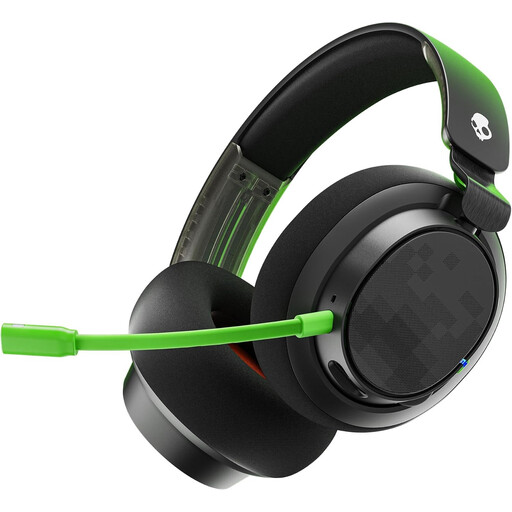 No image available
A wired gaming headset worth considering if you’re looking for an Xbox model; check the connection and support for your specific device.
 No image available
A gaming headset worth considering if you want to combine game audio with team chat; check that this version’s features are compatible with your platform.
 No image available
A wireless option for gaming and voice chat. The product name lists 2.4 GHz and Bluetooth, a detachable 10 mm boom microphone and memory foam ear cushions.
Stated battery life varies by connection: up to 200 hours via Bluetooth and up to 120 hours via 2.4 GHz.
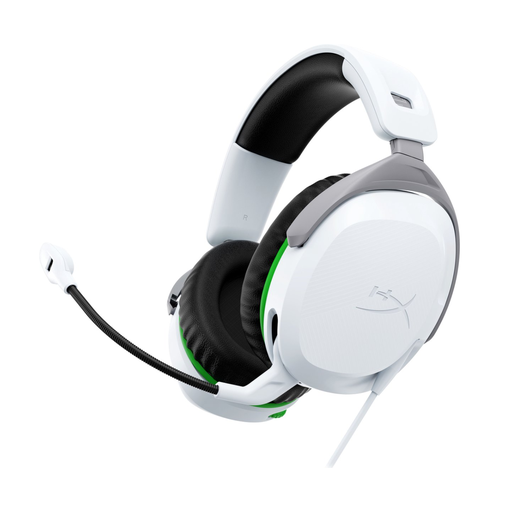 No image available
A wired headset for Xbox Series X|S or Xbox One, according to the product name. Check that the connection suits your controller or other gaming equipment.
No. Microphone noise cancellation, passive isolation for the wearer and sound leakage from the earcups are different features. For sound leakage, look for information about the exact model; the manufacturer descriptions mentioned don’t prove that your roommate won’t hear anything.
First, check your gaming platform and the connection on the exact variant. For the wired Cloud III, HyperX lists 3.5 mm, USB-C and USB-A connection options; for wireless Xbox use, SteelSeries specifically names the Nova 5X. Then test the selected audio input, audio output and mute setting in your device settings.
Try to keep the volume comfortable rather than turning it up to drown out room noise. The World Health Organization (WHO) explains that sound level, listening time and frequency of exposure all affect the risk to your hearing.
For online consumer purchases, ACM ConsuWijzer says there is generally a statutory cooling-off period of up to 14 days after delivery, subject to legal exceptions. Before opening the packaging, check whether the specific product may fall under an exception for sealed hygiene products, and review the seller’s returns policy.
No. According to ACM ConsuWijzer, the statutory warranty is separate from any manufacturer’s or seller’s warranty. If a product breaks sooner than you could reasonably expect under normal use, you can contact the seller for a solution; there is no single fixed statutory Dutch warranty period of two years for every headset.