
Playing with a roommate
You want to follow the story at a modest volume while being considerate of someone sharing the room. Pay attention to the fit and how much sound can be heard outside the headset.


For historical adventure games in a shared bedroom, a well-fitting, closed-back headset is a sensible place to start. Razer describes the BlackShark V2 X as providing passive noise isolation, but a closed-back design doesn’t guarantee that room noise will disappear or that your headset won’t be heard by someone else. Next, check the connection and exact model variant for your gaming device. The WHO recommends keeping the volume low rather than turning it up to drown out background noise.
You want to follow the story at a modest volume while being considerate of someone sharing the room. Pay attention to the fit and how much sound can be heard outside the headset.
You play for long stretches and want to know whether the ear cushions and headband feel comfortable, not just whether they’re described as comfortable.
You switch between devices, so check that the exact connection and model variant support both audio and the microphone features you need.
Start with the fit and how much sound your roommate might hear. Then check the connection and model variant, and decide whether wireless gaming or voice chat is important enough to factor into your choice.
| What to consider | What to look for | Who should pay particular attention? |
|---|---|---|
| Sound in the room | Check how the ear cushions fit and how much sound can be heard outside the headset at a normal listening volume. | If I’m gaming in the same room as someone else, I want to follow the story without constantly turning up the volume. Around 29% of consumers give room noise and sound isolation top priority. |
| Comfort | Look at adjustability, pressure around your head and ears, and the cushion material. | For longer gaming sessions, I want the headset to feel comfortable on my head. Around 23% of consumers prioritise comfort while gaming. |
| Device compatibility | Check the exact model variant, connection or dongle, and support for both audio and the microphone. | If I switch between PC and console, I want to know in advance which features work with each device. Around 18% of consumers name compatibility as their main consideration. |
| Voice chat | Check whether the microphone is easy to mute and whether its mute status is visible. | When I’m chatting with others while someone in the room is resting, I want to be able to mute my microphone quickly. Around 18% of consumers prioritise being considerate of their roommate during voice chat. |
| Keeping it simple | Check which connections and accessories are included, and whether you really need wireless connectivity and extra features. | If I mainly play solo, I want a connection that suits my device, without features I won’t use. Around 12% of consumers value simplicity over extra features. |
Muting the microphone stops your voice from being transmitted, but it doesn’t tell you how much sound comes from the ear cups or how much your roommate can hear.
Consider the microphone controls and the ear cups’ sound isolation separately. Also agree on how you’ll handle voice chat in a shared room.
SteelSeries identifies the Nova 5X as the Xbox version in the Nova 5 range, so the different model variants aren’t necessarily interchangeable.
Check the full model number and the required dongle setting before you order.
The WHO recommends keeping the volume low and notes that the recommended listening time decreases as sound levels rise.
Try adjusting the fit and listening volume first. For longer sessions, take listening breaks instead of turning up the volume to drown out background noise.
The wired Cloud III is worth considering if you’re looking for a choice of connections and an easy-to-reach microphone mute.
The wired BlackShark V2 X is an option to compare if closed-back ear cups and a microphone are important to you.
The Arctis Nova 5 range is designed for anyone considering a wireless set-up; the console variant matters.
The Quantum 360X Wireless for XBOX is a wireless option aimed at console gamers, with a detachable microphone.
The PRO X 2 LIGHTSPEED is a wireless option to compare if a range of connections and ear cushion materials matter to you.
This selection at Joybuy includes wired and wireless gaming headsets for use with the PCs and consoles listed. For each model, check the exact connection, device compatibility and microphone controls.
 No image available
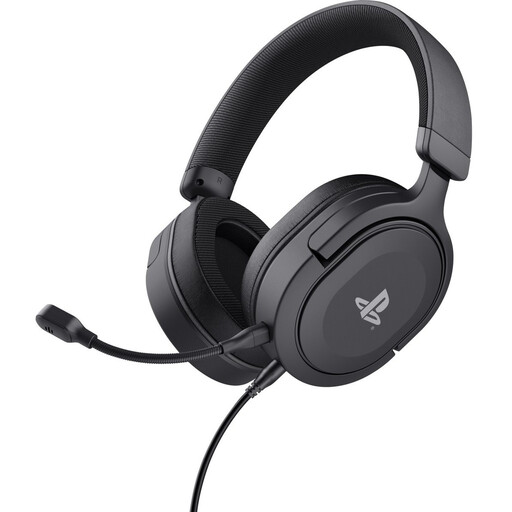
A wired option for PS5 or PS4 gamers who want to control the microphone and volume from the headset.
The 3.5 mm cable is detachable and 1.2 m long. The microphone is detachable, and the controls adjust the volume and microphone.
The product information lists 50 mm drivers, a padded headband and soft ear cushions.
 No image available
A wireless option for the Xbox, PlayStation and PC platforms listed, if you want to mute the microphone quickly during voice chat.
The product name also mentions Steam Deck and mobile devices. Flip the microphone up to mute it; the headset has a rechargeable battery.
The product information lists 2.4 GHz and Bluetooth.
 No image available
A wireless option for anyone who wants to use the Xbox or PC connection listed and mute the microphone quickly.
The product name also mentions Xbox Series X|S, Xbox One, Switch 2 and mobile devices. The headset uses a USB receiver for 2.4 GHz and needs charging.
The product information lists Bluetooth, USB-C charging, memory foam ear cushions and a flip-to-mute microphone.
 No image available
A wired option for voice chat and longer gaming sessions, provided the connection suits your gaming device.
The product information lists USB-C or 3.5 mm, a microphone with mute and volume controls, and memory foam ear cushions.
This model is wired.
 No image available
A wireless option for the PC, PlayStation and Nintendo Switch platforms listed, if you want to be able to mute a detachable microphone.
The product information lists 2.4 GHz, Bluetooth, and USB-A and USB-C connections. The microphone is detachable and has an LED mute indicator.
The headset has a rechargeable battery, with memory foam in the headband and ear cushions.
Not necessarily. Razer describes the BlackShark V2 X as providing passive noise isolation, but fit and volume still matter. At a normal listening volume, check how much someone next to you can hear. Your voice during voice chat is a separate consideration.
The WHO recommends keeping the volume low and being mindful of listening time. It gives an average of 80 dB for up to 40 hours a week and 90 dB for four hours a week as examples of exposure; these aren’t guaranteed safe volume settings for a particular headset model.
First, check the full model name. SteelSeries identifies the Nova 5X as the Xbox version in the Nova 5 range. For this model, set the dongle to Xbox mode and check the connection and pairing.
Contact the seller. According to the Netherlands Government, you’re entitled to a product that is fit for purpose, and there’s no fixed statutory warranty period in the Netherlands. What you can reasonably expect depends on the product and the circumstances.
For distance purchases from a business, you generally have 14 days to change your mind, according to the Netherlands Government. Check the applicable terms and conditions; an online purchase from a private individual isn’t covered by the same rules.