
Streamer sharing a room
You commentate while someone else is in the same room. You want to check that your voice is clear without assuming a noise filter will always remove the other person from the recording.


Choose a headset that works with your PC or console, then check that your voice remains clear in a recording with the usual room noise. Also consider the fit, and the difference between microphone noise reduction and sound isolation for you as the wearer. Neither guarantees that your roommate will be inaudible on your stream.
You commentate while someone else is in the same room. You want to check that your voice is clear without assuming a noise filter will always remove the other person from the recording.
You want to hear game audio through your headset and check how much of it can be heard outside the earcups, without continually turning up the volume.
You wear your headset for extended periods and want the fit, controls and connection to suit your streaming device.
Start by checking the connection and making a test recording in the room where you stream. Then compare the fit, sound leakage and the controls you need while gaming.
| What to consider | What to look for when buying | Who is this important for? |
|---|---|---|
| Clear commentary | Check the microphone, mute control and any software requirements. Make a test recording with the usual room noise. | If I commentate while gaming, I want to be able to hear my voice clearly in a recording, rather than relying on a general claim about noise filtering. Around 28% of consumers prioritise clear commentary. |
| Sound in a shared room | Look for closed-back earcups and a fit that sits close to your head. Separately test how much game audio your roommate can hear. | If someone else is in the bedroom, I want to consider how much of my game audio they can hear. Around 22% of consumers prioritise managing sound in and beyond the room. |
| Comfort during long sessions | Look for adjustability and consider the cushion material; assess the fit during a typical session. | When I stream for a long time, I want the headband and ear cushions to stay comfortable. Around 22% of consumers prioritise comfort during long sessions. |
| Connection to your equipment | Check the connections for both audio and microphone on your exact PC or console. Also check that the software features you want work on that device. | If I switch between devices, I want to be sure I can use the headset and microphone with my own equipment. Around 17% of consumers prioritise a suitable connection. |
| Overall cost of use | Check that the connection and features you need suit your setup; with a wired headset, there’s no battery to charge. | If I only want to use features that work with my device, I want to check the version and any additional requirements in advance. Around 11% of consumers prioritise the total purchase and running costs. |
OBS notes that noise reduction does not always work well with a lot of background noise, and filtering can distort your voice.
Test your commentary with the usual room noise and compare the recording with and without the filter.
Logitech states that the G PRO X’s listed advanced BLUE VO!CE and DTS features require a wired connection to a PC and G HUB. SteelSeries specifically names the Arctis Nova 5X for Xbox.
Before buying, check the exact version, connection and software requirements for your device.
The wired Cloud III is worth considering if you want connections for different devices and an easy-to-reach mute function.
The wired G PRO X is an option for PC streamers who want to configure voice filters.
The wired BlackShark V2 X is an option for comparing a focused microphone with closed-back earcups.
The Arctis Nova 5 is worth considering if a wireless dongle and switching between uses are important to you.
The PULSE Elite is a platform-specific option to compare if you mainly stream on PS5.
These products include wired and wireless gaming headsets to compare for gaming commentary in a shared bedroom.
 No image available
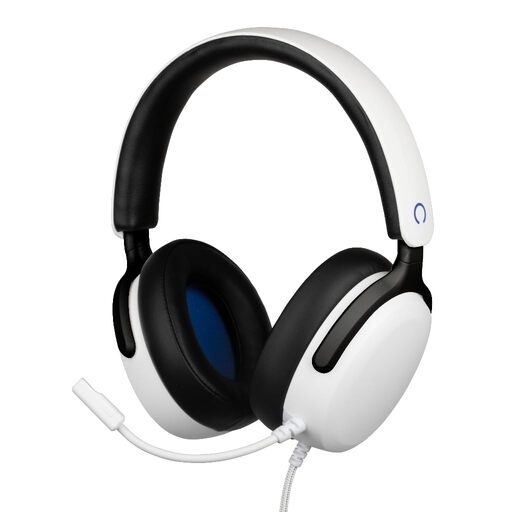
An option to compare if you’re looking for a wireless headset for commentary while gaming.
Wireless; white version.
 No image available
A wired option to compare if you’re looking for a headset with a microphone for your gaming setup.
The product name lists 40mm drivers, a flexible microphone, a 3.5mm connection and a 1.5 m cable.
 No image available
A wired option to compare if you want to commentate while gaming.
Wired; the product name states that it works with multiple platforms.
 No image available
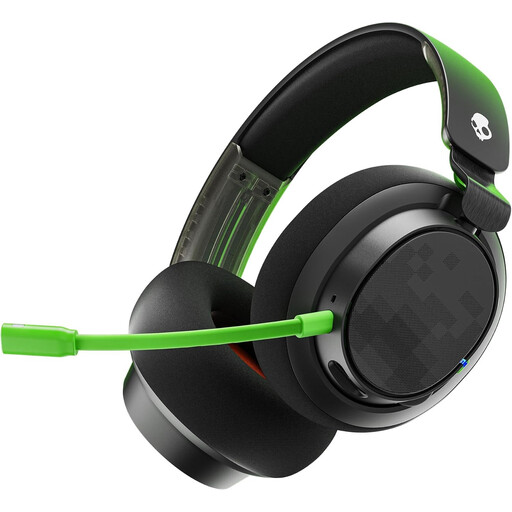
A wired option to compare if you’re looking for a headset with microphone controls while gaming.
Wired Xbox version; the product name describes an over-ear design.
 No image available
An option to compare if you want to game wirelessly and value having commentary controls on the headset.
Wireless version; the product name lists the colours as black and red.
First, make a short test recording with the usual room noise. OBS says a noise gate can mute sound when you’re not speaking; set the threshold so your voice still comes through clearly. Noise reduction can help with mild background noise, but in a noisy room, some sound may still get through and filtering can distort your voice.
No. On its own, the term doesn’t tell you whether it refers to the microphone or to reducing noise for the wearer. Listen back to your commentary recording and separately check how much game audio your roommate can hear.
According to ACM ConsuWijzer, with an ordinary online purchase of a product, you generally have a statutory cooling-off period of up to 14 days after delivery, with some exceptions. You also have statutory rights if a product doesn’t perform as you could reasonably expect under normal use; the seller is your point of contact. Check the applicable returns policy before trying out the headset. A faulty product is subject to different rules from a return because you’ve changed your mind.
Don’t assume you can. According to the Dutch government, you may not make copyright-protected music available to the public without permission. The Dutch Data Protection Authority explains that when footage showing identifiable people is shared publicly, the exception for exclusively personal use does not apply; the legal basis required depends on the circumstances. Agree on any recording and filming with your roommate beforehand, and check the rights to the content in your stream.
The World Health Organization recommends keeping the volume low and taking regular listening breaks. According to the organisation, well-fitting headphones can reduce the need to listen at a higher volume in a noisy environment. The percentage shown on the volume control doesn’t measure the actual sound level.