
Player who values atmosphere
You mainly play for the dialogue, music and ambient sounds while someone else is in the same room. The WHO points out that both volume and listening time matter, so check the fit and keep the volume under control.


Start with a comfortable fit and a connection that works with your console or PC. A wired headset is practical if you don’t want to charge a battery; wireless is a better fit if freedom of movement matters most, provided the exact variant and receiver are compatible. The WHO emphasises that both volume and listening time matter. A headset also won’t stop your housemate from hearing your voice during voice chat.
You mainly play for the dialogue, music and ambient sounds while someone else is in the same room. The WHO points out that both volume and listening time matter, so check the fit and keep the volume under control.
You want to play for longer and quickly notice pressure or warmth from the ear cushions. Fit and cushion material are worth considering: in its 2024 test, Tweakers reported that the leatherette cushions on the wireless model it tested felt warm after a while.
You use more than one gaming device or want to use voice chat. Check that both audio and the microphone work with each device through your chosen connection or wireless pairing.
Suitable if: your device has a compatible socket and you don’t want to use a wireless receiver or charge the headset. Microsoft says the Xbox Stereo Headset works through the controller without a battery.
Bear in mind: you’ll be tethered by the cable. Also check that the microphone works through that connection.
Suitable if: freedom of movement matters and the receiver is compatible with your platform. SteelSeries describes the Arctis Nova 7X Wireless as having a USB-C dongle for Xbox, PC, PlayStation and Switch. PlayStation describes a PlayStation Link adapter for the PULSE Elite on PS5.
Bear in mind: you’ll need to charge the headset and check the exact model variant, receiver and platform support.
For cinematic games in a shared bedroom, managing the volume, wearing comfort, platform connection and voice chat may each be a different top priority.
| Consideration | What to look for | Who is it important to? |
|---|---|---|
| Cinematic sound and volume | Assess the fit and sound on your own platform; don’t automatically turn up the volume to drown out background noise. | I want to hear dialogue and atmosphere clearly without turning the volume up unnecessarily in a shared room. Around 36% of consumers mainly have this need for good sound and a quieter room. |
| Wearing comfort | Look at adjustability, weight and cushion material; fit is personal. | When I play for longer, I want to limit pressure or warmth from the ear cushions. Around 29% of consumers mainly prioritise wearing comfort during longer sessions. |
| Platform connection | Check your exact device, model variant, available connection and included receiver. | I want to be sure the headset works with my console or PC and the connection I want to use. Around 21% of consumers mainly prioritise compatibility with their gaming platform. |
| Voice chat | Check that the microphone works through your chosen connection and test the mute control on your platform. | When I’m chatting, I want to be able to mute the microphone easily so my voice can’t be heard by accident. Around 14% of consumers mainly prioritise control over voice chat. |
The wired HyperX Cloud III has different connection options from the separate Cloud III Wireless. Tweakers reported that the wireless model it tested didn’t work with Xbox Series X|S; that finding wasn’t based on a test of the wired version.
Check the full model name and the connection required by your platform before choosing.
If the connection doesn’t work with your console, you may need a different headset.
Within the Nova 7 series it reviewed, Tweakers identified the 7X variant as suitable for Xbox. The model variant therefore makes a difference.
Check the full model name, generation and the receiver it comes with.
A microphone feature won’t change what your housemate hears directly from your voice.
Mute the microphone when you’re not speaking, and agree on voice chat and gaming times.
The Government of the Netherlands explains that your statutory guarantee exists alongside a manufacturer’s warranty or an additional warranty you’ve bought.
Read exactly what an additional plan covers and what it adds.
An additional plan may involve extra costs.
The wired Cloud III is worth looking into if you use devices with different connections.
The Arctis Nova 7X Wireless is worth considering if you’re looking for a wireless connection across multiple gaming platforms.
PULSE Elite is worth a look if you want a wireless connection via PlayStation Link on PS5.
The Xbox Stereo Headset offers a wired option through a compatible 3.5 mm socket; the Xbox Wireless Headset is a separate rechargeable option.
According to Logitech, the PRO X 2 LIGHTSPEED offers several connection options, including 3.5 mm.
These picks include wired gaming headsets with a 3.5 mm connection, plus a wireless option for PS5 and PC.
 Image unavailable
A wired option for PS5 players who want to be able to mute the microphone.
50mm drivers, detachable microphone, and volume and mute controls. The product description lists a padded headband, soft ear cushions and a weight of 253 g.
 Image unavailable
A wired option if you’re looking for a 3.5 mm connection and a flip-to-mute microphone.
The product description lists 40mm speakers, a 3.5 mm connection and compatibility with PC, PS5, Switch 2 and Xbox Series X|S.
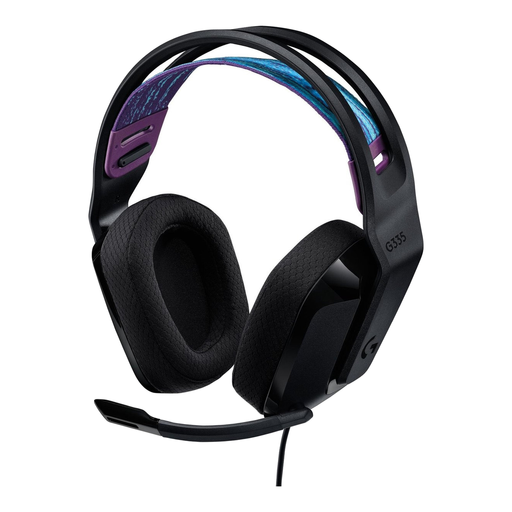 Image unavailable
A wired option if you’re looking for a headset with a flip-to-mute microphone.
3.5 mm connection, a weight of 240 g and memory foam ear cushions. The product description also lists volume controls on the ear cup.
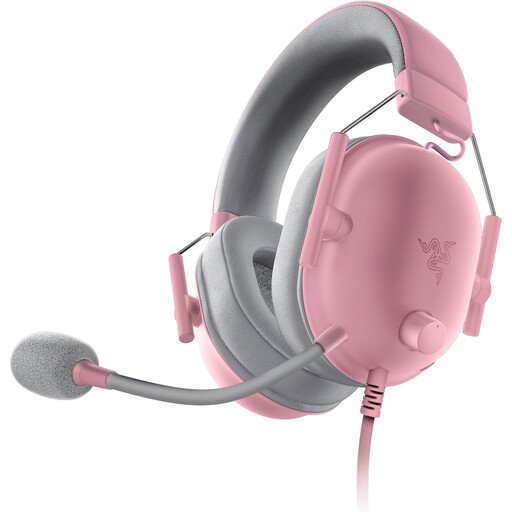 Image unavailable
A wired option if you want to play through a 3.5 mm connection and be able to mute the microphone.
The product description lists 50mm drivers, memory foam ear cushions and a microphone mute button.
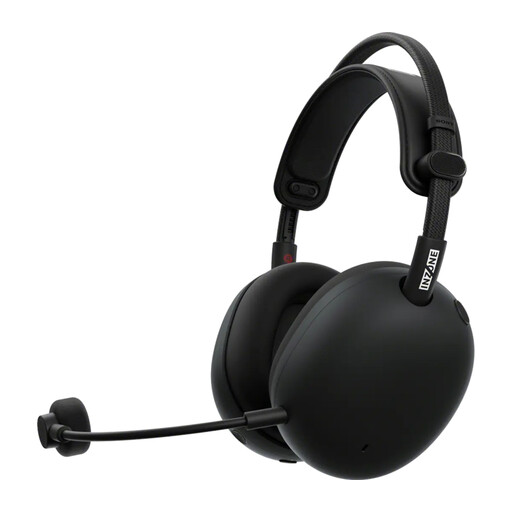 Image unavailable
A wireless option if you want to connect to PS5 or PC via a USB-C dongle.
The product description lists a 2.4GHz wireless connection via the dongle and a detachable microphone. The dongle is needed for this connection, and the headset has a rechargeable battery.
No, that label isn’t decisive on its own. On PS5, PlayStation lets you set up 3D audio for headphones and compare it with stereo. First check that the headset receives audio through your chosen connection, then see which playback mode you prefer.
PlayStation explains that you should plug the included PlayStation Link USB adapter into the PS5, then switch on the headset. Bluetooth is described separately for compatible mobile devices.
Keep the volume low and take regular breaks. The WHO points out that louder sound and longer exposure increase the risk; well-fitting headphones can also help you listen comfortably.
For online purchases from a business by a consumer, the Government of the Netherlands says you generally have 14 days to change your mind, although you should check the applicable terms and exceptions. You’re also entitled to a statutory guarantee that goods must be of satisfactory quality, with no fixed statutory warranty period in the Netherlands. A manufacturer’s warranty is in addition to these rights and doesn’t replace them.