
Lobby player sharing a room
Wants to mute quickly while talking and stop lobby conversations from carrying into the room unnecessarily. An easy-to-reach mute control can help.


Start with a headset that’s confirmed to work with your PC or console and has a microphone you can mute instantly. A wired headset means no charging; a wireless one gives you more freedom to move, but you’ll need the right connection and to keep an eye on the battery. Noise filtering can reduce background sounds, but it won’t guarantee that your flatmate’s voice stays out of the lobby.
Wants to mute quickly while talking and stop lobby conversations from carrying into the room unnecessarily. An easy-to-reach mute control can help.
Switches between PC and console, so needs to check the exact model, connection and support for both game audio and the microphone. Turtle Beach lists different platform support for the Xbox and PlayStation versions of the Stealth 600 Gen 3.
Looks for a comfortable fit and a volume that’s easy to manage. SteelSeries describes sidetone as hearing your own voice through the headset; check whether the feature is available on your model.
First, check that the headset works with your platform and chat microphone. Then compare the mute control, fit and the difference between a wired and wireless connection.
| What to consider | What should you check? | Who will find this most important? |
|---|---|---|
| Talking and muting | Look for an easily accessible mute button or control, and test the microphone at the usual distance from your flatmate. | When I’m talking to my flatmate while gaming, I want to be able to mute the lobby quickly. Around 40% of consumers give top priority to clear speech and muting. |
| Platform connection | Check the full model variant and whether the connection or transmitter supports both audio and the microphone on your PC or console. | I switch between systems and want to know in advance whether my chat microphone will work with every device I use. Around 30% of consumers prioritise platform compatibility. |
| Fit and volume | Look at the ear cushions, adjustability and, if available, sidetone. Set your listening volume carefully. | During longer sessions, I want a comfortable headset that lets me hear how I sound. Around 20% of consumers give comfort and manageable listening volume top priority. |
| Freedom to move | For wireless models, check the connection, transmitter and manufacturer’s stated battery life; this isn’t a guarantee of how long it will last with your settings and usage. | When I want to move around while playing, not having an audio cable is my top priority. Around 10% of consumers choose freedom to move as their main priority. |
Discord describes Krisp mainly as a filter for background noise that isn’t a human voice. That doesn’t prove it will keep a conversation with your flatmate out of the lobby.
Test the microphone in the room where you play, and use mute when talking to your flatmate.
Turtle Beach says the PlayStation version of the Stealth 600 Gen 3 doesn’t work with Xbox. The manufacturer lists the Xbox version as compatible with Xbox, PlayStation and PC.
Before buying, check the full platform variant and the connection method required.
An optional protection plan is separate from your statutory rights if a product is faulty.
First, check what the seller and your statutory rights already cover.
The wired Cloud III is worth considering if you want to use lobby chat across the platforms listed by the manufacturer.
The Xbox Wireless Headset is a console-specific option for players who want to chat wirelessly on a supported Xbox.
The PULSE Elite is a wireless option for PS5 players.
The Stealth 600 Gen 3 shows why you need to check the Xbox and PlayStation versions separately.
The Arctis Nova 5 Wireless is a model to compare if you use a PC, PlayStation or another explicitly supported USB-C platform.
This selection features wired gaming headsets with features for lobby chat. Before buying, check that the connection and microphone work with your platform and that the product being sold has the required CE marking.
 No image available
A wired option for lobby chat, with a flip-up microphone that you can mute.
The product information lists a 3.5 mm connection and a USB adapter for certain devices; check which connection is right for your platform.
 No image available
For chat where you want to flip up the microphone boom to mute.
The product name lists a 3.5 mm connection and support for PS5, Xbox Series X|S, Switch 2 and PC. Check that the connection on your device supports the microphone.
 No image available
A wired option for lobby chat, with a flip-up microphone boom that you can mute.
The product name lists a 3.5 mm connection and support for Nintendo Switch, Switch Lite, Switch OLED, PC and mobile devices. Check that your device and chat app work with the microphone.
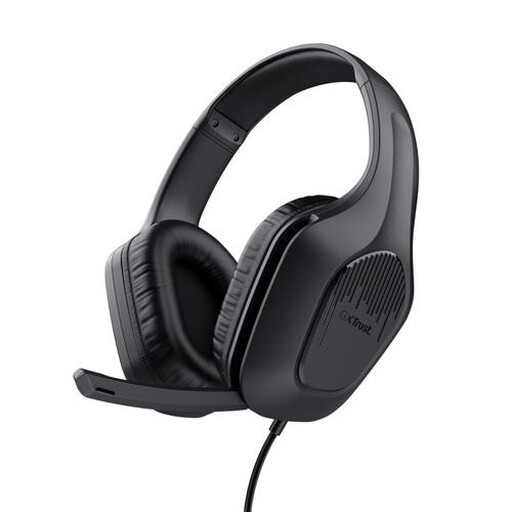 No image available
For lobby chat where you want to be able to mute the headset’s microphone.
The product name lists a wired over-ear headset with 50 mm drivers. The description lists a fixed 3.5 mm cable; check the connection on your device.
 No image available
A wired option for lobby chat, with a microphone you can mute instantly; according to the product information, the mute button has an LED indicator.
The product information lists 3.5 mm, USB-A and USB-C. Check which connection and microphone function are supported by your PC or console.
Don’t count on it. Discord describes Krisp mainly as a filter for background noise that isn’t a human voice. Use mute when talking to your flatmate, and make a test recording on your chat platform.
Follow the instructions for your exact headset and console. For supported wireless headsets, PlayStation describes using a USB adapter with the PS5; according to Xbox, the Xbox Wireless Headset connects directly to supported Xbox consoles. For headsets from other brands, check the instructions for your specific model.
Check whether your headset has sidetone, so you can hear your own voice, and set your listening volume carefully. The WHO warns of the risks of prolonged exposure to loud gaming audio; sidetone is no substitute for managing the volume.
In the Netherlands, the seller must provide an appropriate remedy if a product doesn’t meet what you could reasonably expect. These statutory rights are separate from any manufacturer’s warranty or optional protection plan; the remedy depends on the fault and how the product has been used.
For an online consumer purchase, you generally have a statutory cooling-off period of up to 14 days after delivery. Check the applicable terms and exceptions before unpacking; ACM ConsuWijzer, for example, explains exceptions for certain hygiene products.
According to the Dutch Authority for Digital Infrastructure, electrical and electronic equipment must carry the correct CE marking. Wireless radio equipment must also meet the applicable requirements for radio equipment. A CE marking alone says nothing about the headset’s chat quality.