
Replay listeners comparing details
You listen to clips repeatedly to compare direction and subtle sounds. Assess headsets using the same replay and volume setting, rather than basing your choice on a surround label alone.


Choose a headset that works with your replay device and feels comfortable to wear during long listening sessions. Compare the same replay on your own device at the same, moderate volume. Testaankoop Belgium points out that surround playback also depends on the platform, so a surround label alone doesn’t prove that you’ll be able to pinpoint sounds more accurately. Wired listening means you don’t have to manage a battery, while wireless use calls for checks on the variant and connection. The World Health Organization also stresses that listening louder and for longer increases the risk of hearing damage.
You listen to clips repeatedly to compare direction and subtle sounds. Assess headsets using the same replay and volume setting, rather than basing your choice on a surround label alone.
You wear your headset for extended periods and want a headband and ear cushions that suit you. A description of the materials won’t tell you how the headset will fit your head.
You discuss clips over voice chat, so you’ll need a usable microphone as well as playback audio and a connection that suits your device.
First, check that the connection and features work with your replay device. Then compare the same passage at the same, moderate volume, and decide whether the fit and controls are suitable for long sessions.
| What to consider | What should you check? | Who should pay particular attention? |
|---|---|---|
| Replay details | Compare the same passage at the same volume, and check whether any spatial processing works on your device. | If I listen to clips repeatedly, I want to assess the details without relying on a surround label. Around 28% of consumers give sound detail top priority. |
| Comfort | Assess the fit, including when wearing glasses, and try wearing the headset for a while if possible. | During a long review session, I don’t want to feel pressure from the headband or ear cushions. Around 22% of consumers put comfort first. |
| Device compatibility | Check the exact headset variant, available ports and whether the features you want will work. | If I want to know first whether the headset works with my PC or console, I’ll check the connection and features together. Around 22% of consumers choose compatibility as their top consideration. |
| Controls in the dark | Test whether you can find the buttons by touch and whether any lighting can be adjusted to suit you. | In a dark room, I want to adjust the volume and mute the microphone without the lighting distracting me. Around 17% of consumers prioritise unobtrusive controls. |
| Voice chat | Make a test recording on your own platform and check the mute control. | If I discuss a replay with teammates, a usable microphone matters just as much as the playback audio. Around 11% of consumers prioritise team communication. |
Surround playback also depends on the platform you use; the label doesn’t tell you how a specific replay will sound on your device.
Compare the same passage and settings on your own device.
Connections and supported features vary by model and variant. A feature won’t necessarily work with every PC or console.
Check the full model name, the ports available on your device and the features you want to use.
Logitech states that advanced lighting settings on the G733 require G HUB. It’s also worth checking in advance whether you can find the controls by touch.
Check whether you can adjust the lighting to suit you and whether the volume and mute controls are easy to use.
According to the Dutch government, the seller is responsible for resolving issues with faulty products. The Netherlands has no fixed statutory warranty period.
Before choosing an additional service, compare its cover with your existing statutory rights.
These brands offer models with different connections and features. The details below apply to the product ranges mentioned, not to every model from each brand.
The Cloud III Wired is a wired option to compare if you’re looking for several connection options and a detachable microphone.
The Arctis Nova 5 Wireless is worth considering if you want to listen wirelessly and compare audio profiles or on-headset controls.
The PRO X 2 LIGHTSPEED and G733 offer different wireless features to compare against your needs and device compatibility.
The Quantum 200 is a wired 3.5 mm option to compare if you’re looking for a simple connection and a flip-up microphone.
The BlackShark V2 Pro is a wireless option to compare if microphone features and the version you choose matter to you.
A selection of gaming headsets at Joybuy to compare for replay use.
 No image available
An option for comparing replay settings and voice features; check that the PlayStation version and the features you want suit your setup.
The product information lists EQ adjustment and game audio presets via the base station. The quoted battery life for the swappable batteries is up to 22 hours per battery.
 No image available
An option if you want to compare wireless listening and on-earcup controls; the product information lists 2.4 GHz via a USB receiver and Bluetooth.
Audio and RGB customisation requires iCUE on a Windows PC.
 No image available
An option to compare if you also use voice chat during replay reviews; the product information lists a cardioid microphone and on-earcup controls.
The 7.1 surround functionality mentioned is for Windows.
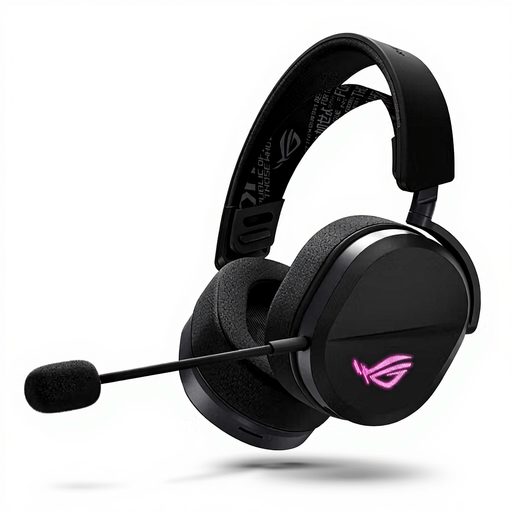 No image available
An option for comparing connection options across different replay devices. The product information lists USB-C, 2.4 GHz via a USB receiver and Bluetooth.
Check which connection and controls work with your device and the features you want.
 No image available
An option for comparing wireless playback and voice chat during a review; the product information lists 2.4 GHz, Bluetooth and a detachable microphone.
The controls listed include volume and mode. Check that the connection and features suit your replay device.
No, don’t choose a headset based on that label alone. Testaankoop Belgium explains that surround playback also depends on the gaming platform you use. So compare the same replay on your own device with the available settings.
Keep the volume moderate and take regular listening breaks. The World Health Organization explains that listening louder and for longer increases the risk of hearing damage. Its example of 80 dB for up to 40 hours per week is health guidance, not a guaranteed safe level for every user.
First, check the ports on your replay device and the exact headset variant. The Cloud III Wired lists 3.5 mm, USB-C and USB-A; the Arctis Nova 5 Wireless lists a USB-C dongle for supported platforms. Then check which audio and microphone features work through your connection.
According to ACM ConsuWijzer, for a standard online product purchase you’ll generally have 14 days from delivery to change your mind; check whether any exceptions apply. If a product is faulty, you also have statutory rights and should contact the seller. The Dutch government states that the Netherlands has no fixed statutory warranty period.