
Replay analyst
You listen to clips again to assess in-game sounds and timing. You want to compare the audio on your own device, without assuming that a surround-sound label guarantees better playback.


Start with the connection and the device you use to watch replays; bright daylight alone doesn’t call for a special headset. Choose a wired headset if you mainly listen in one place and don’t want to manage a battery. Go wireless if freedom of movement matters more and you’ve checked the receiver, platform version and charging requirements. If the room is noisy too, noise isolation may be worth considering. Avoid continually turning up the volume to drown out background noise.
You listen to clips again to assess in-game sounds and timing. You want to compare the audio on your own device, without assuming that a surround-sound label guarantees better playback.
You watch replays on more than one device and want to know which connections and features are available on each platform.
You watch lots of clips back to back, so you prioritise fit, ear cushions and a moderate listening volume over extra audio modes. The World Health Organization points out that both volume and listening duration matter when it comes to exposure to loud sound.
First, check that the connection and features work with the device you use to watch replays. Then compare comfort and, if there’s actually background noise, how well the ear cups help to block it out.
| What to consider | What to look for | Who is this important for? |
|---|---|---|
| Distinguishing in-game sounds | Check the requirements for EQ or spatial audio. If possible, compare the same replay with and without audio processing. | When I analyse clips, I want to assess relevant in-game sounds at a similar, comfortable volume. Around 29% of consumers prioritise distinguishing details in games. |
| Compatibility with your device | Make a note of your device and its available ports; check the exact headset version and which features work with each connection. | When I watch replays on different devices, I want to know which connections and features work on each one. Around 22% of consumers prioritise compatibility with their own platform. |
| Comfort during long sessions | Look for adjustability, space around your ears and the cushion material; try the fit yourself if possible. | When watching lots of clips back to back, I want a fit that stays comfortable without needing extra audio modes. Around 21% of consumers prioritise wearing comfort. |
| Freedom of movement | Check receiver compatibility, the exact version and whether charging will suit the way you use it. | If I want to move around while watching replays, I don’t want an audio cable across my workspace. Around 14% of consumers prioritise wireless listening. |
| Voice chat and room noise | Check the microphone mute function and how it works with your connection; assess noise isolation without turning the volume up unnecessarily. | When I discuss replays with others or there’s genuinely distracting noise in the room, I look at the microphone and ear cups. Around 14% of consumers prioritise voice chat or reducing interference from room noise. |
Requirements vary by model. Razer lists 7.1 surround for the BlackShark V2 X on Windows 11 only. For the G432, Logitech limits DTS Headphone:X 2.0 and EQ to Windows with G HUB.
Before choosing a headset for its surround feature, check the software and connection requirements for the device you use to watch replays. Logitech says the included USB DAC is required to enable surround through G HUB.
SteelSeries specifically names the Nova 5X for wireless use with Xbox. The standard Nova 5 isn’t necessarily the same choice for this purpose.
Check the full model name and make sure the receiver works with your device before you order.
The World Health Organization says that both volume and the duration of exposure to loud sound matter.
Keep the listening volume moderate, take breaks and see if you can reduce background noise rather than continually turning the volume up.
The Cloud III Wired is a wired option if you switch between devices. HyperX lists 3.5 mm, USB-A and USB-C connections.
The wired BlackShark V2 X may suit you if a closed-back design and microphone fit the way you use your headset.
The Arctis Nova 5 Wireless is a wireless option to compare if you want to switch between devices while analysing replays.
The wired G432 is worth considering if you want to use its available software features on a compatible Windows PC.
These models cover wired and wireless replay listening, with options for different connections and ways of using your headset.
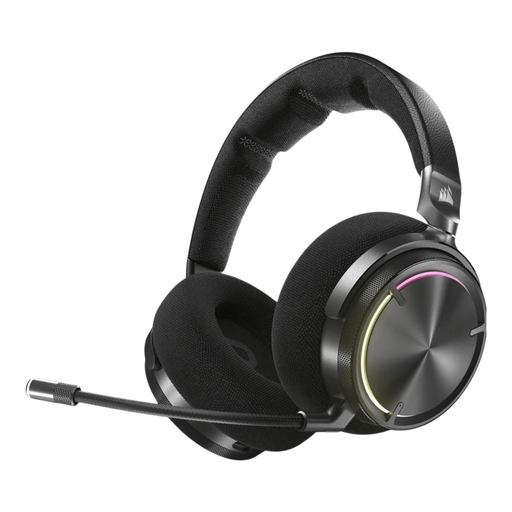 Image unavailable
A wireless option if you listen to replays on a PC, PS4 or PS5 and also want to use Bluetooth with mobile devices.
The product description lists RF audio for PC, PS4 and PS5, and Bluetooth for mobile devices. Claimed battery life is up to 30 hours; the listed weight is 417 g. The description also mentions active noise cancellation and a microphone with a mute function.
 Image unavailable
A wired option if your replay device has a 3.5 mm connection and you want to mute the microphone when chatting.
The product information lists a 3.5 mm connection for devices including Switch, PC and mobile phones. Flip the microphone up to mute it; the description also mentions mesh ear cushions and a weight of 0.228 kg.
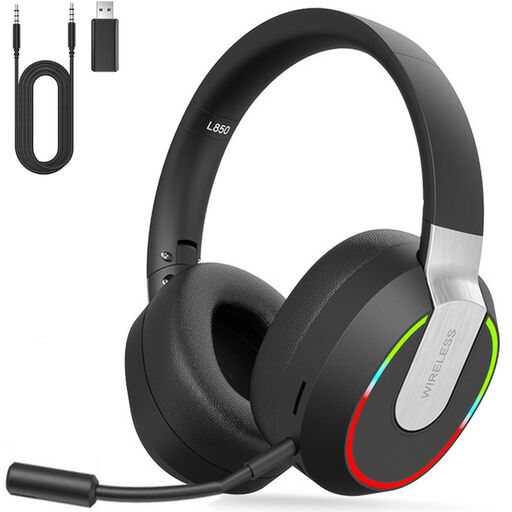 Image unavailable
A wireless option if you use the listed devices and check in advance which connection works with each one.
The product description lists 2.4 GHz, Bluetooth and a 3.5 mm wired mode, as well as 40 mm drivers and a detachable microphone. According to the description, Bluetooth isn’t compatible with PS4 or PS5; it lists dongle or Type-C cable mode for these consoles. The headband is adjustable and the ear cushions are soft.
 Image unavailable
An option to compare if the listed stereo audio and microphone suit the way you listen to replays on your device.
The product information lists 40 mm drivers, stereo audio, a cardioid microphone and a weight of 285 g. The listed 7.1 surround feature is for Windows.
 Image unavailable
A wireless option if you want to choose between 2.4 GHz and Bluetooth, after checking which connection works with your device.
The product information lists 2.4 GHz and Bluetooth 5.2, with compatibility for PC, PlayStation, Switch and Android. Claimed battery life is up to 50 hours; the listed weight is 250 g. The description mentions breathable memory foam ear cushions and USB-C charging.
No, not because of the light itself. Choose based on the device you use to watch replays, how clearly you can hear relevant in-game sounds and how comfortable the headset is to wear. Consider noise isolation separately if there’s also genuinely distracting noise in the room.
It depends on the model and feature. Razer lists 7.1 for the BlackShark V2 X on Windows 11 only. Logitech limits the G432’s DTS Headphone:X 2.0 and EQ to Windows with G HUB, and says the included USB DAC is required to enable surround through G HUB.
The World Health Organization recommends keeping the volume low, taking breaks and limiting exposure to loud sound. Its example of 80 dB for up to 40 hours per week relates to sound exposure; it isn’t a guaranteed safe setting for any particular headset.
According to ACM ConsuWijzer, online purchases generally come with a statutory cooling-off period of up to 14 days after delivery. There are exceptions, including certain unsealed hygiene products. Before breaking any seal, check whether an exception applies to the specific purchase.
No, statutory guarantees apply even without an additional warranty product. According to the Dutch government, there’s no fixed statutory time limit in the Netherlands. Compare any extra cover with your existing rights, and contact the retailer if the product is faulty.