
Player who stays in one place
You practise close to a PC or controller, want to follow audio cues without charging a headset and can use a cable. RTINGS.com explains the practical differences between wired and wireless connections.


If you train close to a PC or controller with a suitable 3.5 mm connection, a passive wired headset is a sensible choice: you won’t need to charge it, and RTINGS.com describes this type of connection as typically having low latency. If you want to move around freely, compare a compatible 2.4 GHz headset with a USB receiver, bearing in mind that you’ll need a spare USB port and will have to charge it. Bluetooth isn’t automatically the right connection for gaming. No headset can, by itself, prove that it improves your human reaction time: also consider how clearly you can hear audio cues and how well it works with your device.
You practise close to a PC or controller, want to follow audio cues without charging a headset and can use a cable. RTINGS.com explains the practical differences between wired and wireless connections.
You don’t want to be tethered by a cable while training, and you can use a compatible USB receiver and charge your headset. SteelSeries describes the Arctis Nova 7P Wireless as offering a 2.4 GHz connection and Bluetooth audio.
You switch between devices, so you need to check that game audio, the microphone and any extra features work with each connection. HyperX and Turtle Beach provide details of model- and version-specific connections and compatibility.
The breakdown below shows the single most important buying priority for each consumer in this training scenario.
| What to consider | What should you check? | Who should give this more weight? |
|---|---|---|
| Hearing audio cues in time | Check the connection you’ll actually use and whether you can clearly hear relevant game sounds on your device. A headset’s claims don’t prove that it will improve your reaction time. | I want to distinguish cues clearly during a training session, rather than rely on promises about sound alone. Around 31% of consumers prioritise clear, timely audio cues. |
| No extra charging | Check whether the wired mode works passively or whether the headset needs to be switched on. For wireless models, also check the charging connection. | I don’t want a flat battery to interrupt my session or put extra pressure on a socket that’s already in short supply. Around 31% of consumers prioritise power and charging. |
| Connection to your gaming device | Make a note of the available audio and USB ports, and check the exact model version. Test both game audio and the microphone using the connection you intend to use. | I want to know that the headset I choose works with my console or PC before deciding on a connection type. Around 25% of consumers prioritise platform compatibility. |
| Fit and team chat | Use the weight and ear cushion material as a guide, try the fit if possible, and check the microphone with your gaming platform. | I want to practise comfortably and stay clear when speaking to teammates. Around 13% of consumers start by considering comfort and team chat. |
A 2.4 GHz headset typically uses a USB receiver. It takes up a port and needs to be compatible with your gaming platform and the specific model version.
Check in advance that you have a spare port, find out how it charges, and confirm the exact versions of both the headset and receiver.
A receiver can take up a USB port. If you lose it, you may need a model-specific replacement.
You need a suitable connection, but the microphone and extra features may work differently depending on the device and connection method.
Check the plug, game audio, microphone and any features you want to use for your specific platform.
A manufacturer’s description of an audio feature doesn’t prove that it improves your human reaction time. Razer also states that the BlackShark V2 X’s virtual 7.1 feature is only available on Windows 11.
Prioritise a suitable connection and check that you can hear the audio cues clearly in your game and on your device.
The Cloud III Wired is a wired option with several connection methods.
The G335 offers a wired 3.5 mm connection; the G535 is a separate wireless model with a USB receiver.
The Arctis Nova 7P Wireless is a wireless option to consider if you want to combine dongle and Bluetooth audio.
The Stealth 600 Gen 3 is a wireless option where choosing the right platform version and transmitter matters.
The BlackShark V2 X is a wired option for a device with a suitable 3.5 mm connection.
This selection focuses on wired gaming headsets for a fixed set-up with a suitable audio connection. Check that each model’s 3.5 mm connection and microphone work with your platform.
 No image available
A wired option for a compatible device with a 3.5 mm connection.
The product description lists 50 mm drivers, a flip-up microphone and on-earcup volume controls. The product name states that it is officially licensed for PS5.
 No image available
A wired option to consider if your device supports the stated 3.5 mm connection.
The product description lists 40 mm speakers and compatibility with PlayStation, PC, Switch and Xbox. Flip the microphone up to mute it.
 No image available
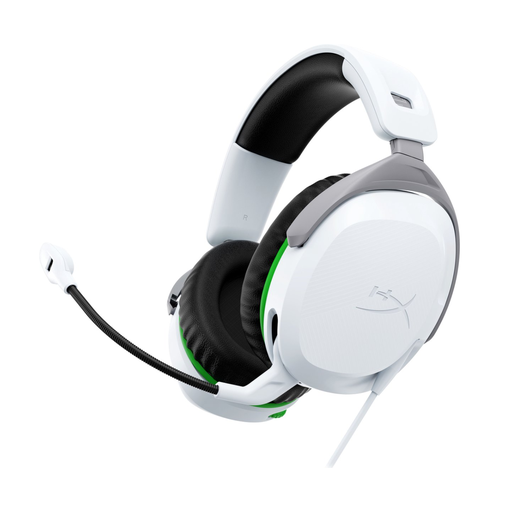
A wired option for Xbox One or Xbox Series X|S with a suitable 3.5 mm connection.
The product description lists 50 mm drivers, memory foam ear cushions and a microphone that flips up to mute. The stated compatibility is for Xbox One and Xbox Series X|S.
 No image available
A wired option for a compatible device with a 3.5 mm connection.
The product description lists a flip-to-mute microphone, an included Y-adapter and a weight of 273 grams. Stated compatibility includes PC, Mac, PlayStation, Xbox, Switch and mobile devices.
 No image available
A wired option to consider if your device supports one of the listed connections.
The product description lists 50 mm drivers and connection via 3.5 mm or the USB DAC. Flip the microphone up to mute it; the ear cushions are described as synthetic leather.
Not for a passive analogue headset that works through a suitable audio connection. Check whether the wired mode on the exact model is passive; some headsets also need to be switched on when used with a cable.
No, not automatically. RTINGS.com describes 2.4 GHz gaming dongles as typically offering a lower-latency connection than Bluetooth. Check the actual connection and compatibility of your headset and gaming device instead of relying on the word ‘wireless’ alone.
First, check that the USB adapter is connected properly. For problems with its wireless headsets, PlayStation also recommends removing unused adapters and checking for possible wireless interference; these steps won’t necessarily solve the problem for every brand.
Consumer purchases in the Netherlands are covered by a legal guarantee: the product must be fit for purpose. According to the Rijksoverheid, you should contact the seller for a solution, not necessarily the manufacturer; paid-for extended cover isn’t automatically necessary.
Not without conditions. According to the Rijksoverheid, many distance purchases come with a 14-day cooling-off period, but this doesn’t apply in every case. Check the terms and exceptions that apply to your purchase.