
Team player who uses voice chat a lot
You play ranked matches with voice comms and want to position the microphone properly and mute it quickly.


Start with a headset that connects to your PC and has a microphone and fit suited to long team matches. A wired headset is a straightforward choice if you play in one place and don’t want to manage a headset battery; wireless may suit you if freedom of movement or audio from a second device matters. Whichever you choose, check the connection and try the microphone and in-game audio with your own setup.
You play ranked matches with voice comms and want to position the microphone properly and mute it quickly.
You wear your headset for long stretches. Pay attention to pressure from the headband and ear cushions; claims about materials don’t automatically mean the fit will be comfortable for you.
You want to choose between a fixed connection and wireless freedom of movement, possibly with audio from a second device.
When If you play in one spot and don’t want to charge a headset battery.
Trade-off The cable limits your freedom of movement; check that the connection is compatible with your PC.
When If you want to leave your desk while gaming or hear audio from a second device.
Trade-off You’ll need to charge it and check that the receiver and features work with your device.
| What to consider | What should you look for? | Who is this important for? |
|---|---|---|
| Team communication | Check the microphone position and mute function, and make a voice recording on your gaming device. | If I want to communicate clearly during team discussions, I look at the microphone and controls. Around 25% of consumers put clear team communication first. |
| Fit for long sessions | Pay attention to pressure on your head and ears; the material alone can’t predict whether the fit will suit you. | If I wear a headset for long stretches, I want to know whether the headband and ear cushions feel comfortable. Around 25% of consumers put comfort during long sessions first. |
| In-game audio and volume | Listen to your own game at a moderate volume and check that you can follow important sounds and your teammates. | If I want to follow in-game audio and team chat without turning the volume up unnecessarily, I pay attention to how it sounds in my game. Around 19% of consumers put clear, usable in-game audio first. |
| Connection and features | Check your PC’s ports, whether a receiver will fit and whether the features you want work on your platform. | If I want to be sure the headset suits my own equipment, I check the connection and features beforehand. Around 19% of consumers put compatibility first. |
| Freedom of movement | Think about how often you get up while gaming, and remember that wireless headsets need charging. | If I leave my desk during a match, a cable can get in the way; without one, I’ll need to charge the headset. Around 12% of consumers put wireless freedom of movement first. |
A stated audio feature doesn’t prove that you’ll play better in ranked strategy games or hear important sounds more clearly.
Choose based on the connection, microphone and fit first. Try the sound in your own game and keep the volume at a safe level.
A headset may be suitable for a platform without every connection or extra feature being available on it.
Before buying, check your PC’s ports, whether you need a receiver, and whether the microphone and software features work with your device.
The stated battery life can depend on how you use the headset; a wired headset doesn’t need a headset battery.
Think about how often you get up while gaming and whether you’ll want to charge the headset between sessions.
If the battery runs flat, you may have to stop using the headset while it charges.
The wired Cloud III is worth considering if you want a fixed connection and a microphone for team chat.
The Arctis Nova 7 Wireless Gen 2 is worth considering if wireless use and audio from a second device matter to you.
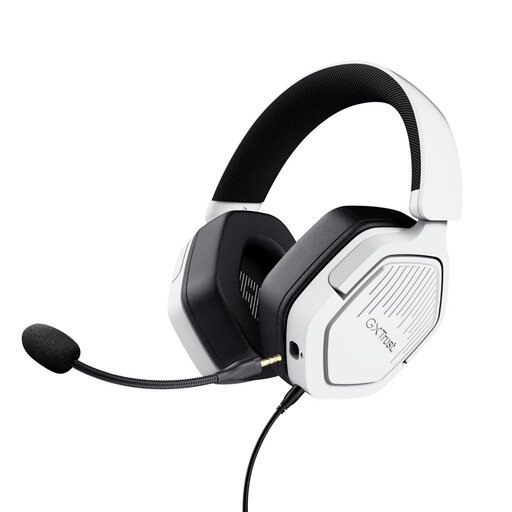
The Quantum 200 offers a wired option with a 3.5 mm connection and a flip-up microphone.
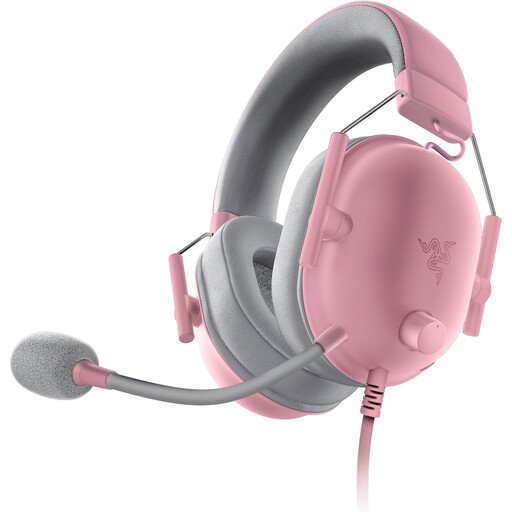
The BlackShark V2 X is a wired option to compare if you’re looking for an adjustable microphone and closed-back earcups.
This selection includes wired and wireless gaming headsets for a fixed gaming spot or greater freedom of movement during team matches.
 No image available
Worth considering if you want to game wirelessly on PC or PlayStation and combine audio from a second device. Check that your device supports the stated USB-A connection, and remember that the headset needs charging.
 No image available
Worth considering if you want wireless team chat and use your headset for longer sessions. Remember that it needs charging, and check that the connection suits your gaming device.
 No image available
A wired option for a fixed gaming spot and team comms. Check that your device has a suitable 3.5 mm connection; the product information lists an extension cable for separate audio and microphone ports.
 No image available
Worth considering for a fixed gaming setup with team chat. Check that your device has a 3.5 mm connection and that the fit feels comfortable during long sessions.
 No image available
A wired option to compare if team chat matters to you. Check which connection you’ll use, and whether the microphone controls and fit suit your needs.
No, you don’t have to. Wired may suit you if you play at a fixed PC setup; consider wireless if freedom of movement or simultaneous audio from a second device matters. Whichever you choose, check the connection with your own equipment.
Select the right microphone input on your gaming device, make a short recording and check that mute works. HyperX describes the Cloud III as having a mute button with an LED indicator; check the controls on the model you choose.
Thuisarts advises keeping the volume at a reasonable level while gaming and using your headphones’ or device’s volume limiter, if available. This advice doesn’t endorse any specific headset model.
According to ACM ConsuWijzer, the seller must offer an appropriate solution free of charge if the product breaks during normal use sooner than you could reasonably expect. This may be a repair, replacement or refund; your statutory rights are separate from any commercial warranty.
According to ACM ConsuWijzer, online purchases usually come with a statutory 14-day cooling-off period after delivery. Check the applicable exceptions and returns policy; don’t assume you have the same right when buying in a physical shop.