
Players who listen out for footsteps
You want to judge direction and pick up subtle in-game sounds. A 7.1 label alone won’t tell you how audio sounds in your game and on your platform.


Start with a headset that works with your gaming platform, then assess directional sound and microphone performance in your own game and team chat. A wired headset means you won’t need to charge a headset battery, but it does leave a cable running across your desk. Wireless gives you more freedom to move, provided the connection is right for your setup and you’re happy to charge it. Fit is personal: a 7.1 label, EQ preset or manufacturer claim alone doesn’t prove that you’ll be better at pinpointing opponents.
You want to judge direction and pick up subtle in-game sounds. A 7.1 label alone won’t tell you how audio sounds in your game and on your platform.
You need a microphone that lets your teammates hear you clearly and that you can quickly mute for short call-outs.
You want a headset that feels comfortable and works well during longer gaming sessions at your home desk.
Focus on what matters for your game and device: positional audio, team chat, comfort, freedom to move and connectivity.
| What to consider | What should you check? | Who is this most important for? |
|---|---|---|
| Positional in-game audio | Compare the direction of sounds in a familiar game on your platform; don’t rely on a surround label alone. | I want to be able to tell where sounds are coming from in my regular game, without treating a label as proof of performance. Around 28% of consumers say positional audio is their main reason for buying. |
| Clear team chat | Make a test recording on your own device and check how to mute the microphone. | When I make short call-outs during ranked matches, I want my team to hear me clearly and to be able to mute the microphone quickly. For around 22% of consumers, team communication comes first. |
| Comfort during long matches | Pay attention to pressure around your ears and headband, warmth and how the headset fits your head. | During long sessions, I want a headset that stays comfortable for me; the material or weight alone won’t predict that. Around 22% of consumers say long-wearing comfort is their main reason for buying. |
| Freedom to move without a cable | Check the USB port, the correct platform version and the stated battery life. | I want to move around at my desk without a headset cable getting in the way. Around 17% of consumers prioritise freedom to move without a cable. |
| Compatibility with your platform | Check the exact model and connection, and make sure both audio and microphone work with your PC or console. | When I play on my own device, I want to know in advance whether both audio and microphone will work. For around 11% of consumers, platform compatibility is the main reason for buying. |
The available audio processing can vary by headset, software, game and platform. A surround label doesn’t guarantee how audio will sound in your match.
Compare the sound on your own platform in a familiar game, and don’t buy based solely on a surround or preset label.
Audio, the microphone and software features don’t necessarily work through the same connection or on every device. For example, HyperX states that the Cloud III’s USB adapter doesn’t work with Xbox.
Before buying, check that the features you want work with the exact model, platform and connection.
SteelSeries describes Quick-Switch on the Arctis Nova 5 Wireless as switching between 2.4 GHz and Bluetooth; this doesn’t confirm that you can hear both sources at the same time.
If you want to hear your phone’s audio while gaming, check whether this is explicitly supported on the exact model.
An additional warranty package is separate from your statutory rights. According to the Government of the Netherlands, there is no fixed statutory warranty period in the Netherlands; if a product is faulty, the seller is your point of contact.
Read what cover and exclusions an additional package offers, and compare them with your rights when dealing with the seller.
The Cloud III is a wired option with several connection types and a detachable microphone.
The BlackShark V2 X is a wired option with a 3.5 mm connection.
The Arctis Nova 5 Wireless is designed for anyone looking for a USB-C gaming receiver and the option to switch to Bluetooth.
The PRO X 2 LIGHTSPEED is a wireless option with a choice of ear cushion materials.
This selection includes wired and wireless gaming headsets for team chat and use at a fixed desk. Check that each model’s connection and features are right for your gaming platform.
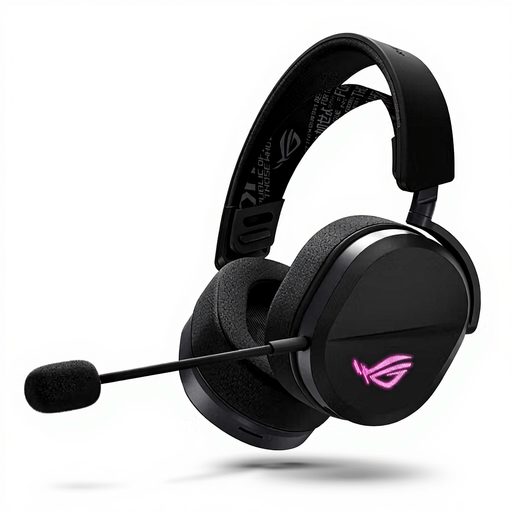 No image available
Worth considering if you want to play wirelessly at your desk and need a microphone for team chat.
The product title lists Wired & Wireless, USB Type-C and Bluetooth. Check which connection works with your device.
 No image available
A wired headset to consider if you don’t want to charge a headset battery.
Surround sound via Logitech G HUB requires software; assess the audio on your own platform and in your own game.
 No image available
A wired option if your device has a suitable connection and you want an easy-to-reach mute control for team chat.
Razer lists a 3.5 mm connection for several platforms. Software activation is required for the 7.1 feature described.
 No image available
A wired option if you care about connection choices and a mute control for team chat.
HyperX lists 3.5 mm, USB-A and USB-C. HyperX states that the USB adapter doesn’t work with Xbox; DTS Spatial Audio is listed for PC use.
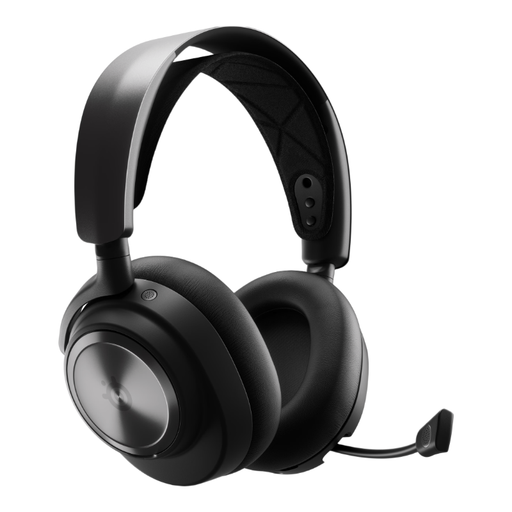 No image available
A wireless option to consider if you want to control team chat from the headset.
The product information lists a USB-A base station for Windows PC or PlayStation. Check that the connection is right for your device.
Not necessarily: a stereo headset can work well too. The spatial features available depend on the headset, software, game and platform, so check how well you can identify direction on your device rather than relying on the 7.1 label alone.
Connect the headset using a connection supported by your device and make a test recording. Also check the microphone position and mute control; for example, HyperX states that the Cloud III’s USB adapter doesn’t work with Xbox.
Keep the volume moderate and limit prolonged exposure to loud sounds. According to the World Health Organization, the risk to your hearing depends on both volume and exposure time, so turning the volume up to hear details isn’t a risk-free solution.
If a product is faulty, you can contact the seller under your statutory warranty rights; according to the Government of the Netherlands, there is no fixed statutory warranty period in the Netherlands. For online purchases from a business, you’ll usually have 14 days to change your mind. Check the applicable terms before using or returning the headset.
EU rules for radio equipment set requirements for products placed on the European market. According to Your Europe, a CE marking indicates that the manufacturer considers the product to meet the applicable EU product requirements; it isn’t an independent performance certificate.