
Raid player who talks a lot
You give short instructions while playing and want to position the microphone accurately and mute it quickly.


Choose a headset with a microphone you can position easily and mute quickly, then check that its connection and features work with your PC or console. A wired headset means a cable on your desk, but no battery to charge; wireless keeps your desk clearer, but requires a suitable connection and charging. Try the fit on your own head, and don’t pay extra for surround features that may not work on your platform.
You give short instructions while playing and want to position the microphone accurately and mute it quickly.
You want to stop a headset cable getting in the way of your mouse or other items, and weigh that against charging and the wireless connection you’ll need.
You want to know whether the headset stays comfortable during longer gaming sessions, and also check that its connection and features work with your gaming device.
Start with microphone controls and the connection to your gaming device. Then choose between the freedom of wireless and the need to charge, or a wired headset whose cable you can route around your small desk.
| What to consider | What should you check? | Who is this important for? |
|---|---|---|
| Clear speech and muting | Check that you can position the microphone and mute it quickly; test how your voice sounds on your own device. | When I’m in a raid, I want to give instructions and mute the microphone quickly; around 33% of consumers prioritise clear speech and easy-to-use mute controls. |
| Clear desk space | If you’re going wireless, check that your device supports the connection and that there’s room for the receiver; remember that you’ll need to charge the headset. | If a cable gets in the way of my mouse, a clearer desk matters more to me; around 27% of consumers choose fewer cables for this main reason. |
| Comfort during long sessions | Check the fit, adjustability and ear cushions; weight and materials can’t tell you exactly how a headset will feel on your head. | When I play for a long time, I want my headset to stay comfortable; around 20% of consumers make comfort their top priority. |
| Connection and platform features | Check the exact model variant, the port on your device, and whether extra features require software or a particular operating system. | I want the headset to connect to my own PC or console, with the features I rely on working there; around 20% of consumers choose primarily based on platform compatibility. |
SteelSeries specifically lists the Nova 5X for Xbox, so the Nova 5 family name alone doesn’t tell you which variant you need.
Compare the full model name with the compatibility information for your console.
Logitech lists DTS Headphone:X 2.0 and EQ for the G432 only on Windows with G HUB. Razer limits the listed 7.1 feature of the BlackShark V2 X to Windows 11.
Check which software features are available for each model and platform before factoring them into your decision.
The Cloud III lists microphone noise cancellation. Razer also describes passive isolation from the BlackShark V2 X’s closed ear cups. These are different features.
Decide whether you mainly want your teammates to hear less background noise, or you want to hear less noise around you.
The wired Cloud III is an option if you’re looking for a mute indicator and a choice of physical connections.
The wired BlackShark V2 X is worth considering if you’re looking for a flexible microphone and a stated low weight.
The Arctis Nova 5 family is worth considering if you’d rather have a cable-free desk than the convenience of a wired connection.
The wired G432 is an option if you want a flip-to-mute microphone and are happy to check which features are available on your platform.
According to JBL, the Quantum range includes both wired and wireless models; compare the specific model with your desk space and connection.
This selection includes wired and wireless gaming headsets, with a focus on microphone controls, desk space and connection to your gaming device.
 No image available
An option if you want to avoid a headset cable on a small desk and prefer a flip-to-mute microphone.
The product name lists Xbox Series X|S, Xbox One, PC, Switch 2 and mobile; check that your device and the features you want are supported by this version. Wireless use means charging the headset.
 No image available
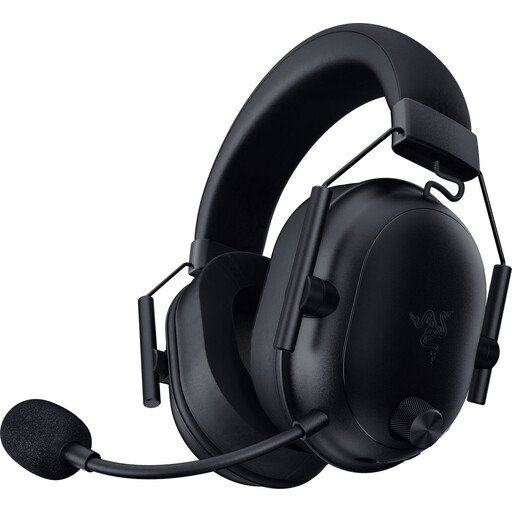
A wireless option if you want to keep your desk clear of cables and a physical mute button matters to you.
The product name lists Bluetooth and 2.4 GHz. Check which connection and features your gaming device supports; wireless use means charging the headset.
 No image available
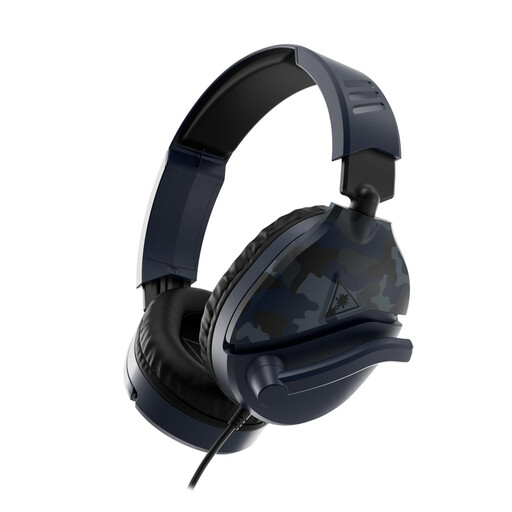
A wired option if you want to flip the microphone up to mute it and can route the cable around your desk.
The product name lists a flip-up microphone. Before buying, check that the connection is right for your gaming device.
 No image available
A wired option if you want to flip the microphone up to mute it and your device has a suitable connection.
The product name lists a 3.5mm connection and compatibility with PC, PS5, Xbox Series X|S and Switch 2. Check the exact connection on your device.
 No image available
A wired option if you want a mute control with an indicator and can position the cable on your desk.
The product name lists PC, PS5 and Xbox Series X|S. Check which connections and features work with your gaming device.
Don’t rely on the family name alone: SteelSeries specifically lists the Nova 5X for Xbox. Check the full variant name and connection before you order.
Position an adjustable boom microphone near your mouth, check that you’ve selected the right microphone input on your gaming device or in your chat software, then make a short test recording. Use your model’s mute control or indicator to check when the microphone is muted.
No. Check the feature for each model and platform. Logitech lists DTS Headphone:X 2.0 and EQ for the G432 only on Windows with G HUB; Razer limits the listed 7.1 feature of the BlackShark V2 X to Windows 11.
Keep the volume as low as is practical and take listening breaks. The World Health Organization emphasises that the risk of hearing damage increases with higher sound levels and longer listening times; the position of the volume control doesn’t measure sound in decibels.
If a product is faulty, the seller must provide a suitable solution under Dutch government guidance; there is no fixed statutory warranty period in the Netherlands. For online purchases, a 14-day cooling-off period applies in many cases. Check the terms that apply to your purchase: an extra warranty package doesn’t replace your statutory rights.