
Story-driven puzzle game player
You want to follow dialogue and sound cues comfortably, without automatically prioritising features mainly marketed for competitive positional audio.


Choose a wired 3.5 mm headset if you can route the cable around your small desk. If you want to avoid an audio cable and your device is compatible, choose a model with a USB receiver. Wireless headsets need charging, while some PCs may require a splitter for a wired headset. For story-driven puzzles, comfort, simple volume controls and clear dialogue are all worth considering; surround-sound claims alone don’t prove these games will sound better.
You want to follow dialogue and sound cues comfortably, without automatically prioritising features mainly marketed for competitive positional audio.
You want to consider adjustability and ear cushion materials. Weight alone doesn’t tell you whether a headset will feel comfortable on your head.
You want to decide whether a cable can be routed neatly, or whether a wireless connection is a better fit for your desk and your device’s ports.
Choose this if: your device has a suitable port and you can route the cable around your desk.
Bear in mind: the cable will be on your desk, and you’ll need the right connection for audio and the microphone; some PCs require a splitter.
Choose this if: you want to keep the audio cable off your desk and your device works with the receiver supplied with the model you choose.
Bear in mind: you’ll need a free, compatible USB port and will have to charge the headset. Logitech lists PC and PlayStation as compatible platforms for the G535.
| What to consider | What should you check? | Who should pay particular attention? |
|---|---|---|
| Dialogue and game audio | If possible, listen to familiar dialogue and subtle sound effects; check whether it’s easy to adjust the volume. | I want to follow dialogue and clues comfortably without giving priority to extra features I won’t use. Around 28% of consumers put sound and dialogue first. |
| Fit for long sessions | Look at adjustability and cushion material; if possible, try the headset on carefully. | If I’m playing for longer, I want the headset to fit well and remain comfortable; around 22% of consumers say fit is their top priority. |
| Cables on a small desk | Check the location of the audio or USB port and whether you can route a cable along the edge of your desk. | I want to keep my desk clear and avoid cables getting in the way; around 22% of consumers prioritise a clear desk. |
| Connection and microphone | Check whether your PC has a combo jack or separate audio and microphone ports, and whether the headset works with your platform. | I want the audio and, when needed, the microphone to work with my device; around 17% of consumers say compatibility is their main concern. |
| Cost and aftercare | Check whether you need an adapter and read the terms of any extended warranty. | I want to know in advance whether connections or aftercare will affect my choice; around 11% of consumers put total cost and aftercare first. |
Razer lists the BlackShark V2 X’s 7.1 feature for Windows 11. Turtle Beach describes the Recon 70 as a stereo headset; spatial processing may depend on the connected device.
Check the platform and software requirements, and decide whether standard stereo is enough for your games.
Turtle Beach says that the Recon 70 needs a splitter when used with a PC that has separate audio and microphone ports.
Check your PC’s ports and confirm which accessories are included with the headset you choose.
Logitech lists 33 hours for the G535 at 50% headset volume. Actual battery life may vary depending on conditions.
Remember that you’ll need to charge it, and check the terms for the model and version you’re considering.
You’ll need to plan when to charge it, so bear this in mind if you have long gaming sessions.
In the Netherlands, an extended warranty is separate from your statutory rights. ACM ConsuWijzer explains that the retailer is responsible if a product doesn’t meet reasonable expectations when used normally.
Check what an extended warranty adds and compare its terms with your statutory rights.
The G335 and G535 give you a choice between a wired 3.5 mm connection and a wireless USB receiver.
The wired Arctis Nova 1 is worth comparing if adjustability and a retractable microphone matter to you.
The wired BlackShark V2 X is worth considering if you’re looking for closed-back ear cups and a microphone.
The wired Recon 70 has a 3.5 mm connection and a flip-up microphone; check the version and your PC’s ports.
This selection features wireless gaming headsets for anyone who wants to keep an audio cable off a small desk; check that each model’s connection works with your device.
 No image available
Suited to anyone looking for a wireless connection to keep an audio cable off their desk.
Product information lists 2.4 GHz via a USB receiver and Bluetooth, as well as a detachable microphone and memory foam ear cushions. Wireless use requires charging; check which connection works with your device.
 No image available
A wireless option to compare if you want to keep the audio cable off your desk.
Product information lists 2.4 GHz and Bluetooth, an adjustable headband and rotating ear cups. Wireless use requires charging and a compatible USB receiver.
 No image available
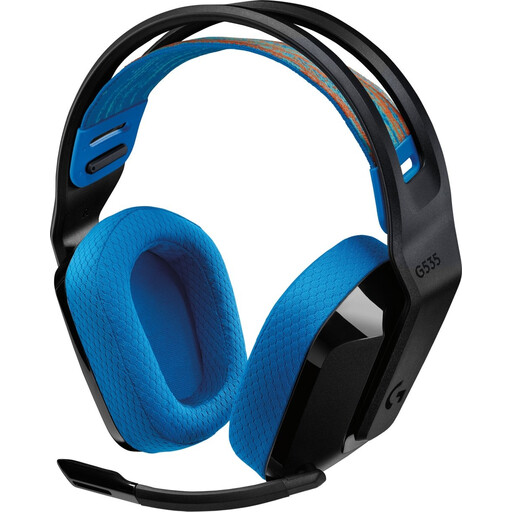
Suited to anyone who wants to play wirelessly on a compatible PC or PlayStation, without an audio cable crossing the desk.
Logitech lists a weight of 236 g and a USB receiver for PC and PlayStation. Battery life is stated as 33 hours at 50% headset volume; the headset needs charging and actual battery life may vary.
 No image available
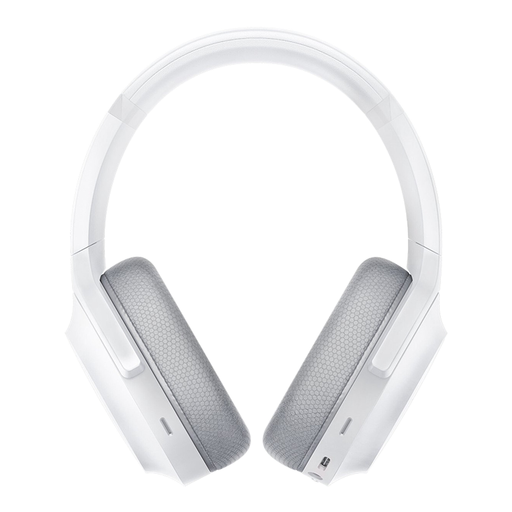
A wireless option to consider if you want to keep the audio cable off your desk and are looking for built-in microphones.
Product information lists 2.4 GHz and Bluetooth 5.2, on-earcup controls and memory foam ear cushions. It charges via USB-C; check which wireless connection works with your device.
 No image available
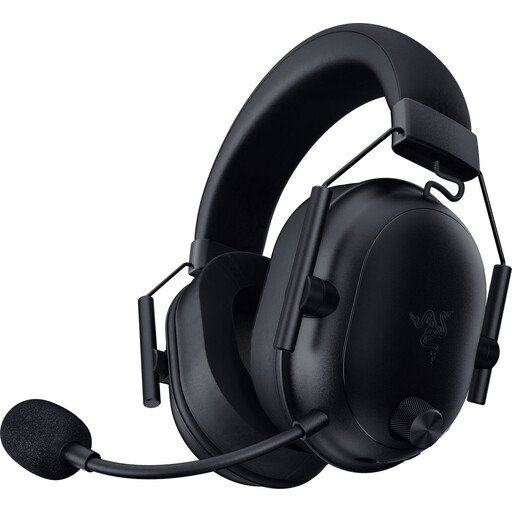
Suited to anyone looking for a wireless connection and on-earcup volume and microphone controls.
Product information lists Bluetooth and 2.4 GHz, a weight of 280 g and on-earcup controls. It needs charging; check that the stated USB-C cable and dongle are compatible with your device.
Not always without an adapter. Turtle Beach says the Recon 70 needs a PC splitter when used with a PC that has separate headphone and microphone ports. For other models, check the plug type and the accessories included.
That depends on the headset and your PC’s ports. Turtle Beach says the analogue Recon 70 doesn’t appear as a separate device in the sound menu. If you have problems, check that you’re using the correct audio output and microphone input.
The World Health Organization advises keeping the volume low, taking regular breaks and limiting exposure to loud sounds. As a practical setting, it recommends using no more than 60% of your device’s volume; this isn’t a guaranteed safe level for every device and headset combination.
According to ACM ConsuWijzer, online purchases in the Netherlands usually come with a 14-day cooling-off period after delivery; there are exceptions, which must be explained in advance. In addition, if a product doesn’t meet reasonable expectations when used normally, statutory warranty rights apply and the retailer is responsible.