
Podcasters recording in a noisy room
You record speech in a room where background noise may also be audible. You mainly want to know how the microphone sounds in your space, not just how well your teammates can hear you.


Start with a microphone you can position close to your mouth, then make a test recording in the room where you’ll actually be recording. A claim about noise processing won’t tell you on its own what your podcast will sound like. Next, check that the connection and any software work with your recording device, and that the headset feels comfortable during a long session. A wired headset means you don’t have to charge a battery, while a wireless one gives you more freedom to move around.
You record speech in a room where background noise may also be audible. You mainly want to know how the microphone sounds in your space, not just how well your teammates can hear you.
You game and record for extended periods. You want a comfortable headset and to be able to monitor your recording levels.
For example, you switch between a PC and a console and want to check in advance that the audio, microphone and any software features work with your devices.
Choose this if: you usually record in one place and don’t want to manage a battery.
Bear in mind: the cable limits your freedom to move around; check that the connection is compatible with your PC or console.
Choose this if: you want to move around while recording or switch between devices.
Bear in mind: you’ll need to charge it and set the right connection and input source before recording.
| What to consider | What should you check? | Who is this important for? |
|---|---|---|
| Voice and room noise | Make a test recording with your usual background noise and, if available, compare it with software processing enabled. | If you record in a noisy student room, you’ll want to hear how your voice sounds in that space. Consumers who prioritise voice recording account for around 31% of this buying decision. |
| Monitoring without echo | Test monitoring while wearing the headset and check for delay and echo. | If you want to hear what the microphone is picking up while you record, look for monitoring without distracting echo. Consumers who make this their top priority account for around 25% of this buying decision. |
| Comfort | Check the adjustability and ear cushions, and assess the fit during a long session. | If you game and record for long periods, you don’t want pressure or heat to get in the way. Consumers who prioritise comfort during long sessions account for around 19% of this buying decision. |
| Connection and software | Check the connection, microphone input and software requirements for your PC or console. | If you switch between devices, you’ll want to know whether both the microphone and audio work with each one. Consumers who prioritise compatibility account for around 13% of this buying decision. |
| Total cost and cover | Check which connections are included and consider any additional services separately from your statutory guarantee. | If you’re weighing up the total purchase cost, you’ll want to know which connections you need and what an additional service offers. Consumers who prioritise cost account for around 12% of this buying decision. |
A feature described by the manufacturer won’t necessarily tell you how keyboard noise, housemates and the acoustics of your room will sound in an actual recording.
Make a short voice test under your usual recording conditions and listen back, with and without any available processing.
Logitech states that the PRO X’s advanced Blue VO!CE features are available only on PC via G HUB.
Check which microphone features actually work on each device. Don’t factor in a software feature if you record exclusively on a console.
Audacity explains that software monitoring can introduce delay, and that certain settings can cause echo.
Record a short clip with the headset on and check both the monitoring and the saved file.
According to the Dutch government, you’re already entitled to a statutory guarantee when you make a purchase; a paid extra service is something different.
Read what additional damage or services the agreement actually covers, and keep your proof of purchase.
An optional service or warranty agreement may involve extra costs.
The wired Cloud III is worth considering if you record in one place and want a choice of connections.
The wired PRO X is an option to compare if you want to adjust voice filters on a PC.
According to SteelSeries, the Arctis Nova 3 has a retractable microphone and USB-C for supported devices; the Nova 1 is a separate 3.5 mm option.
The wired BlackShark V2 X and wireless Barracuda X (2022) are different models with different connection options.
The wired MMX 300 PRO is a model to compare if microphone and listening quality matter more to you than freedom to move around.
This selection includes wired and wireless gaming headsets with microphones for a recording setup using a PC or another compatible device.
 No image available
A wired option if you want to use a microphone at a fixed recording spot.
The product description lists a detachable cardioid boom microphone and a 3.5 mm connection.
 No image available
A wired headset to compare if you want to use a detachable microphone for your recording.
The product description lists a detachable AI microphone and 3.5 mm and USB cables. Check which connection is compatible with your device.
 No image available
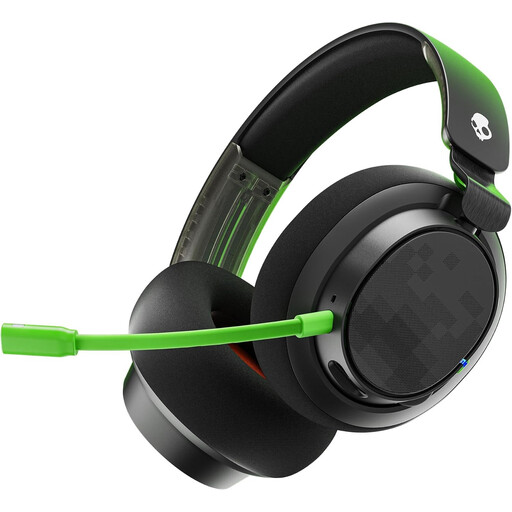
A wireless option if you want more freedom to move around while gaming or recording.
The product description lists 2.4 GHz and Bluetooth, a detachable 10 mm boom microphone, and memory foam in the headband and ear cushions. Bear in mind that you’ll need to charge it; the stated battery life varies by connection mode.
 No image available
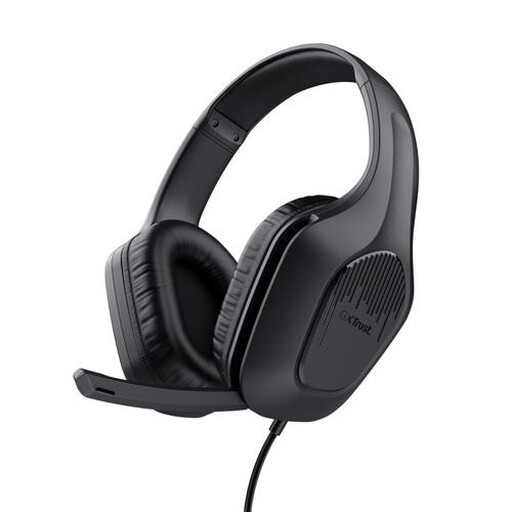
A wired option for a fixed setup, with a foldable microphone you can tuck away when you’re not using it.
The product information lists a fixed 2 m cable with a 3.5 mm connection and a foldable microphone. The stated weight is 244 g.
 No image available
A wireless option to compare if you want to switch between devices and are looking for a detachable microphone.
The product description lists 2.4 GHz via a USB receiver and Bluetooth, with simultaneous connections to a PC or console and a phone. The stated battery life is up to 22 hours per charge.
Listen through your headset rather than speakers, and check the settings for audible input monitoring. Audacity warns that software monitoring can introduce delay and that certain recording settings can cause echo.
Select the intended microphone in your recording software, speak at your usual recording volume and listen back to the test. Audacity recommends adjusting the recording level so that the meter doesn’t reach the right-hand edge during the loudest section.
According to the Dutch government, online purchases from a business usually come with a 14-day cooling-off period. Check the applicable terms; an online purchase from a private seller is different.
No, you already have a statutory guarantee when you make a purchase. According to the Dutch government, the seller is your point of contact if the product is faulty; assess a paid extension based on the additional rights or services it actually provides.