Gaming headsets at Joybuy
This selection includes wired headsets with different connections and microphone controls, as well as a wireless Xbox version. Check which connection is right for your device for each model.
 Image unavailable
JBL Quantum 300
A wired option if you want to use a 3,5mm connection or the stated USB audio adapter.
The product description lists 3,5 mm, a USB audio adapter, a flip-up microphone, 50mm drivers and memory foam ear cushions.
According to the product description, JBL QuantumSURROUND and its accompanying QuantumENGINE software are only available on PC.
View at Joybuy
 Image unavailable
Turtle Beach Recon 70 PlayStation
A wired option if you want a 3,5mm connection and the ability to mute the microphone during play by flipping it up.
The product information lists 40mm speakers, fabric mesh ear cushions and a lightweight design. The product name mentions PS5, Switch 2 and Xbox Series X|S; check the connection on your own device.
View at Joybuy
 Image unavailable
Turtle Beach Stealth 500 Xbox
A wireless option if the connection is suitable for your device and you want to play without a cable.
The product description lists 2,4 GHz via a USB dongle, Bluetooth and a flip-up, muteable microphone. It pairs the 2,4GHz connection with Xbox, and Bluetooth with PC, Nintendo Switch and mobile devices.
Check which connection is right for your platform before you choose.
View at Joybuy
 Image unavailable
Turtle Beach Airlite Fit Blue/Red
A wired option if you’re looking for a 3,5mm connection and a flip-up, muteable microphone.
The product information lists Switch, Switch Lite and Switch OLED, as well as mesh ear cushions and a lightweight design.
View at Joybuy
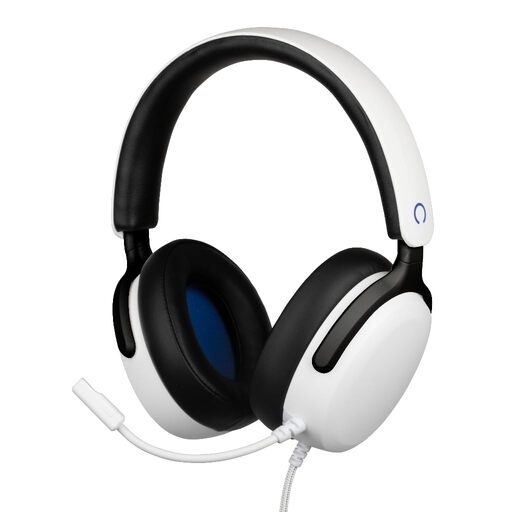 Image unavailable
Konix Nexus
A wired option if you want to connect the headset to a PS5 controller via a 3,5mm connection.
The product name lists a 1,5 m cable, a flexible microphone and 40 mm drivers. The product description also mentions a volume wheel.
View at Joybuy
Frequently asked questions
Do I need to buy a headset labelled ‘7.1’ for mystery games on PS5?
Don’t choose based on that label alone. PlayStation offers 3D audio settings for headphones, where you can create a profile and compare the results. Some surround features are platform-specific: Logitech lists Windows and G HUB for the G432’s DTS feature.
How do I set up 3D audio for headphones on PS5?
PlayStation explains how to find the setting under Settings > Sound > 3D Audio (Headphones). You can create a personalised profile or use a preset, then compare the results while playing your game.
How can I listen safely during long gaming sessions?
According to the World Health Organization, the risk of hearing damage increases the louder the sound and the longer you listen. Keep the volume as low as possible and limit how long you listen without a break.
What are my rights if I’m not happy with a headset I bought online, or it breaks too soon?
According to ACM ConsuWijzer, online purchases are often covered by a statutory cooling-off period of up to 14 days after delivery, although exceptions may apply depending on the product and circumstances. If a product doesn’t meet what you could reasonably expect under normal use, the seller is responsible for the statutory guarantee. Before breaking any hygiene seal, check which returns exception applies.


