
Player sharing a room
You want to hear game audio through your headset while keeping the volume low, with the ear cups fitting closely. That’s why VeiligheidNL recommends checking the fit, rather than relying on an isolation label alone.


For mystery games in a shared bedroom, choose a well-fitting over-ear headset and keep the volume at a comfortable, low level. According to VeiligheidNL, close-fitting ear cups can help limit sound leakage and prevent you from turning the volume up unnecessarily. Then check that the audio and, if needed, the microphone work with your device. A wired headset doesn’t need charging, while a wireless one gives you more freedom to move but needs charging and requires you to check the connection mode.
You want to hear game audio through your headset while keeping the volume low, with the ear cups fitting closely. That’s why VeiligheidNL recommends checking the fit, rather than relying on an isolation label alone.
You want to make out dialogue and subtle in-game sounds. Try the headset with a game you play yourself, and don’t choose based solely on a surround sound claim.
You switch between devices and want to check in advance whether the chosen connection or wireless mode supports both audio and, if needed, voice chat.
Start with fit and listening volume, then check that the headset works with your device. Next, choose between wired use without a headset battery and wireless play with more freedom to move.
| What to consider | What to check when buying | Who might value this most? |
|---|---|---|
| Fit and volume | Check that the ear cups fit around your ears and that you can follow the game at a comfortable, low volume. | If I share a room, I want to follow the game without unnecessarily disturbing my roommate. Around 29% of consumers prioritise limiting sound leakage and keeping the volume under control. |
| Dialogue and audio cues | If possible, listen to dialogue and quiet sound effects in a game you play; check that any spatial audio features work on your platform. | I want to keep hearing dialogue and subtle clues in a mystery game without having to listen at high volume. Around 24% of consumers prioritise clear speech. |
| Connection and platform | Check the exact device, the available port or wireless mode, and whether the microphone is supported. | I switch between PC and console and want to know whether audio and any voice chat will work with my devices. Around 18% of consumers prioritise platform compatibility. |
| Comfort | Assess how adjustable the headset is and the pressure from the headband and ear cushions; the stated weight alone won’t predict how it will fit you. | During longer gaming sessions, I don’t want uncomfortable pressure around my head or ears. Around 17% of consumers prioritise comfort. |
| Microphone and mute control | Check that the microphone works with your device and where the mute control is. | If I use voice chat in a shared room, I want to be able to mute the microphone quickly. Around 12% of consumers prioritise microphone controls. |
A close fit around your ears, filtering noise picked up by the microphone and sound leaking to a roommate are different things. Microphone noise reduction alone doesn’t tell you how much game audio someone else will hear.
Check which feature the manufacturer means, and assess the fit and volume in your own situation.
A headset may list different connections for different devices. Logitech lists LIGHTSPEED for the G435 on PC, Mac, PS4 and PS5; you’ll need to check Bluetooth and microphone support separately for your device. HyperX lists Instant Pair for selected OMEN laptops.
Before buying, compare the full model variant, the included receiver, the platform and the microphone features you need.
An additional warranty doesn’t replace your statutory rights. According to the Dutch government, there is no fixed statutory warranty period in the Netherlands; what you can expect from a product depends, among other things, on the product itself.
Check what extra rights an extended warranty offers, and remember that you should contact the seller about statutory warranty claims if the product develops a fault.
The wired Arctis Nova 1 is an option if you’re looking for a 3.5 mm connection and on-headset controls.
The G435 is a wireless option if freedom to move is important to you.
The wired Cloud III and wireless Cloud III S Wireless are different products with different connection options.
The wired BlackShark V2 X is an option if you’re considering closed-back ear cups and an adjustable microphone.
The wireless PULSE Elite is an option if you want to use PlayStation Link on PS5.
This selection at Joybuy focuses mainly on wired gaming headsets with a 3.5 mm connection, with one wireless option as well.
 No image available
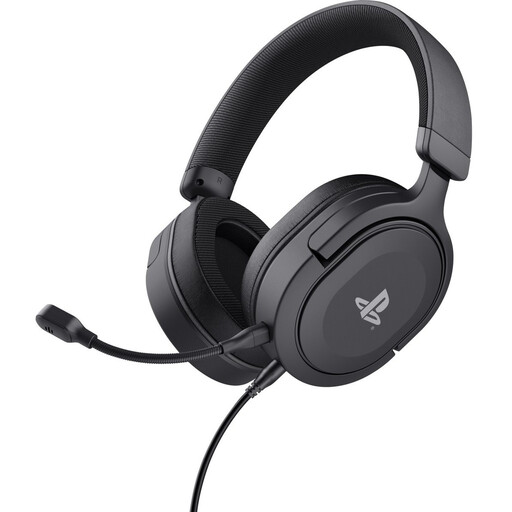
A wired option if you play on PS5 or PS4 and have a suitable 3.5 mm connection.
The product description lists a 3.5 mm connection, volume control and microphone mute. The title mentions an official PS5 licence and 50 mm drivers.
Check that the connection is compatible with your device.
 No image available
A wired option if you use a 3.5 mm connection and want to be able to mute the microphone quickly.
The product description lists a flip-up mute microphone and use with Switch, PC and mobile devices.
Check that the audio and microphone work with your specific device.
 No image available
A wireless option if you want more freedom to move and your device supports one of the listed connection modes.
The product description lists 2.4 GHz, Bluetooth and a detachable microphone. Compatibility is listed for PC, PS5, PS4 and Nintendo Switch.
Wireless use requires charging. According to HP, Instant Pair works with selected OMEN laptops; check which mode and microphone features work with your device.
 No image available
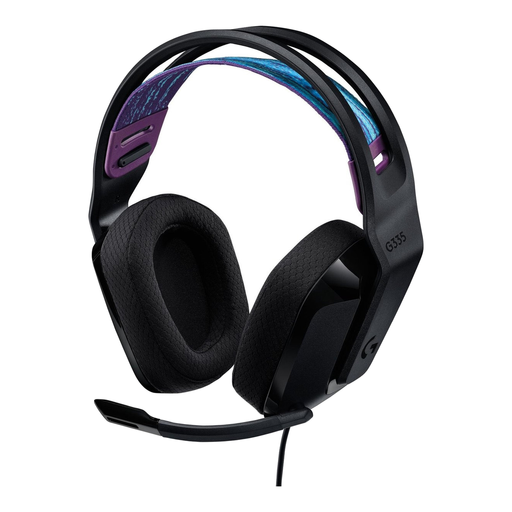
A wired option if your device has a suitable 3.5 mm connection and you want to mute the microphone by flipping it up.
The product description lists use with PC, PlayStation, Xbox and Nintendo Switch, a weight of 240 g and memory foam ear cushions.
Check the connection and microphone support on your device.
 No image available
A wired option if you’re looking for closed-back ear cups and a 3.5 mm connection.
The product description lists passive noise isolation, a cardioid microphone, volume control and a mute button. The stated weight is 240 g.
Passive noise isolation doesn’t prove how much sound will leak to a roommate in your bedroom; also check that the connection is compatible with your device.
No. A surround sound label alone doesn’t prove that dialogue or quiet effects will be easier to hear in your game. First check the fit and volume, and whether a spatial audio feature works on your platform. HP lists DTS Spatial Audio for the Cloud III S Wireless specifically for PC.
Adjust the ear cups so they fit properly and start at a low volume. VeiligheidNL recommends a close-fitting model so you don’t need to turn up the volume as much to drown out background noise. It also recommends using a volume limiter on mobile devices.
If a product is faulty, the seller in the Netherlands must offer a solution. According to the Dutch government, there is no fixed period for the statutory warranty; what you can expect from a headset depends, among other things, on the product itself.
For online distance purchases from a business, you’ll generally have a 14-day cooling-off period; the Dutch government outlines some exceptions. Your statutory warranty rights are separate from any manufacturer’s warranty or extended warranty offered.