What should you look for?
First check the connection and platform version, then compare the audio settings, microphone and fit with the way you play.
| What to consider |
What to look for |
Who it matters to |
| Sound direction |
Check which audio settings your platform supports and, where possible, compare stereo with the spatial audio settings available. |
When I’m learning routes, I want to distinguish in-game sounds without assuming a preset will automatically sound better; around 33% of consumers prioritise sound direction. |
| Team chat |
Check the microphone connection and mute controls. If possible, make a test recording in your own chat app. |
When I’m exploring with others, I want to give and hear clear directions; around 27% of consumers put team chat first. |
| Comfort |
Look at the cushion material, adjustability and any pressure on your head and ears. |
For longer sessions, I want a headset that feels comfortable and doesn’t get too warm; around 20% of consumers prioritise comfort. |
| Connection |
Check the exact model, the port or dongle required, and whether Bluetooth lets you switch between sources or play audio from both at once. |
When I’m playing on my own PC or console, I want a connection that suits it and to know which ports I need; around 20% of consumers start with connection and device compatibility. |
Joybuy products
This selection includes wired 3.5mm headsets and wireless models for gaming without an audio cable. Check that each model’s connection and platform support are right for your device.
 No image available
Turtle Beach Recon 70 Wired, Green Camo
A good fit for a fixed setup if your device has a suitable 3.5mm connection.
Wired 3.5mm connection; flip-up microphone with mute function; 40mm speakers. The product description states compatibility with PC and several consoles.
View at Joybuy
 No image available
Turtle Beach Stealth 500 Xbox, Black
A wireless option to consider if you’re looking for the Xbox version and have checked that it connects to your device.
The product description lists 2.4 GHz via USB receiver and Bluetooth, a flip-up mute microphone and a 10-band equaliser via the Swarm II app. Wireless use requires charging.
View at Joybuy
 No image available
Turtle Beach Airlite Fit, Blue/Red
A wired option for a device with a suitable 3.5mm connection, as stated in the product information.
The product description lists a flip-to-mute microphone, jersey mesh ear cushions and a weight of 0.228 kg. The product information gives the connection type and stated compatibility with PC and mobile devices.
View at Joybuy
 No image available
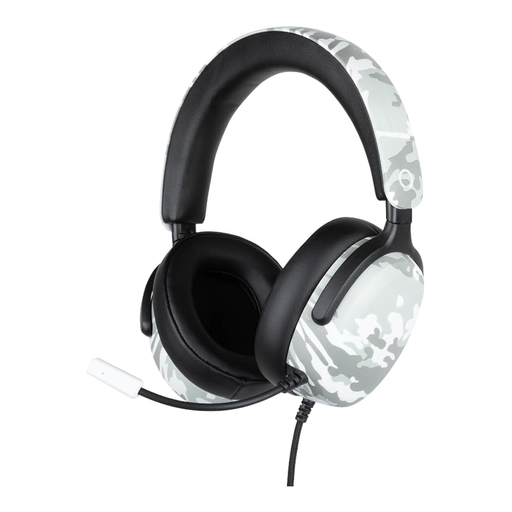
Konix Nexus Over-Ear, camouflage print
A good fit for a wired setup if your device supports the stated 3.5mm connection.
The product description lists a flexible microphone, volume wheel, 40mm drivers and a 1.5 m cable. The stated console compatibility applies to the devices named in the product information.
View at Joybuy
 No image available
HyperX Cloud III S Wireless, Black
A wireless option if you want to choose between the stated 2.4GHz and Bluetooth connections.
The product description lists a detachable boom microphone and memory foam ear cushions. HyperX quotes maximum battery life of 120 hours over 2.4 GHz and 200 hours over Bluetooth; actual use time depends on your settings. A USB receiver is used for 2.4 GHz.
View at Joybuy
Frequently asked questions
Do I need to buy a 3D audio headset to hear footsteps?
Not necessarily. First check which audio settings your game and device offer. PlayStation explains how to set up a personalised 3D profile on PS5 or choose a preset and compare it with stereo. This won’t tell you how a particular PC game or headset will sound to you.
How do I connect a wireless headset to an Xbox?
Before buying, check the exact version and the instructions for the dongle. SteelSeries lists the Nova 5X as the Xbox version and says to use the Xbox setting on the 5X dongle with Xbox Series X|S and Xbox One. USB is intended for PC, PlayStation and other supported devices.
What can I do if the wireless connection keeps cutting out?
For the Nova 5, SteelSeries recommends connecting the USB-C dongle securely, selecting the right setting and re-pairing if needed. These instructions are model-specific; for other headsets, check the guidance for your version.
Can I return a headset bought online in the Netherlands if it doesn’t fit?
For online purchases by consumers, there is generally a statutory cooling-off period of up to 14 days after delivery. ACM ConsuWijzer explains the exceptions and the rules on unpacking and trying products separately. Check the terms that apply to your purchase.
How can I avoid turning the volume up again and again to hear in-game sounds?
Keep the listening volume at a sensible level and take the risks of prolonged exposure to loud sounds seriously. The World Health Organization describes unsafe listening while gaming as a risk; a spatial audio preset isn’t a reason to turn the volume up.


