
Players learning map routes
You want to pinpoint footsteps and other directional game sounds. Megekko Academy notes that sound positioning depends on more than a surround-sound label.


Start by checking which connection your gaming platform supports, then see how well you can pinpoint important sounds in your own game; a 7.1 label doesn’t prove that you can, as Megekko Academy explains. Next, choose between a cable that never needs charging and the freedom to move around wirelessly. Finally, check that the microphone is easy to mute and that the fit stays comfortable for you.
You want to pinpoint footsteps and other directional game sounds. Megekko Academy notes that sound positioning depends on more than a surround-sound label.
You want to communicate clearly, mute the microphone quickly and keep gaming comfortably without turning the volume up unnecessarily. This ties in with the guidance from HyperX and the World Health Organization.
You want to check that the headset and its connections work with your gaming platform, and decide whether wired or wireless suits you better. SteelSeries, HyperX and Logitech G describe different connection options.
First, check which connections and features work with your gaming platform. Then choose between a wired headset that never needs charging and a wireless model that gives you more freedom to move, but needs a compatible connection and regular charging.
| What to consider | What to look for | Who might prioritise this? |
|---|---|---|
| Direction of game sounds | Compare stereo with the spatial audio modes available in your own game, and check that the feature works on your platform. | When I’m learning a new map, I want to pinpoint directional sounds clearly; around 33% of consumers say sound positioning is their top priority. |
| Team chat and muting | Check the microphone type and mute controls. If possible, try recording your voice in your own room. | When chatting with my team, I want to be understood and mute the microphone quickly; around 27% of consumers say clear speech and muting are their top priorities. |
| Comfort and volume | Consider the fit and ear cushions, take listening breaks and keep the volume moderate. The World Health Organization emphasises that both sound level and exposure time matter. | During longer gaming sessions, I want a fit that stays comfortable and not to keep turning the volume up; around 20% of consumers say comfort and enjoyable listening are their top priorities. |
| Connection and use | Make a note of your platform and ports, then check the exact version, included cable or receiver, and any software required. | I want to play on my own device without connection problems, then choose between using a cable and charging; around 20% of consumers say compatibility and ease of use are their top priorities. |
Virtual surround sound is simulated using audio processing. How well you can pinpoint sounds also depends on the game and platform.
Check platform support and, where possible, compare the available modes in your own game.
According to SteelSeries, only one of the two connections can be active as an audio source at a time on the Arctis Nova 5 Wireless.
Check whether the specific model switches between connections or genuinely supports listening on both at the same time.
In the Netherlands, the retailer remains responsible for the statutory warranty. The Dutch government says there is no fixed general time limit for this.
Compare any additional warranty terms with your legal rights and check what extra cover they provide.
The wired Cloud III is worth considering if you want a choice of connections and on-earcup mute controls.
The Arctis Nova 5 Wireless is worth considering if you want a USB-C receiver and the option to switch to Bluetooth.
The G435 is a wireless option for PC and PlayStation, with LIGHTSPEED as well as Bluetooth connectivity.
The Barracuda X (2022) is worth considering if you want to switch between 2.4 GHz and Bluetooth and need a detachable microphone.
This selection includes wired and wireless gaming headsets for map audio and team chat. Check that each model’s connection and features suit your devices.
 No image available
Ideal if you want to game wirelessly and mute quickly during team chat.
The included base station is required for the wireless connection described.
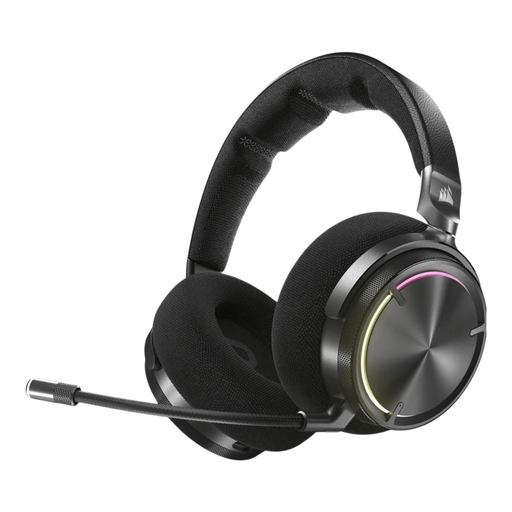 No image available
Ideal if you want to game wirelessly and are also considering Bluetooth use with mobile devices.
Battery life is stated as up to 30 hours; wireless use requires charging.
 No image available
A good option if you want to game wirelessly and hear game sounds such as footsteps.
Microphone noise cancellation requires NVIDIA Broadcast and a compatible NVIDIA GeForce RTX graphics card.
 No image available
A wired option if you want to flip up the microphone to mute it during team chat.
The QuantumSURROUND feature described is only available on PC.
 No image available
Ideal if you want a wired 3.5 mm connection and a microphone that’s quick to mute.
Check that your device has a compatible 3.5 mm connection.
No. Stereo can work well too; the number of channels alone doesn’t determine how you hear sounds in a game. Virtual surround features also depend on the game, software and platform. Where possible, compare the modes in your own game.
Before buying, check your gaming platform, available ports and the connection method for the exact version. HyperX says the wired Cloud III has 3.5 mm, USB-A and USB-C connections; according to HyperX, the associated DTS licence cannot be used on Xbox.
Keep the volume moderate and take regular breaks. The World Health Organization explains that both sound level and exposure time matter. Its guideline of an average of 80 dB for up to 40 hours a week is listening advice, not a Dutch product requirement or a guarantee that every setting is safe.
If a product is faulty, the retailer is responsible for the statutory warranty. According to the Dutch government, there is no fixed general time limit for this in the Netherlands; what you can expect depends, among other things, on the product, its price and its normal lifespan. Online purchases usually also come with a 14-day cooling-off period after delivery, subject to legal exceptions, as explained by the Netherlands Authority for Consumers and Markets.
Radio equipment placed on the EU market must meet legal requirements. When a product meets these requirements, the manufacturer applies a CE mark. The Dutch Authority for Digital Infrastructure explains this obligation. For a specific product, check the marking and product information; CE is not proof of better gaming audio.