What should you look for when buying?
Start with the connection and features that work with your platform. Then compare the sound settings in your game, and consider team chat and wearing comfort if they matter for your sessions.
| Factor to consider |
What should you check? |
Who is this important for? |
| Locating sounds on the map |
Compare stereo with the spatial audio settings available in the game, and test the directions the game offers. |
When I’m learning a route, I want to locate familiar sounds without relying on a label. Consumers who put directional audio first are estimated to account for around 40%. |
| Clear team chat |
Check whether the microphone can be muted and test how clearly it picks up your voice using your own chat service. |
When I’m exploring with teammates, I want to share directions and mute the microphone easily. Consumers who prioritise team communication are estimated to account for around 30%. |
| Comfort while practising |
Consider the fit, the material around the ears and the weight; comfort is a personal matter. |
During longer practice sessions, I want my headset to feel comfortable, even when I wear it for a long time. Consumers whose main purchase consideration is wearing comfort are estimated to account for around 20%. |
| Connectivity and switching between devices |
Check the exact model variant, connection and support for the features you want to use. |
If I play on different devices, I want to know whether the same headset connects to each one and offers the features I want. Consumers who prioritise device connectivity are estimated to account for around 10%. |
Joybuy products
This selection includes wireless models and wired headsets for various platforms, with features for game audio and team chat. Check that the connection and features of each version suit your device.
 No image available
SteelSeries Arctis Nova Pro Wireless, PlayStation, Black
A wireless option for combining game audio with audio from a second device.
The product information lists 2.4GHz audio, Bluetooth, spatial audio and a retractable microphone with a mute function.
The listed connection via the USB base station is useful if you switch between devices; check that this PlayStation version suits your setup.
View at Joybuy
 No image available
Razer Kraken V3 X, Black
A wired option for anyone who also wants to use a microphone while gaming.
The product information lists 40 mm drivers and a cardioid microphone.
The listed 7.1 audio feature is for Windows only; check which features work on your platform.
View at Joybuy
 No image available
HyperX Cloud III S, Black/Red
A wireless option for using team chat while gaming, with memory foam ear cushions.
The product information lists 2.4GHz, Bluetooth and a detachable microphone with a mute indicator. The stated battery life is up to 120 hours on 2.4GHz.
DTS Spatial Audio is listed for PC; check which features are available on your platform.
View at Joybuy
 No image available
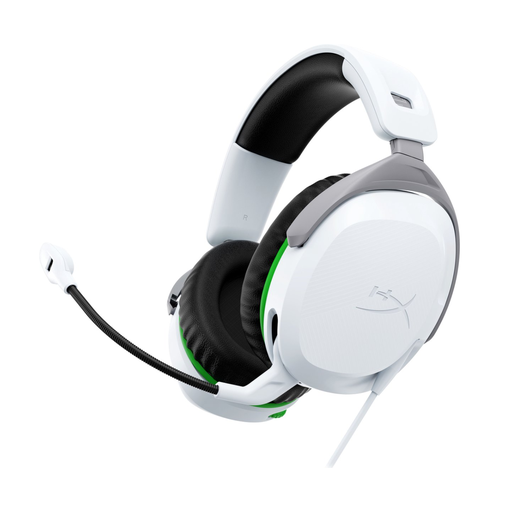
HyperX CloudX Stinger II, Xbox Series X|S/Xbox One
A wired version for Xbox Series X|S and Xbox One, with a microphone that has a mute control.
The product information lists a 3.5 mm connection, 50 mm drivers, a weight of 275 g and memory foam ear cushions.
The microphone can be rotated upwards to mute it; check that this version is compatible with your Xbox.
View at Joybuy
 No image available
HyperX Cloud Stinger II, PS5/PS4
A wired version for PS5 and PS4, with a microphone that can be rotated upwards to mute it.
The product information lists a 3.5 mm connection, 50 mm drivers, a weight of 275 g and memory foam ear cushions.
Check that the listed connection suits your setup.
View at Joybuy
Frequently asked questions
Do you need a 7.1 headset to learn a map by sound?
No, a 7.1 headset isn’t essential. Stereo isn’t automatically less suitable for locating sounds, so compare the settings in your game and on your platform. According to PlayStation, you can set up a 3D audio profile for headphones on PS5.
How do you set up 3D audio for headphones on PS5?
On PS5, go to Settings > Sound > 3D Audio (Headphones). PlayStation explains how to create a personalised profile or choose a preset there; you can also compare the result with stereo in your game.
How can you protect your hearing during long evening sessions?
Keep the volume low and take regular breaks. The World Health Organization gives an average of 80 dB for up to 40 hours per week as an example of safe listening. This is health guidance, not a Dutch product specification or a legal volume limit for these headsets.
What are your rights if a headset bought online doesn’t fit properly or breaks too soon?
For an online consumer purchase in the Netherlands, you generally have a statutory cooling-off period of up to 14 days after delivery. ACM ConsuWijzer also explains the conditions and exceptions, so check what applies to your purchase. If the headset breaks sooner than you could reasonably expect under normal use, the seller is responsible for providing an appropriate solution under the statutory guarantee. In the Netherlands, there is no fixed general two-year period for this.


