
Console gamer on the sofa
Plays quests on a TV and wants to check first that the connection works with their console. HyperX, Sony and Microsoft describe different connection options for their headsets.


Start with a headset whose connection and model variant work with the console or PC you play on; your screen size doesn’t affect compatibility. For long sessions on the sofa, weigh up comfort and freedom from cables against charging and platform limitations. Choose chat or spatial audio features only if they’re available on your device and in your game.
Plays quests on a TV and wants to check first that the connection works with their console. HyperX, Sony and Microsoft describe different connection options for their headsets.
Plays for long stretches and considers the fit, ear cushions and what a cable or battery means while gaming. HyperX, SteelSeries and Sony describe both wired and wireless models.
Wants to hear game audio while also using calls or mobile audio, if that combination works with their device. SteelSeries and Microsoft describe simultaneous audio or chat controls on specific models.
A good fit if: you don’t want to keep track of a headset battery and the cable won’t get in the way where you sit.
Bear in mind: the connection available on your controller or device, and the cable length. HyperX lists 3.5 mm, USB-C and USB-A connections for the wired Cloud III.
A good fit if: you want to play from the sofa without an audio cable and your device supports the dongle.
Bear in mind: the exact model variant, available USB port and charging. SteelSeries lists a USB-C dongle and more than 50 hours of battery life as manufacturer specifications for the Arctis Nova 7 Wireless Gen 2.
A good fit if: PS5 is your main gaming platform and you want to use the PlayStation Link connection.
Bear in mind: Sony lists Bluetooth for mobile devices; don’t assume this is the connection described for PS5 game audio. Sony lists up to 30 hours of battery life for the PULSE Elite.
A good fit if: you want to connect directly to an Xbox Series X|S or Xbox One.
Bear in mind: the stated compatibility and battery life apply to the Xbox Wireless Headset described; Microsoft lists up to 20 hours, which doesn’t support any assumption that it’s compatible with PS5.
| What to consider | What should you check? | Who is this important for? |
|---|---|---|
| Connection | Check your exact console or PC, the connection and the model variant. | I want to be sure my headset works with the console or PC I use to play on the big screen. Around 36% of consumers prioritise compatibility. |
| Comfort | Look at adjustability and ear cushion materials; the material alone won’t determine how it fits you. | If I play for long stretches, I want the headset to feel comfortable and suit where I sit. Around 29% of consumers prioritise long-lasting comfort. |
| In-game audio | Check that the audio feature you want works on your platform and in the game you’re playing. | Ambient sounds and dialogue matter in my quests, but I want to know whether the feature is available on my device and in my game. Around 21% of consumers prioritise game audio. |
| Wireless gaming and chat | Check battery life, microphone controls and whether game and phone audio can work at the same time. | I want to be able to move around on the sofa or chat during a quest, without assuming every headset combines these features. Around 14% of consumers prioritise going cable-free or chat. |
Manufacturers describe different dongle and console-specific connections; a mention of wireless use alone doesn’t mean the headset works with your console.
Check the exact model variant and the connection listed for your console. Don’t use Bluetooth for PS5 game audio just because mobile Bluetooth support is mentioned.
Logitech lists advanced PRO X features such as DTS Headphone:X 2.0 for PC via G HUB only. Sony says the PULSE Elite’s 3D audio works with supported PS5 games.
Check that support for each feature, platform and game matches your setup.
The battery life figures given are manufacturer claims for individual models, not measurements of how you’ll use them.
Compare the stated battery life with your gaming sessions and check how you can charge the headset.
The wired Cloud III is an option if you want several connection types to choose from and don’t want to keep track of a battery.
The Arctis Nova 7 Wireless Gen 2 is worth considering if you want a USB-C dongle and simultaneous mobile audio.
The PULSE Elite is designed for a PS5 setup using PlayStation Link.
The Xbox Wireless Headset is a console-specific option if you’re looking for a direct connection to Xbox.
The wired PRO X is worth considering if you’re also looking at PC software features alongside console use.
This selection includes wired and wireless gaming headsets with listed connections or compatibility for PS5, Xbox, PC and Switch, among other platforms.
 No image available
A wired option for PS5 gaming and voice chat if a cable works for where you sit.
The product information lists a 3.5 mm connection, a detachable microphone and mute and volume controls. The cable is 1.2 m long, so consider the distance to your controller. The headset is described as stereo, without true surround sound.
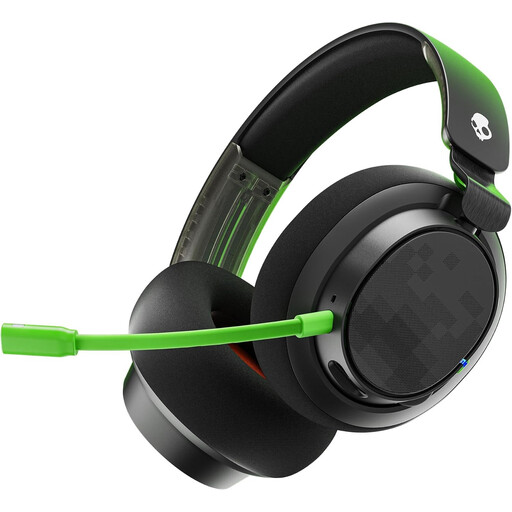 No image available
A wired option for gaming with voice chat; choose it only if a cable suits your gaming setup.
The product information lists 3.5 mm and USB cables, compatibility with Xbox, PlayStation, PC, Mac and Nintendo Switch, memory foam ear cushions and a detachable microphone with a mute button.
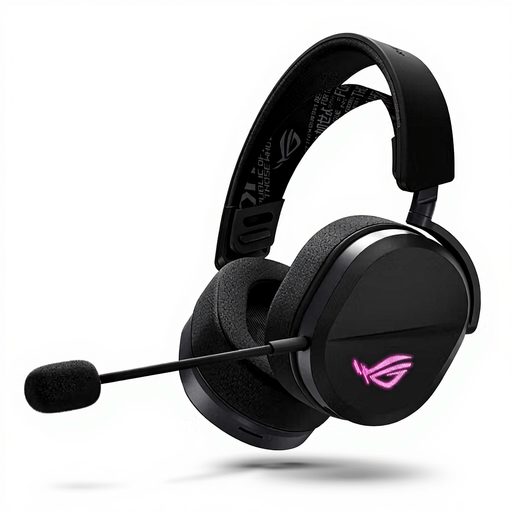 No image available
An option if you play on PS5, PC or Switch and want a choice of the connections listed.
The product information lists USB-C, a 2.4 GHz USB receiver and Bluetooth, as well as an adjustable headband and boom microphone. The stated weight is 309 g.
 No image available
A wireless option for the listed PC, PlayStation and Switch platforms, with a detachable microphone for voice chat.
The product name lists 2.4 GHz and Bluetooth connections, compatibility with PC, PS5, PS4, Switch and mobile devices, memory foam ear cushions and a detachable 10 mm boom microphone. The stated battery life is up to 200 hours via Bluetooth and up to 120 hours via 2.4 GHz.
 No image available
A wired option for PC, PS5 or Xbox Series X|S if the connection suits your device and where you sit.
The product information lists 3.5 mm, USB-A and USB-C connections, a detachable microphone and memory foam in the headband and ear cushions. DTS Spatial Audio is listed for PC use only.
Look at the console, PC or controller you play on, not the screen size. Compare the available port or wireless connection with the exact model variant; HyperX, Sony and Microsoft describe different connection options.
Adjust the headband and see how the ear cushions feel to you. HyperX and Logitech describe soft materials, but that doesn’t determine your personal fit; keep the volume moderate when listening for long periods, too.
When you buy online from a business, the Government of the Netherlands says that in many cases you have a 14-day cooling-off period; check which terms apply to your purchase. You also have statutory rights if a product is faulty, including repair or replacement where appropriate. An additional warranty doesn’t replace these rights.
The Dutch Authority for Digital Infrastructure states that electrical and electronic equipment, including headphones, must have the correct CE marking. Wireless radio equipment must also meet European radio equipment requirements; a product listing alone doesn’t establish whether an individual item meets those requirements.