
Story-driven gamer who plays for hours
You want to follow dialogue, music and environmental sounds throughout your game without the fit interrupting your session.


First, choose a headset with a connection that works with your PC or console. Then compare the fit and how clearly you can hear dialogue and environmental sounds. Playing with a wired headset means you won’t need to charge a battery, while a wireless model gives you more freedom to move but depends on your platform, connection and battery life. Bright light doesn’t affect your choice of audio; deal with screen reflections separately.
You want to follow dialogue, music and environmental sounds throughout your game without the fit interrupting your session.
You want to know in advance which devices support both game audio and the microphone; connections vary by model.
You want to move freely during missions and are happy to charge your headset, provided the connection works with your platform.
A good fit if: you play in one spot, don’t want to charge a battery and have a compatible connection.
Bear in mind: the cable limits your freedom to move; check that the connection on your device supports both audio and the microphone.
A good fit if: you want more freedom to move during long missions.
Bear in mind: you’ll need to charge it and check that the receiver, microphone and preferred audio mode work with your platform.
A good fit if: you mainly play on one console, or want to switch between different consoles and a PC.
Bear in mind: extra connection options are only useful if the supported devices and the setup they require suit the way you play.
| What to consider | What should you check? | Who is this important for? |
|---|---|---|
| Clear dialogue and environmental sounds | Compare the audio on your platform and check whether spatial audio works on it. | I want to follow voices and sounds from the game world during missions; around 31% of consumers prioritise story audio. |
| Comfort during long missions | Look at the adjustability and ear cushion material, and how the headset feels; if possible, try it on for longer. | I want to enjoy long gaming sessions without discomfort from pressure or warm ear cushions; around 31% of consumers prioritise wearing comfort. |
| Connection to your platform | Check your exact device and whether game audio, the microphone, receiver and preferred audio mode all work. | I play on more than one device and want to know in advance whether I can use the same headset with each one; around 23% of consumers make compatibility their top priority. |
| Wireless freedom | Check which connection works with your platform and compare the stated battery life for each mode. | I want to move freely while playing and don’t mind charging the headset; around 15% of consumers prioritise the freedom of wireless play. |
A spatial audio mode may depend on the game, software and platform. The label alone doesn’t tell you how dialogue and environmental sounds will come across in your setup.
Check which devices support the feature and focus on the sounds that matter in the games you play.
Bluetooth, a USB receiver and a base station are different ways to connect. Support can vary by model and platform.
Check the exact model and make sure game audio, the microphone and your preferred audio mode work with your devices.
Pressure from the headband or ear cups, and warmth, can feel different during a long session than they do when you first put the headset on.
Look at adjustability and ear cushion material, and try the headset on for longer if you can. If you’re buying online, also check the returns policy.
The Cloud III is a wired option, while the Cloud III S Wireless is a separate wireless model.
The PULSE Elite is worth considering if you’re looking for a PS5 headset with PlayStation Link.
The Astro A50 X is designed to switch between Xbox, PS5 and PC or Mac via a base station.
The Arctis Nova 7 Wireless Gen 2 is a wireless option for anyone who also wants to use audio from a Bluetooth device.
This selection includes wired and wireless gaming headsets to compare for long gaming sessions.
 No image available
A wireless option for anyone who wants more freedom to move during long missions.
HyperX quotes up to 120 hours via 2.4 GHz and up to 200 hours via Bluetooth. These are manufacturer claims; check which connection works with your platform.
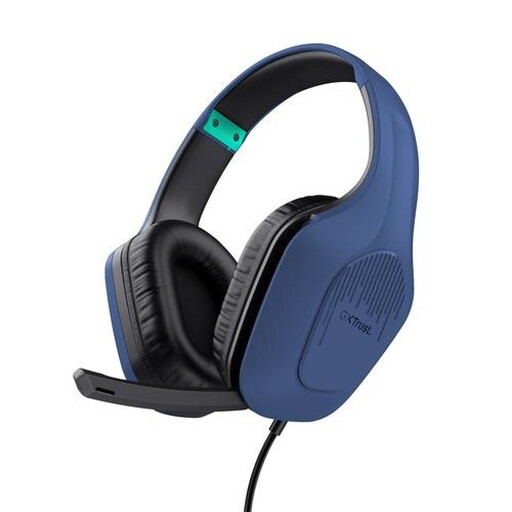 No image available
A wired option if your device has a compatible connection; check that it supports both game audio and the microphone.
The product name specifies 50mm drivers and an over-ear design.
 No image available
A wired option if you want to use the stated 7.1 audio mode on your platform.
The 7.1 surround sound described requires software and an activation code; check whether the feature is available for your device.
 No image available
A wired option to compare if you don’t want to charge a battery and the connections suit your devices.
HyperX lists 3.5 mm, USB-C and USB-A, and support for PC, PS5, PS4, Xbox Series X|S, Xbox One, Nintendo Switch, Mac and mobile devices. DTS Spatial Audio is specifically listed for PC.
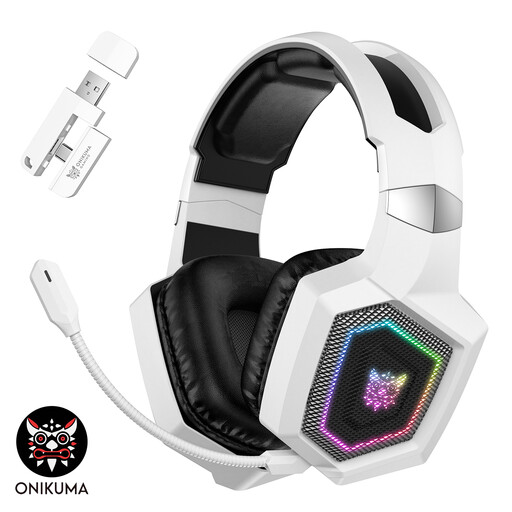 No image available
A headset with several connection modes; check in advance which mode works with your console.
According to the stated limitation, Bluetooth doesn’t work with PS4 or PS5; 2.4 GHz or wired Type-C are listed for those consoles.
No. Choose a headset based on sound, fit and platform compatibility, and deal with screen reflections and your room setup separately.
No, it depends on the model and connection. Check whether the console supports the receiver or other connection method, and whether the microphone and preferred audio mode work too.
Not necessarily: spatial audio performance may depend on the game, software and platform. Check where the feature works and compare the audio that matters in the games you play.
Keep the volume low and pay attention to how long you listen, too. The World Health Organization recommends, among other things, setting your device volume to no more than 60%. Your actual sound exposure depends on the device, volume and duration; this advice doesn’t prove that a particular headset model is safe.
According to the Dutch government, in many cases you have 14 days to change your mind when buying at a distance. Check the terms and any exceptions that apply to your purchase; this is separate from remedies for a faulty product.