If you read interactive fiction as text, you don’t need a gaming headset for it. A headset can be useful for spoken scenes, music or text-to-speech: if so, choose one that’s comfortable to wear and connects to your device. A wired headset suits a fixed setup where you don’t want to worry about charging. Only pay extra for wireless features or a microphone if you’ll use them.
Who might need a headset?
Listener to story narration
You play interactive stories with spoken scenes, music or text-to-speech, and want to enjoy them comfortably during longer sessions. PlayNook describes audio stories featuring voices and music, while itch.io includes interactive fiction where audio is a game feature.
Reader at a fixed desk
You mainly play on one computer and want a simple connection. If the story is silent, your existing audio device may be all you need.
Switching between devices
You play or listen on several devices in your home office. Check that the chosen audio connection and any microphone work with each device.
What should you look for?
No new headset
Best if: you read the story and don’t use audio or voice input.
Trade-off: this isn’t suitable for stories with spoken scenes or text-to-speech.
Wired headset
Best if: you usually play at the same desk and your device supports the headset’s connection.
Trade-off: the cable limits your movement, but there’s no battery to charge.
Wireless headset
Best if: you want to listen without a cable or switch between devices. First, check which connections each device supports.
Trade-off: you’ll need to charge it, and may need to switch between Bluetooth and a USB receiver.
| What to consider |
What to look for |
Who is it important for? |
| Comfort |
Check the weight, adjustability and ear cushions, and make sure the headset fits you comfortably. |
For long listening sessions, I want my headset to stay comfortable over time; comfort is the main reason for buying one for around 31% of consumers. |
| Speech clarity |
Find out whether the story includes audio and, if possible, listen using the voice or speech output you’ll be using. |
If I want to follow spoken story text or text-to-speech, I look for clear voices; that’s the main reason for buying one for around 25% of consumers. |
| Connection |
Make a note of your devices and ports, then check that both the audio and microphone work with the exact model. |
If I want to use a headset with several devices, it needs to connect to each one; compatibility is the top priority for around 19% of consumers. |
| Microphone |
Check whether your game supports voice input and whether the microphone works with your device; make a test recording if possible. |
If I need voice input or use the same headset for calls, I check the microphone; that’s the main reason for buying one for around 13% of consumers. |
| Whether extra features are worth it |
First, check whether your story includes audio or voice input, and whether your current headphones already do the job. |
If I mostly read silent text, I don’t want to pay for features I won’t use; usefulness and cost are the top priority for around 12% of consumers. |
Buying pitfalls
-
Buying a headset for a story made up entirely of silent text
Interactive fiction can be text-based, but some stories also use voices, music or other audio. A headset won’t add sound to a silent story.
Before buying, check whether your game uses spoken text, music, sound effects or voice input.
Otherwise, you could pay for audio features you won’t use for that game.
-
Assuming a surround sound claim guarantees clearer dialogue
Spatial audio also depends on the software, game and platform. Razer limits the BlackShark V2 X’s advertised 7.1 feature to Windows 11.
Judge speech clarity using the audio you actually plan to play, and check the platform requirements for the exact model.
A feature may add little if your platform doesn’t support it or your story doesn’t use it.
-
Assuming wireless connections and devices are interchangeable
Bluetooth and a 2.4GHz receiver have different support requirements. An independent review of the HyperX Cloud III S Wireless says it doesn’t support Xbox.
Check the full model name and the audio and microphone connections for every device you use.
Depending on the combination you choose, you may need a different receiver or model.
-
Confusing the manufacturer’s warranty with your full legal rights
According to ACM ConsuWijzer, the seller remains responsible if a product doesn’t perform as you could reasonably expect under normal use. A manufacturer’s warranty doesn’t replace that legal responsibility.
Keep your proof of purchase and contact the seller first if there’s a fault. Check any additional warranty terms separately.
Brands worth comparing
HyperX
The wired Cloud III is worth considering for a fixed setup; the Cloud III S Wireless is an option if you switch between supported wireless devices.
- HyperX lists 3.5 mm, USB-C and USB-A connection options for the wired Cloud III.
- HP quotes up to 120 hours of use via 2.4 GHz and up to 200 hours via Bluetooth for the Cloud III S Wireless. These are manufacturer estimates, not measured battery life.
- A SoundGuys review says the Cloud III S Wireless doesn’t support Xbox. Check support for the exact model and device.
SteelSeries
The Arctis Nova 5 Wireless is worth considering if you play at your desk and also want to switch to another device over Bluetooth.
- SteelSeries describes a USB-C receiver and switching between 2.4 GHz and Bluetooth.
- Being able to switch doesn’t mean both audio sources will play at the same time. The advertised audio profiles don’t prove that every interactive story will sound better.
Logitech G
The G435 is a wireless option to compare if you want to listen over Bluetooth as well as on your computer.
- Logitech lists LIGHTSPEED, Bluetooth, built-in microphones and a stated battery life of 18 hours.
- Check the connection for each device: Logitech lists separate compatibility requirements for LIGHTSPEED.
Razer
The wired BlackShark V2 X is worth considering if you want a closed-back headset with a microphone and your device has a suitable connection.
- Razer lists passive noise isolation, a cardioid microphone and a weight of 240 g for this model.
- Razer lists the 7.1 feature for Windows 11 only; it isn’t essential for interactive fiction.
Headsets at Joybuy
These gaming headsets are designed for listening or speaking at a desk; the selection includes both wired and wireless models.
 No image available
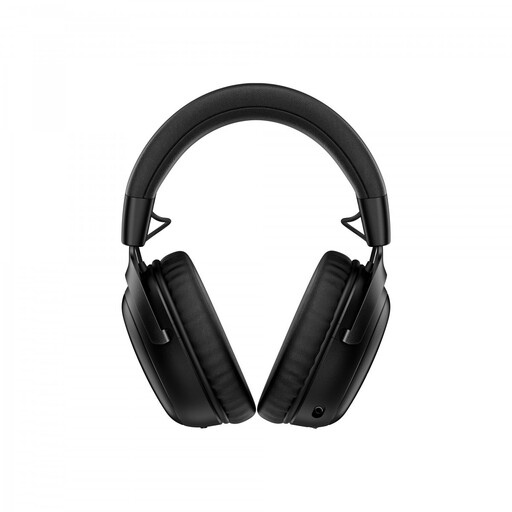
HyperX Cloud III S Wireless
Suited to listening without a cable on a device that supports your chosen connection.
HP quotes up to 120 hours of use via 2.4 GHz and up to 200 hours via Bluetooth; these are stated battery life figures, not measured results. The product name mentions a detachable 10 mm boom microphone and memory foam ear cushions. According to SoundGuys, this model doesn’t support Xbox.
View at Joybuy
 No image available
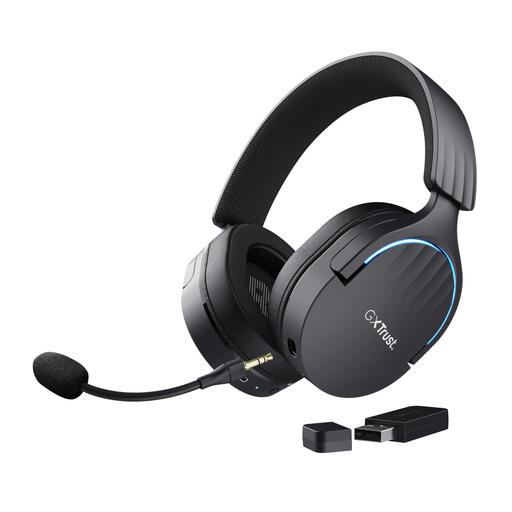
Trust GXT 491 Fayzo Wireless
A wireless option to consider if you’re looking for a gaming headset for your desk.
The product name lists wireless use, an over-ear design and 7.1 Surround Sound. Check which connections and features work with your device.
View at Joybuy
 No image available
Razer BlackShark V2 X 7.1 Wired
Suited to a fixed setup if you’re looking for a wired headset and your device has a compatible connection.
The product name lists 7.1 and a wired multi-platform gaming headset. Razer limits the advertised 7.1 feature to Windows 11; check the requirements for your device.
View at Joybuy
 No image available
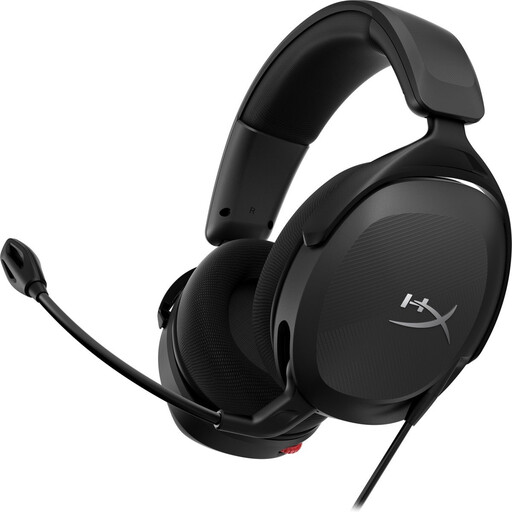
HyperX Cloud III
Suited to listening at a fixed desk if your device supports one of the available wired connections.
HyperX lists 3.5 mm, USB-C and USB-A connection options for the wired Cloud III. The product name mentions PC, PS5 and Xbox Series X|S; check the connections on the version you choose.
View at Joybuy
 No image available
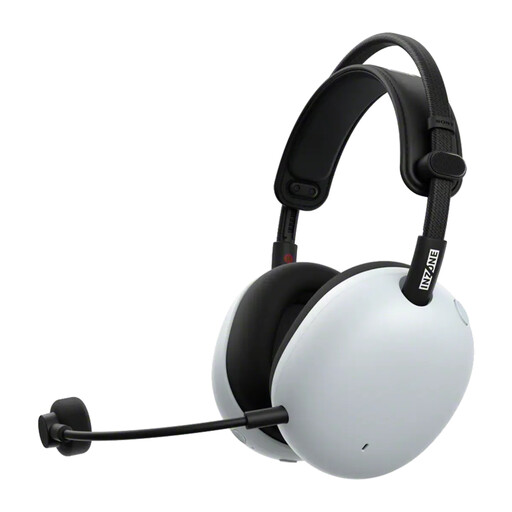
Sony PlayStation INZONE H9 II
A wireless headset to consider if you want to listen without a cable.
The product name lists wireless use and noise cancelling. Before buying, check that the connection and features suit your device and how you plan to use it.
View at Joybuy
Frequently asked questions
Do I need a gaming headset for interactive fiction?
Not if you only read the game as silent text. Headphones can be useful for narrated stories, music or text-to-speech; first check which audio your game actually uses.
How can I check whether a headset will connect to my device?
Compare your device’s ports and wireless options with the exact headset model. HyperX lists 3.5 mm, USB-C and USB-A connections for the wired Cloud III. For wireless models, check whether each device supports Bluetooth or the relevant receiver.
How should I care for my headset?
Follow the model-specific instructions for cleaning and charging. This helps you avoid general advice that may not suit your headset’s materials or battery.
What are my rights when buying online in the Netherlands?
According to ACM ConsuWijzer, online consumer purchases generally come with a cooling-off period of up to 14 days after delivery, subject to legal exceptions. If a product doesn’t perform as you could reasonably expect under normal use, the seller remains responsible under the legal guarantee; a manufacturer’s warranty doesn’t replace that responsibility.


