
Gamers who play late while sharing a room
You want to hear the game through your headset without disturbing your housemate unnecessarily. That makes fit and volume in a shared space especially important.


Start with a headset that connects to your PC or console and fits comfortably over your ears. Then test it at your usual gaming volume to see whether anyone nearby can hear the sound. A wired headset means no charging, but limits your freedom to move. A wireless one needs a suitable connection and regular charging. The WHO recommends a well-fitting headset and keeping the volume low; listening time matters too.
You want to hear the game through your headset without disturbing your housemate unnecessarily. That makes fit and volume in a shared space especially important.
You want to hear quiet sounds in the game without constantly turning up the volume. Check the fit and assess the audio settings on your platform.
You want to know in advance whether the connection works with your console. If you play with others, the microphone and an easy-to-reach mute control may matter too.
Choose this if: your device has a suitable connection and you don't want to charge your headset.
Bear in mind: the cable may restrict your movement.
Choose this if: a cable would get in the way and the specific headset variant is explicitly compatible with your PC or console.
Bear in mind: you'll need to charge it and use a suitable receiver or wireless standard.
| What to consider | What should you check? | Who should pay extra attention? |
|---|---|---|
| Sound reaching your housemate | Check the fit and closed-back ear cups. Test at your usual gaming volume to see whether anyone nearby can hear the sound. | If I play late, I want to know whether my housemate can hear the game. Around 25% of consumers put sound leakage at the top of their list. |
| Quiet audio cues | Assess stereo playback and the settings available on your own platform at a comfortable volume. A 7.1 label alone doesn't prove that cues will be easier to hear. | If I want to pick up subtle sounds in a horror game, I want to do so without turning up the volume. Around 20% of consumers prioritise being able to hear these cues. |
| Connection to your platform | Check the full model variant and whether both game audio and the microphone work. Sony says that standard Bluetooth headphones don't connect directly to the PS5 as a Bluetooth audio device. | If I'm choosing a headset for my console, the connection needs to work with that platform. Platform compatibility is the top priority for around 20% of consumers. |
| Comfort during longer sessions | If possible, try the headset on with your glasses. After a while, check for pressure and warmth. | If I play for longer, I want the ear cushions and headband to stay comfortable. This is the main consideration for around 20% of consumers. |
| Chat and muting | Check the microphone position, mute control and how it works with your platform. Agree when you'll talk if your housemate is asleep. | If I chat while playing with others, I want to be able to control the microphone easily. Around 15% of consumers prioritise chat and muting. |
Microphone noise cancellation, passive isolation from outside noise and sound leaking from the ear cups are three different things.
Check what the claim refers to, then test how much sound can be heard nearby at your usual gaming volume.
A wireless feature won't necessarily work with every console. Sony says standard Bluetooth audio can't connect directly to a PS5; SteelSeries identifies the Nova 5X as the Xbox variant in the Nova 5 series.
Check the full model name, the receiver you need and the connection for your specific console.
Spatial audio features depend on the headset, software, game and platform. A label alone doesn't show that you'll be able to pinpoint sounds more easily.
Assess the audio on your platform at a comfortable volume. Stereo can also be suitable for gaming.
An additional warranty is separate from your statutory right to a product that is of satisfactory quality.
The Dutch government advises checking the terms and conditions. Compare what extra cover the offer actually provides.
The wired BlackShark V2 X is worth comparing if you're looking for a closed-back headset with a 3.5 mm connection.
The wired Cloud III could suit you if you want to compare connections for use with different devices.
The wireless Arctis Nova 5 series comes in platform-specific variants; SteelSeries identifies the 5X as the option for wireless use with Xbox.
The PRO X 2 LIGHTSPEED is worth considering if you want to compare different connection options and ear cushion materials.
The Xbox Wireless Headset is a console-focused option for pairing with an Xbox Series X|S or Xbox One.
These wired gaming headsets are designed for use with a suitable audio connection, with platform compatibility and chat in mind.
 No image available
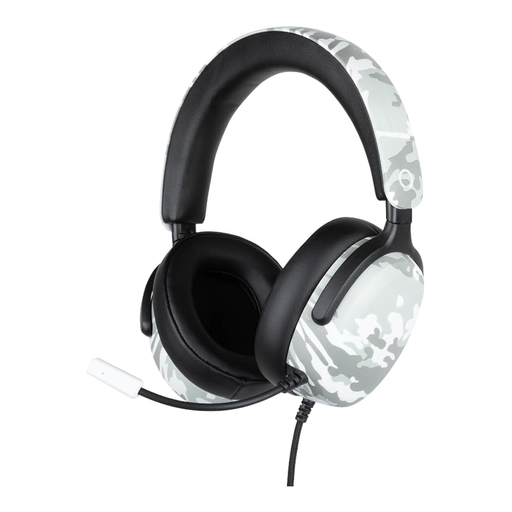
A wired option if you're playing on a device with a suitable 3.5 mm connection and want to chat while you play.
The cable restricts your movement.
 No image available
A wired option to compare if you're looking for a 3.5 mm connection and a microphone for chat.
The cable restricts your movement.
 No image available
A wired option worth considering if you want to compare USB-C and 3.5 mm connections and chat while you play.
The cable restricts your movement.
 No image available
A gaming headset worth comparing if the stated Windows support for spatial audio suits the way you play.
 No image available
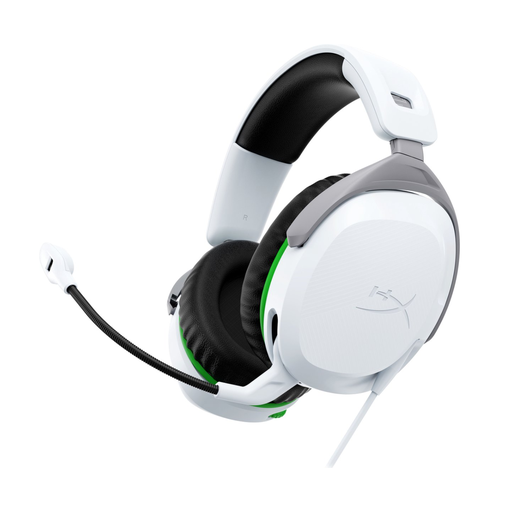
A wired option to compare if you play on Xbox and want a microphone with a mute function.
The cable restricts your movement.
No, not as a directly paired Bluetooth audio device. Sony lists a wired connection via the DualSense 3.5 mm socket as a possible option if your headphones support it. Sony doesn't guarantee that adapters will work.
According to Xbox Support, you can pair this specific headset model directly with an Xbox Series X|S or Xbox One using the pairing button on the console. This doesn't automatically apply to other wireless headsets.
Not necessarily. The WHO recommends a well-fitting headset and keeping the volume low; listening time matters too. The volume setting alone doesn't tell you how many decibels are reaching your ears.
No, the term doesn't prove that no sound will leak from the ear cups. Check whether the claim refers to microphone noise cancellation or isolation from outside noise, then test how much sound can be heard nearby at your usual gaming volume.
A wired headset using 3.5 mm doesn't need charging, as long as your device supports that connection, but the cable may get in the way. A wireless headset gives you more freedom to move, but needs charging and a connection compatible with your exact console variant.