
Vandaag of morgen in huis

Kwaliteit gegarandeerd

Welkomstaanbiedingen ontgrendelen: GRATIS bezorging | Tot 80% korting | Gratis 30 dagen JoyPlus-proefperiode
Download de app
A gaming headset may seem simple to choose at first glance. However, compatibility, comfort and microphone quality are common sources of disappointment. For example, a model may have a 3.5 mm connection but not work properly with the chat function you want to use. Terms such as “surround sound” or “noise cancellation” also mean little unless it is clear how and where these features work.
Joybuy Product Recommendation Officer selects products based on verifiable specifications. This makes it easier to see which type of gaming headset suits your needs, without relying solely on marketing claims.
A wired gaming headset with a 3.5 mm jack will often work directly through a controller, laptop or console. However, check whether your device uses a combined connection for audio and microphone. A PC with separate ports may require a splitter.
A USB headset or headset with a USB DAC may offer different features, but compatibility varies by platform. A headset for PS5, headset for Xbox and headset for Nintendo Switch are therefore not automatically interchangeable.
A surround sound headset may use virtual spatial audio. This is different from having multiple physical speakers in each earcup. According to the product information, the Logitech G432 supports DTS Headphone:X through software and a USB DAC. The available features may therefore depend on your operating system, game and software settings.
According to the manufacturer, the JBL Quantum 300 also offers JBL QuantumSURROUND through JBL QuantumENGINE on PC. When connected to a console via 3.5 mm, you will not necessarily get the same software features.
A “comfortable gaming headset” needs to suit your head, glasses, ear shape and gaming sessions. Pay attention to the weight, the shape of the headband and the material used for the ear cushions. Faux-leather cushions can provide a good seal but may feel warmer. A lightweight in-ear headset may be more comfortable for everyday use, but offers less isolation than an over-ear model.
First, choose the device you use the headset with most often:
A wireless gaming headset gives you greater freedom of movement, but requires a battery. Bluetooth is convenient for music and calls, while 2.4 GHz is often used for a direct wireless connection to a PC or console. Always check which transmitter or adapter is included.
For online gaming, a clear microphone, a physical mute function and easy volume control are important. A flip-to-mute microphone mutes the signal when you flip the microphone upwards. Some models have a detachable microphone, which is useful if you also want to use the headset for music or films.
Do not rely solely on terms such as “noise cancellation”. According to a brand’s own research, noise reduction can improve speech intelligibility, but its practical performance depends on ambient noise, microphone positioning and software. Also check the microphone frequency response, the type of controls and whether the microphone is adjustable.
A larger driver size, such as 40 or 50 mm, tells you about the speaker unit but does not fully predict how a headset will sound. Also check the frequency response, impedance and weight.
For long sessions, models weighing around 240 to 260 grams are often easier to wear, although fit is just as important. In-ear models such as the Samsung EO-IC100 weigh 18.35 grams according to the product information and use USB-C. They are not a full-size over-ear gaming headset, but may suit music, calls and light gaming on a compatible device.
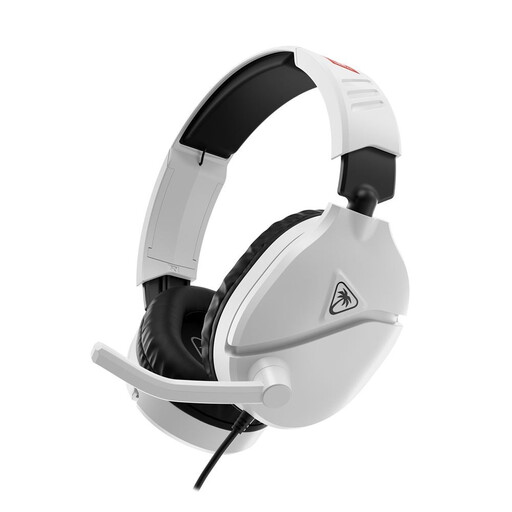
Why it suits this profile: A wired option for gamers who want to get started without a battery or complicated setup. According to the product information, the 3.5 mm connection is suitable for Nintendo Switch, PC and several PlayStation devices.
The connection and controls are clearly described. The flip-to-mute microphone and volume control are located directly on the headset.
40 mm speakers, 3.5 mm jack, flip-to-mute microphone and a padded headband.
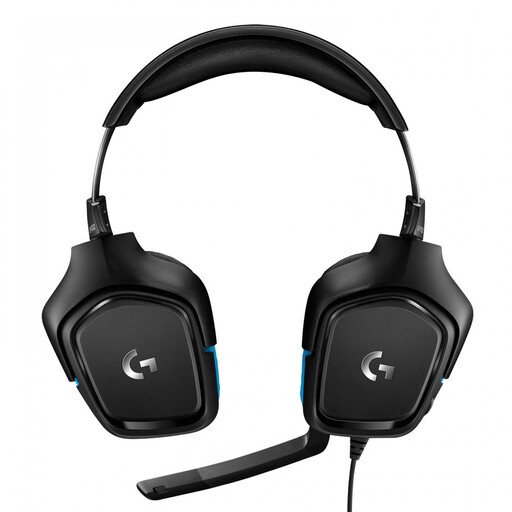
Why it suits this profile: Suitable for users who want to access additional settings on PC and are looking for a headset for multiple platforms, including PC, PlayStation, Xbox and Nintendo Switch.
The product information distinguishes between the 3.5 mm connection and surround features provided through the included USB DAC and software.
50 mm drivers, 7.1 audio according to the specifications, a 6 mm flip-to-mute microphone and a weight of 259 grams.
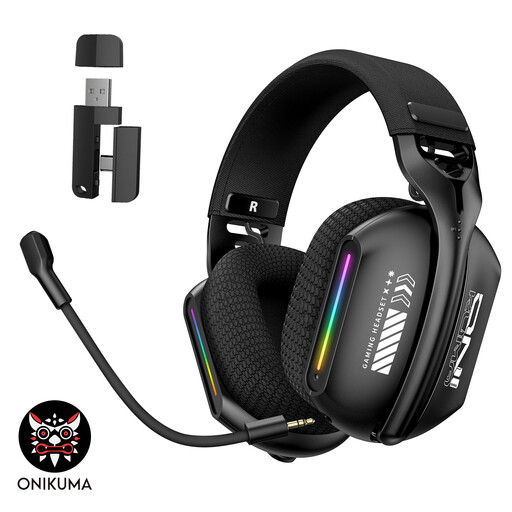
Why it suits this profile: Convenient for PC and laptop users who want to switch between 2.4 GHz, Bluetooth and wired listening, depending on whether they are gaming, listening to music or having a call.
The three stated connection modes make it clear that wireless use is not the only option. The headset charges via USB-C.
2.4 GHz, Bluetooth and wired mode, an adjustable microphone and soft memory foam ear cushions according to the product description.
We have put together a complete, up-to-date list of products that fully meet these strict selection criteria and the applicable European safety regulations.
It often can, but check the connection on the controller or console and the product’s platform compatibility. A 4-pole 3.5 mm jack generally supports audio and microphone through a single connection. With Xbox, compatibility may vary depending on the controller.
A wireless headset has no running costs while in use, but it does need to be recharged regularly. Over time, the battery may not last as long. A wired gaming headset has no battery and works straight away, but the cable may wear out if not handled carefully.
A gaming headset with a microphone will usually offer a microphone that can be positioned closer to your mouth, as well as an over-ear fit. Earphones such as USB-C or 3.5 mm models are lighter and suitable for calls, music and casual gaming. Choose based on your platform, wearing comfort and how important chat quality is to you.
