
Console gaming from the sofa
You play on a big screen and want your headset to connect to your console or controller from where you’re sitting.


Start with your console or PC and how far you sit from the screen. A wired headset connected to a compatible controller means you don’t need to worry about headset battery life, while a wireless model gives you more freedom to move but requires a supported connection and charging. Then check the fit for long gaming sessions and, if you play with others, the microphone and mute controls.
You play on a big screen and want your headset to connect to your console or controller from where you’re sitting.
You wear your headset for long stretches and prioritise a comfortable fit and enjoyable listening over extra features.
You want to talk to others while you play, so you pay attention to the microphone and how easily you can mute it.
Best for: gaming from a fixed seat if your controller has a compatible audio socket.
Bear in mind: the cable needs to reach from where you’re sitting, and the connection must support audio and, if needed, chat.
Best for: gaming from the sofa without a headset cable, provided the manufacturer lists your console as compatible with the exact model.
Bear in mind: wireless connections aren’t interchangeable, and the headset needs charging.
| What to consider | What to check before buying | Who is it most important to? |
|---|---|---|
| Compatible connection | Check the connection for your console or PC, and make sure the cable can reach your controller from where you sit. | When I’m gaming from the sofa, the first thing I want to know is whether the headset works with my device and controller. Around 36% of consumers put a compatible connection first. |
| Comfort during long sessions | Look for adjustability and ear cushions; try the headset on yourself if possible. | During a long adventure, I want the headset to stay comfortable rather than simply adding extra features. Around 29% of consumers prioritise wearing comfort above all else. |
| Game audio | Check which audio features work on your platform and look up information about the exact model. | When I’m immersed in music, voices and ambient sounds, I want to consider the audio quality without relying on a feature claim alone. Around 21% of consumers put game audio first. |
| Voice chat | Check that the microphone works with your device and that you can easily mute it while playing. | When I play with others, I want my voice to come through clearly and to be able to mute the microphone quickly. Around 14% of consumers prioritise voice chat above all else. |
The wired HyperX Cloud III and the Cloud III Wireless are different versions. HyperX lists Xbox Series X|S as compatible with the wired Cloud III, but not with the Cloud III Wireless.
Check the full model name, connections and listed platforms for the version you want to buy.
The wireless headsets described use different connection types, including PlayStation Link, Xbox Wireless and model-specific dongles. Bluetooth support for other devices doesn’t in itself confirm a console connection.
Check which connection the manufacturer lists for your console and the exact model, and whether you need an adapter.
ACM ConsuWijzer distinguishes between your statutory guarantee rights and a guarantee offered by the seller or manufacturer. What you’re legally entitled to expect also depends on what’s reasonable to expect from the product under normal use.
Check your statutory rights separately from any additional warranty terms.
The wired Cloud III is worth considering if you want to use it with several listed platforms; the Cloud III Wireless is a separate version.
The Arctis Nova 7P Wireless is one option if you want to play wirelessly on PlayStation or PC and listen to audio from your phone too.
The PULSE Elite is a wireless option designed for PS5, with PlayStation Link.
The updated Xbox Wireless Headset is a console-specific option that connects directly to Xbox.
According to Logitech, the PRO X 2 LIGHTSPEED offers wireless connectivity via LIGHTSPEED, Bluetooth and 3.5 mm.
This selection includes wired headsets for use with a controller, as well as wireless options for the listed console connections. Check each model to make sure its connection and platform support suit your setup.
 No image available
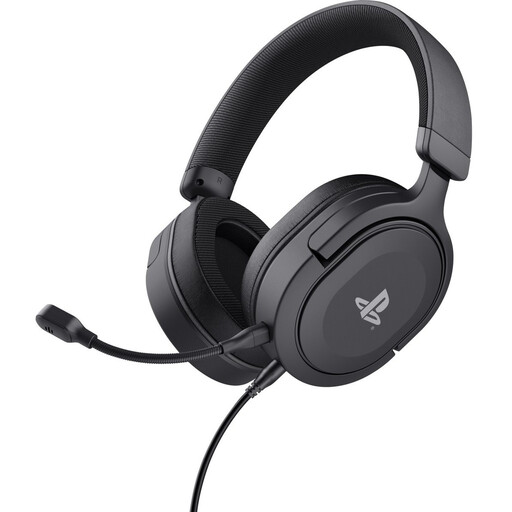
Worth considering if you play on PS5 or PS4 via a 3.5 mm connection and want a detachable microphone.
The headset has 50 mm drivers, a detachable microphone with mute control and a 1.2 m cable; bear in mind the distance to your controller.
 No image available
Worth considering if you play on Nintendo Switch, Switch Lite or Switch OLED and want a wired 3.5 mm headset.
The headset has 40 mm drivers, volume control and a flip-up microphone that mutes when raised. Its wired connection isn’t designed for cable-free gaming.
 No image available
Worth considering if you play via a 3.5 mm controller connection on consoles including PS5 or Xbox Series X|S.
The headset has 40 mm speakers, a volume control and a flip-up microphone that mutes when raised. Bear in mind the cable between the headset and controller.
 No image available
Worth considering if you want to play wirelessly on Xbox using the USB transmitter listed.
The headset has 40 mm drivers, Bluetooth 5.2 and a flip-up microphone that mutes when raised. It charges via USB-C.
 No image available
Worth considering if you’re looking for a wireless headset for one of the listed console versions; check the connection for your device.
The title lists Xbox Series X|S, Xbox One, PS5 and PS4. The headset has 50 mm drivers, game and chat controls, and a flip-up microphone that mutes when raised. It charges via USB-C.
No. Check which connection the manufacturer lists for the exact headset and console. For the PULSE Elite, PlayStation describes a PlayStation Link USB adapter for PS5; Microsoft says the updated Xbox Wireless Headset connects directly to Xbox consoles. Bluetooth support for a phone doesn’t in itself confirm a console connection.
For the wireless PlayStation headsets covered by PlayStation Support’s instructions, charge the headset, connect the USB adapter to your PS5 and switch on the headset. For other brands, follow the instructions for the exact model.
The World Health Organization says that sound level, listening time and how often you’re exposed to loud sounds all matter. Keep the volume down, especially during long gaming sessions; a setting on a particular headset won’t automatically be suitable for everyone.
According to ACM ConsuWijzer, online product purchases generally come with a statutory cooling-off period of up to 14 days after delivery, subject to exceptions that you should check for your purchase. You’re also entitled to a statutory guarantee if, under normal use, a product doesn’t meet what you could reasonably expect; this isn’t automatically limited to any stated manufacturer’s warranty.
Radio equipment is covered by the European Union’s Radio Equipment Directive. EU guidance says CE marking is required where the applicable harmonised product rules specify it; the manufacturer is responsible for compliance. CE marking doesn’t in itself assess a gaming headset’s sound quality or fit.