
Vandaag of morgen in huis

Kwaliteit gegarandeerd

Welkomstaanbiedingen ontgrendelen: GRATIS bezorging | Tot 80% korting | Gratis 30 dagen JoyPlus-proefperiode
Download de app
A gaming headset needs to do more than just play sound. You want to pinpoint footsteps, hear your teammates clearly, and play for hours without the headset feeling tight. Yet many buying decisions are based on eye-catching terms like “7.1”, “noise cancelling” or “RGB”, while the practical differences are less obvious.
The three most common pitfalls:
First, choose between a wired gaming headset, a wireless model, or a combination of the two.
A headset for PC and console requires extra checking. The Razer Barracuda X (2022) supports PC, PlayStation 4 and 5, Nintendo Switch and mobile devices according to the product specification. The HyperX Cloud III is listed for PC, PlayStation, Xbox, Nintendo Switch, Mac and mobile devices according to the product information. When using it with Xbox, do check the included cable and connection.
A 7.1 surround sound headset uses multiple virtual audio channels or software processing to simulate direction in sound. This can help with positional audio, but it’s no guarantee that you’ll hear where a sound is coming from better in every game. The Logitech G432 works with DTS Headphone:X and a USB DAC according to the product specification; the surround function may therefore depend on the connection and software.
Also pay attention to driver diameter, but don’t automatically assume a larger driver means better sound. Models in this selection use drivers of 40 mm, 50 mm and 53 mm. The frequency range, for example 20 Hz to 20 kHz, mainly tells you the range in which sound is reproduced. It doesn’t independently describe tonal balance or detail reproduction.
A gaming headset with microphone is only practical if the microphone is easy to position and simple to mute. Look out for:
For long sessions, over-ear cushions, an adjustable headband and a low weight are relevant points. The Trust Ayda weighs 141 grams according to the product specification, but is an on-ear USB headset primarily designed for calls and online meetings. The Razer Barracuda X weighs 250 grams; the Trust GXT 490 Fayzo weighs 290 grams. However, weight is only one factor: the shape of the cushions and the pressure on your head also determine wearing comfort.
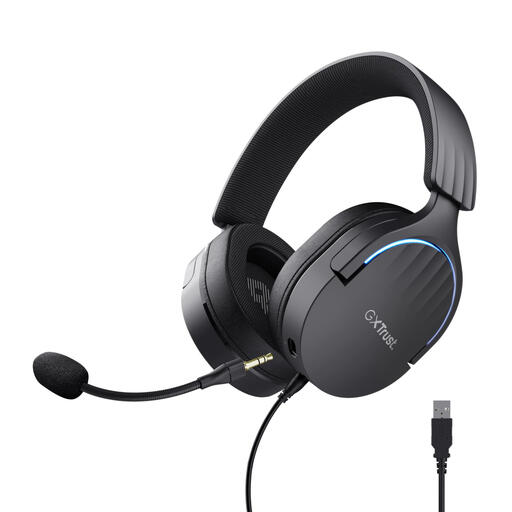
Why this fits the profile: A wired USB headset with over-ear cushions, volume control and virtual 7.1 audio for PC and PlayStation 4/5.
The product specification clearly states a USB connection, 50mm drivers and support for PC and PlayStation. The virtual 7.1 function should not automatically be considered full surround sound on consoles.
50mm drivers, detachable noise cancelling microphone, RGB lighting and a 200 cm cable.
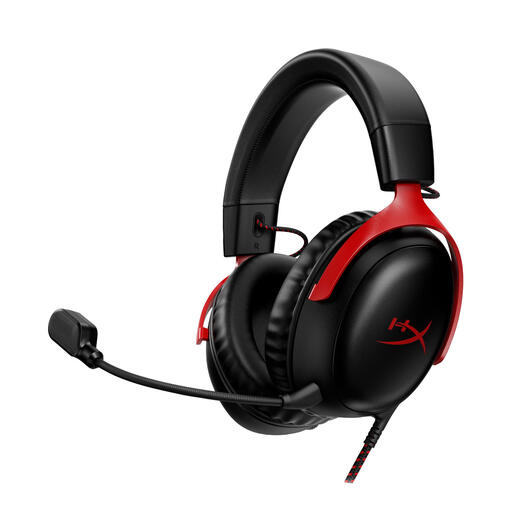
Why this fits the profile: A wired model with memory foam, a metal frame and multiple connection options for gamers who value comfort and platform flexibility.
The specification mentions USB-C, USB-A and 3.5mm connections. This means you don’t have to rely on just one type of port. DTS Headphone:X 2.0 is virtual surround sound and works depending on the chosen connection and software.
53mm drivers, detachable microphone, noise cancelling on the microphone and compatibility with PC, PlayStation, Xbox, Switch, Mac and mobile according to the product information.
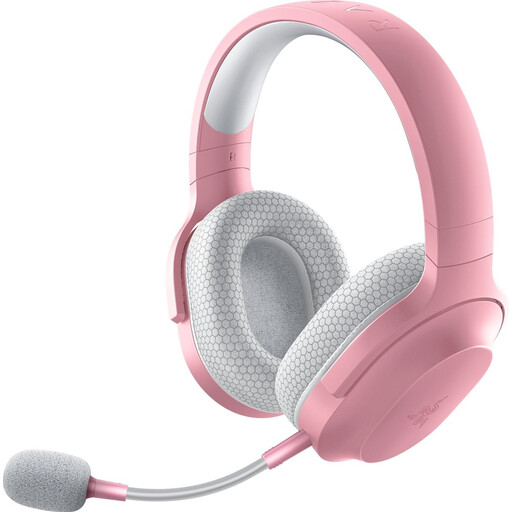
Why this fits the profile: For gamers who switch between gaming, mobile use and different rooms, and therefore want wireless freedom alongside a cable option.
According to the specification, the headset uses both 2.4GHz radio and Bluetooth 5.2, and comes with a USB-C dongle and 3.5mm cable. Check in advance which mode your device supports.
Up to 50 hours of battery life according to the product specification, a weight of 250 grams, detachable microphone and support for PC, PlayStation, Switch and Android.
A USB gaming headset is practical if you play on PC and want quick access to digital audio, microphone controls and any software profiles. Models such as the Corsair HS80 RGB USB use 50mm drivers, RGB lighting and Dolby Audio 7.1 True Surround Sound for PC according to the product information. This variant is wired and does not work wirelessly.
For online meetings or chatting, a simpler model may be sufficient. The Trust Ayda has a USB-A connection with a USB-C adapter, an adjustable headband, on-ear volume control and a flip-to-mute microphone. This isn’t a typical over-ear gaming headset, but it can suit users who mainly value calls and everyday computer use.
We’ve put together a full, up-to-date list of products that fully meet these strict selection criteria and comply with current European safety regulations.
That depends on the model. A 3.5mm headset often works via the controller, while USB models depend on console support. Check the platform specification and the included cable or adapter before you order.
Not automatically. A wireless gaming headset offers freedom of movement, but needs to be charged and uses a receiver or Bluetooth. A wired model doesn’t need a battery and can be a straightforward choice for a fixed PC or console setup.
The lifespan depends on usage, cable strain, storage and maintenance. Don’t pull on the cable, keep the headset dry and store it without leaving the headband under tension for long periods. With a wireless model, the built-in battery is also an extra component that may lose capacity over time.
